How to Install and Activate DefiniteSEO on WordPress
Installation takes about a minute and needs only an administrator account. You do not need a license or a paid plan to begin, because the core SEO tools are free.
On this page
Install from the plugin directory
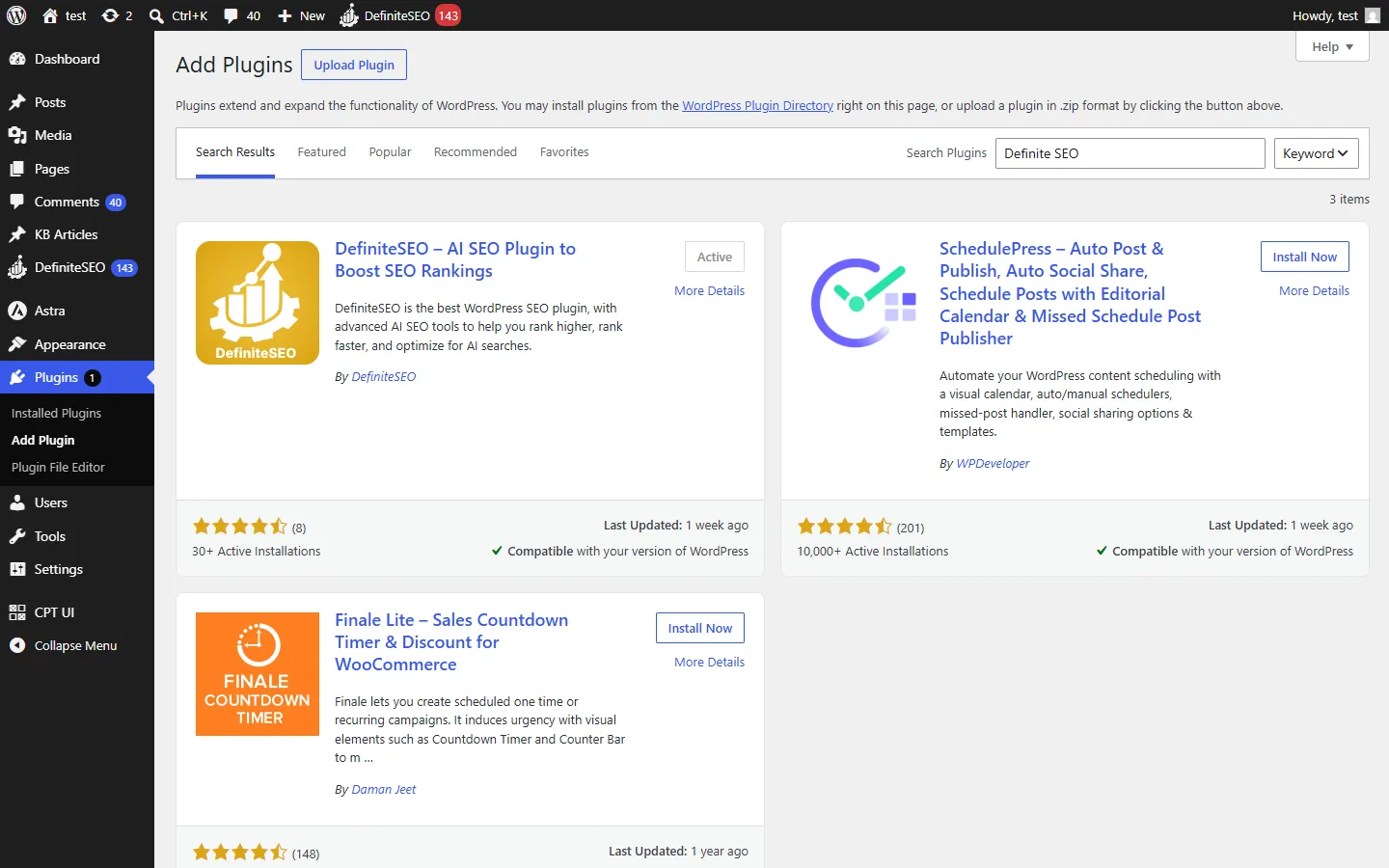
In your WordPress admin, go to Plugins, then Add New Plugin. In the Search plugins box on the right, type DefiniteSEO. The first result is DefiniteSEO and AI SEO Plugin to Boost SEO Rankings, published by DefiniteSEO and shown with the gold DefiniteSEO icon. Click Install Now, and the button changes to Activate once the download finishes.
Or upload the plugin ZIP
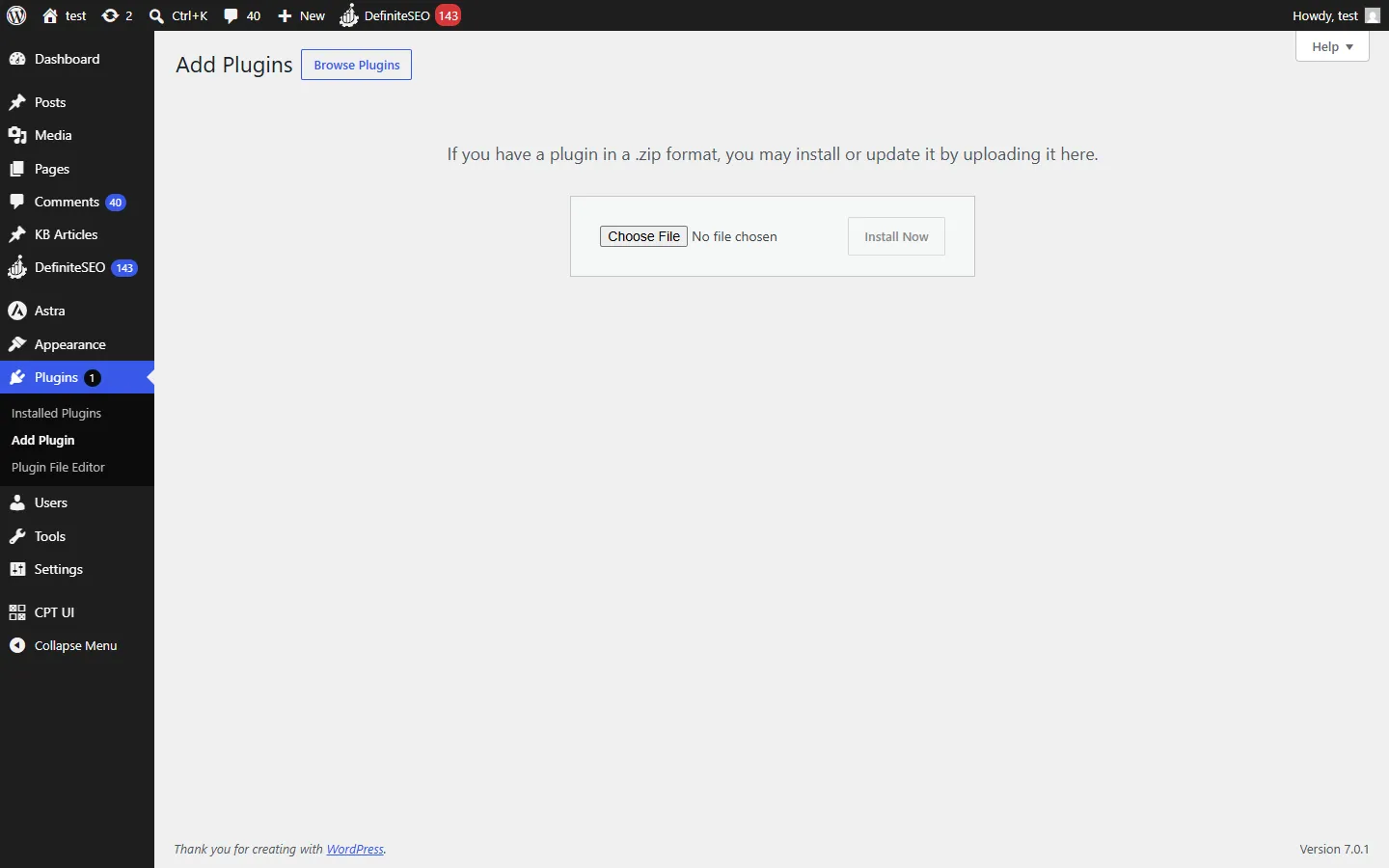
If you have DefiniteSEO as a .zip file instead, go to Plugins, then Add New Plugin, and click Upload Plugin at the top of the page. Choose the seo-with-definite-seo.zip file, then click Install Now. Use this method when your host blocks installs directly from the plugin directory.
Activate DefiniteSEO
Click Activate on the screen that appears after installing. If you navigated away, go to Plugins, then Installed Plugins, find DefiniteSEO in the list, and click Activate.
Activation does several things in one go: it sets up DefiniteSEO’s user roles and permissions (which you manage later in Access Manager), creates the database table it uses for redirects, runs a first SEO scan that fills in your SEO score and the critical-issues count, and prepares a robots.txt that points search engines to your sitemap. None of this touches your posts, pages, or theme.
Open DefiniteSEO from your menu
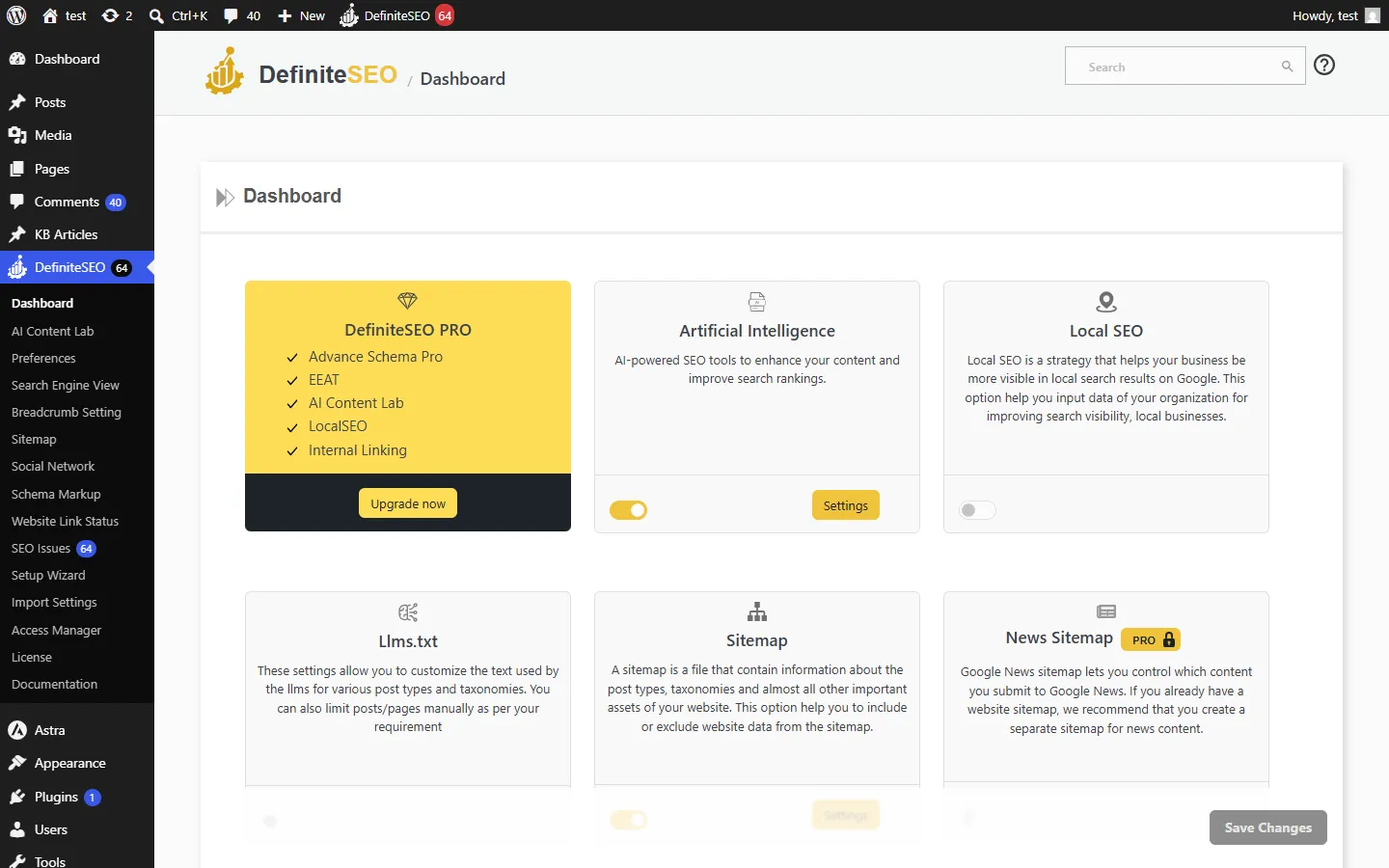
Once the plugin is active, a DefiniteSEO item appears in the left admin sidebar, with a small red number next to it that counts the critical SEO issues the first scan found on your site. Click it to open the dashboard. From here you can run the setup wizard, turn modules on or off, and start optimizing your content.
Frequently asked questions
What are the requirements for DefiniteSEO?
DefiniteSEO needs WordPress 6.2 or higher and PHP 7.4 or higher, plus an administrator account to install and activate it. Most modern hosts already meet these.
Do I need a license or a paid plan to use DefiniteSEO?
No. The core SEO tools are free and work right after activation. A paid plan unlocks the Pro modules, which is a separate add-on, but you can run the free plugin on its own indefinitely.
Why was I redirected to the setup wizard after activating?
That is expected on the first activation. DefiniteSEO opens the Setup Wizard so you can set your site identity, homepage title and description, and social preview in one pass. You can skip it and reach it again any time from DefiniteSEO, then Setup Wizard.
Does activating DefiniteSEO change my site’s content?
No. Activation sets up the plugin’s roles, creates its database table, runs a first SEO scan, and prepares your robots.txt. It does not edit your posts, pages, or theme.
How do I update DefiniteSEO?
Update it like any WordPress plugin from Plugins, then Installed Plugins, when an update is available. Your settings are kept across updates.
Can I use DefiniteSEO on more than one site?
Yes. Install and activate it on each site where you want the SEO features. Each site keeps its own settings.