AI SEO plugin for WordPress
DefiniteSEO is an AI WordPress SEO plugin that finds on-page SEO issues and fixes them for you, one click at a time or in bulk. It keeps meta, schema, internal links and image alt text optimised on autopilot, and every change is reversible for 30 days.
Free core plugin on WordPress.org · Works with Classic, Gutenberg, Elementor & WooCommerce
AI SEO automation that fixes your WordPress site
SEO Autofix is the engine. The AI SEO Agent, AI Internal Linking and AI Image SEO build on it to keep your whole site optimised on autopilot.
One-click & bulk fixes
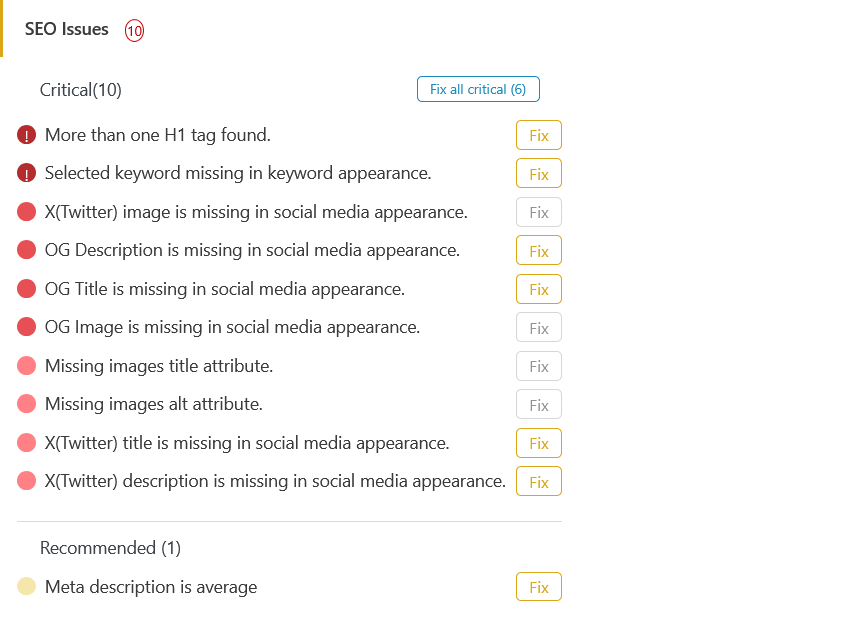
SEO Autofix
DefiniteSEO analyses every post for on-page issues like missing meta, weak titles, un-optimised headings and disabled schema, then applies a real fix for each. Fix one issue in the editor, or bulk “Auto-fix critical issues” across your entire site.
- Per-issue Fix and “Fix all critical” from the editor sidebar
- Mechanical fixes (canonical, schema, sitemap, robots, noindex) cost 0 credits
- AI fixes for titles, descriptions, alt text and OG / Twitter tags
- Works in Classic, Gutenberg and Elementor
- Every change reversible for 30 days, with a full activity log
SEO on autopilot
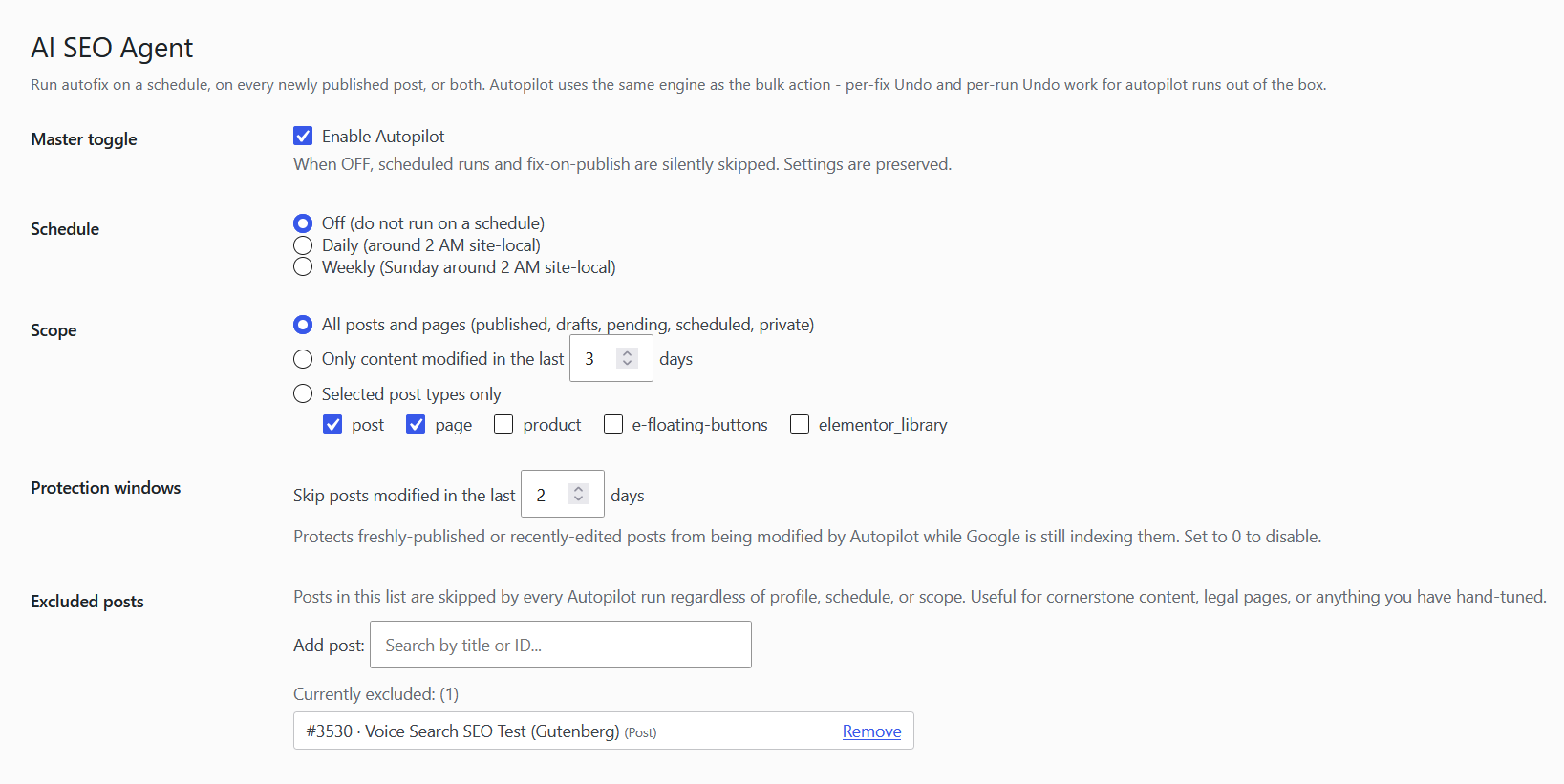
AI SEO Agent (Autopilot)
Let the plugin run SEO Autofix on its own, on a schedule and whenever you publish, inside the limits you set. Predictable costs, full control, and a daily report of everything it changed.
- Runs on a schedule and on publish
- Scope a cohort of posts, with a live preview estimate
- Conservative, Balanced and Aggressive profiles
- Daily credit cap and per-fixer overrides
- Protection window for fresh posts + daily email digest
Automatic internal links
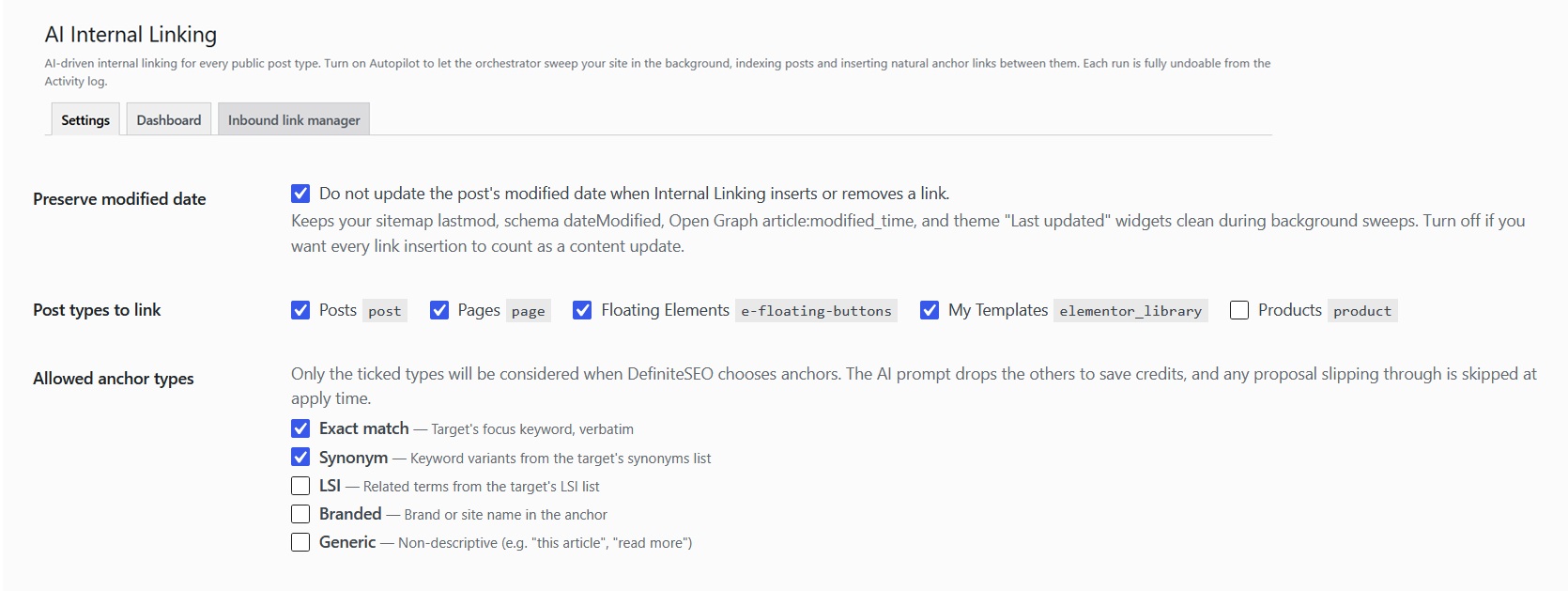
AI Internal Linking
Builds a semantic index of your content and inserts natural internal links between related posts, the way an editor would, while protecting you from over-optimisation.
- Five anchor types: Exact, Synonym, LSI, Branded, Generic
- Anchor-diversity tracking and over-optimised-target guard
- Pillar-page boosting and important-target pages
- Inbound-link manager to push links to one target
- Per-link 30-day undo and a panic “Stop & clear queue”
Automatic image SEO
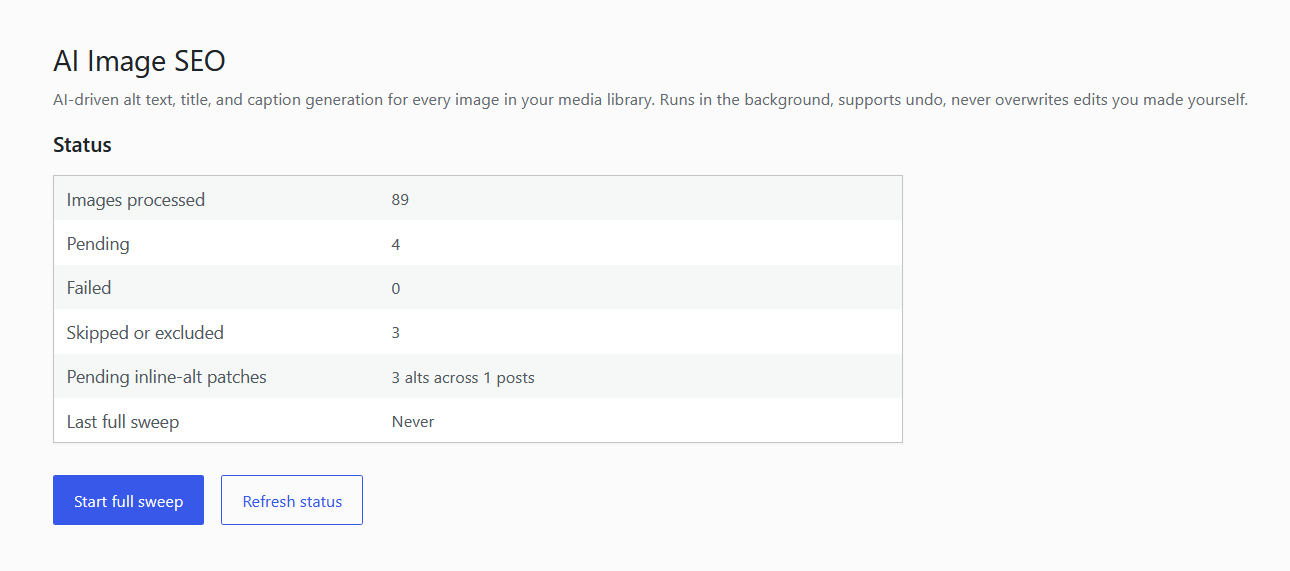
AI Image SEO
Give every image descriptive alt text, titles and captions, plus a clean, keyword-rich filename on upload. Sweep your whole media library in the background or edit image-by-image.
- AI alt text, titles and captions (captions stay copy-only)
- Filename optimisation on upload: Lite (keywords) or Full (vision AI)
- Full media-library sweep with processed / pending / failed counters
- Inline alt propagation fills empty alt=”” in existing posts
- Per-image editor sidebar, caps, exclusions and 30-day undo
AI content writing
AI SEO content writer for WordPress
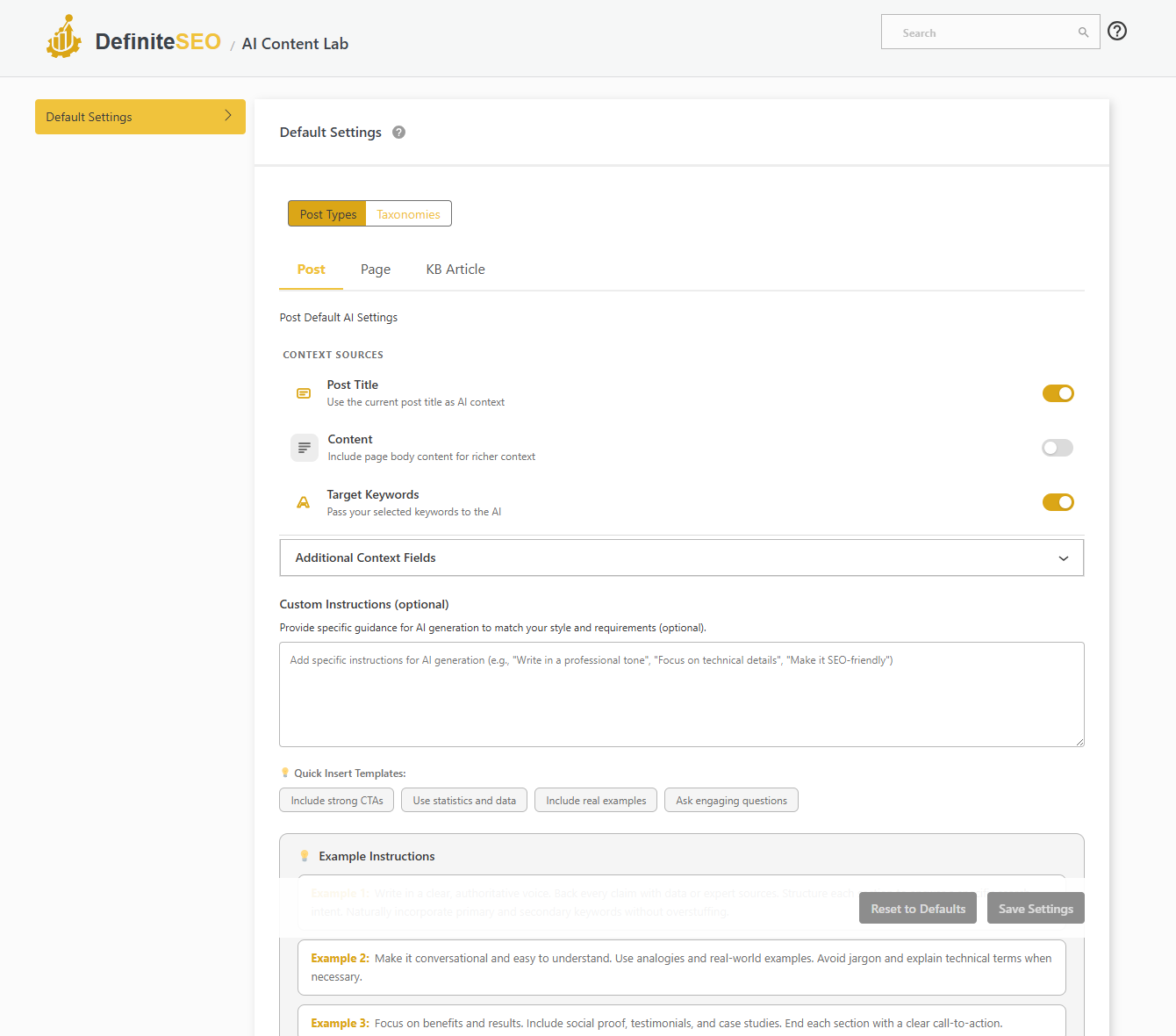
DefiniteSEO does not just fix your SEO, it can write for you. The AI Content Lab drafts a full, structured article from your keywords: pick the tone, audience and length, and it builds the outline, sections, FAQ and meta in your voice.
- Step-by-step generation: keywords, intent, then structure
- Tone, audience and style presets for on-brand copy
- Length from a quick brief to an in-depth guide
- Auto table of contents, FAQ, TL;DR and pro-tip callouts
- Generates meta title, description, Open Graph and schema too
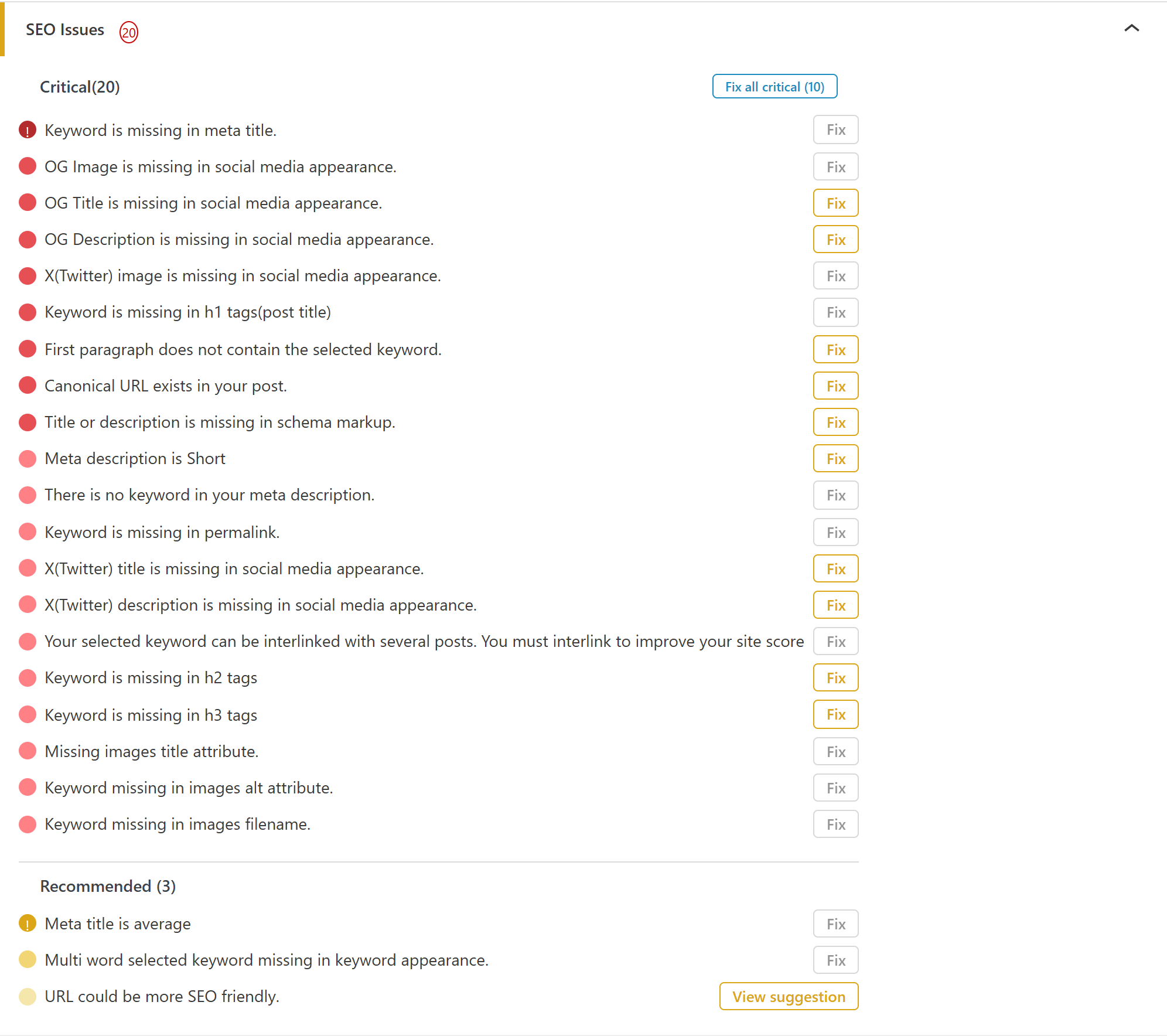
SEO analysis
Every page graded on 100+ SEO checks
DefiniteSEO grades every post, page and product against more than 100 on-page SEO checks, then turns them into a single score and a prioritised list of exactly what to fix first.
- 100+ checks across keywords, content, titles, social, schema, images and links
- Findings sorted into Critical, Recommended and Good
- One-click Fix, or Fix all critical in a single action
- A live score that climbs as you resolve each point
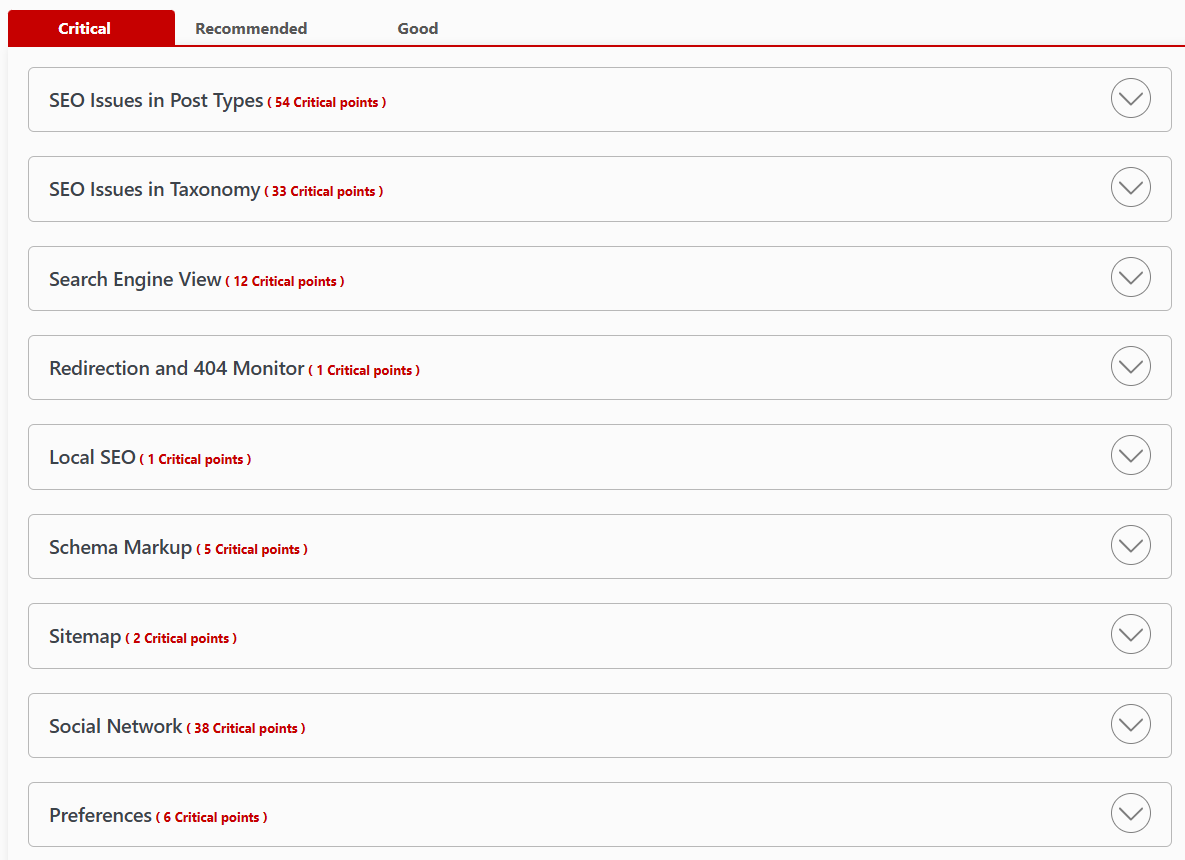
Points to improve
Every SEO issue in one place
See exactly what is holding your rankings back, grouped by area and sorted into Critical, Recommended and Good so you know what to fix first.
- Issues grouped by post types, taxonomy and settings
- Critical, Recommended and Good tabs
- Point counts for every category
- Drill into any issue and fix it fast
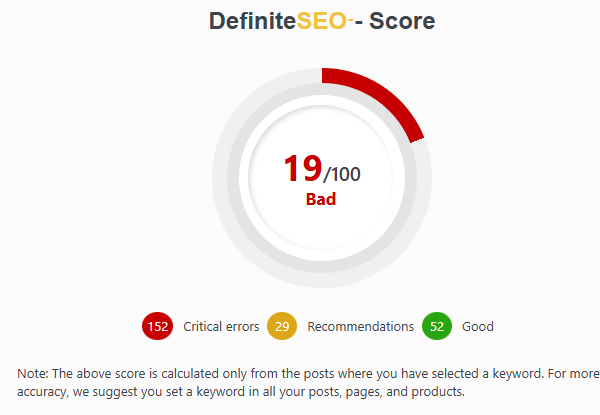
SEO score
Your site-wide DefiniteSEO score
A single 0-to-100 score shows how healthy your SEO is, split into critical errors, recommendations and what you have already nailed.
- One score out of 100 for your whole site
- Critical errors, recommendations and good counts
- Scored from posts where you set a focus keyword
- Track your progress as you fix issues
SEO dashboard
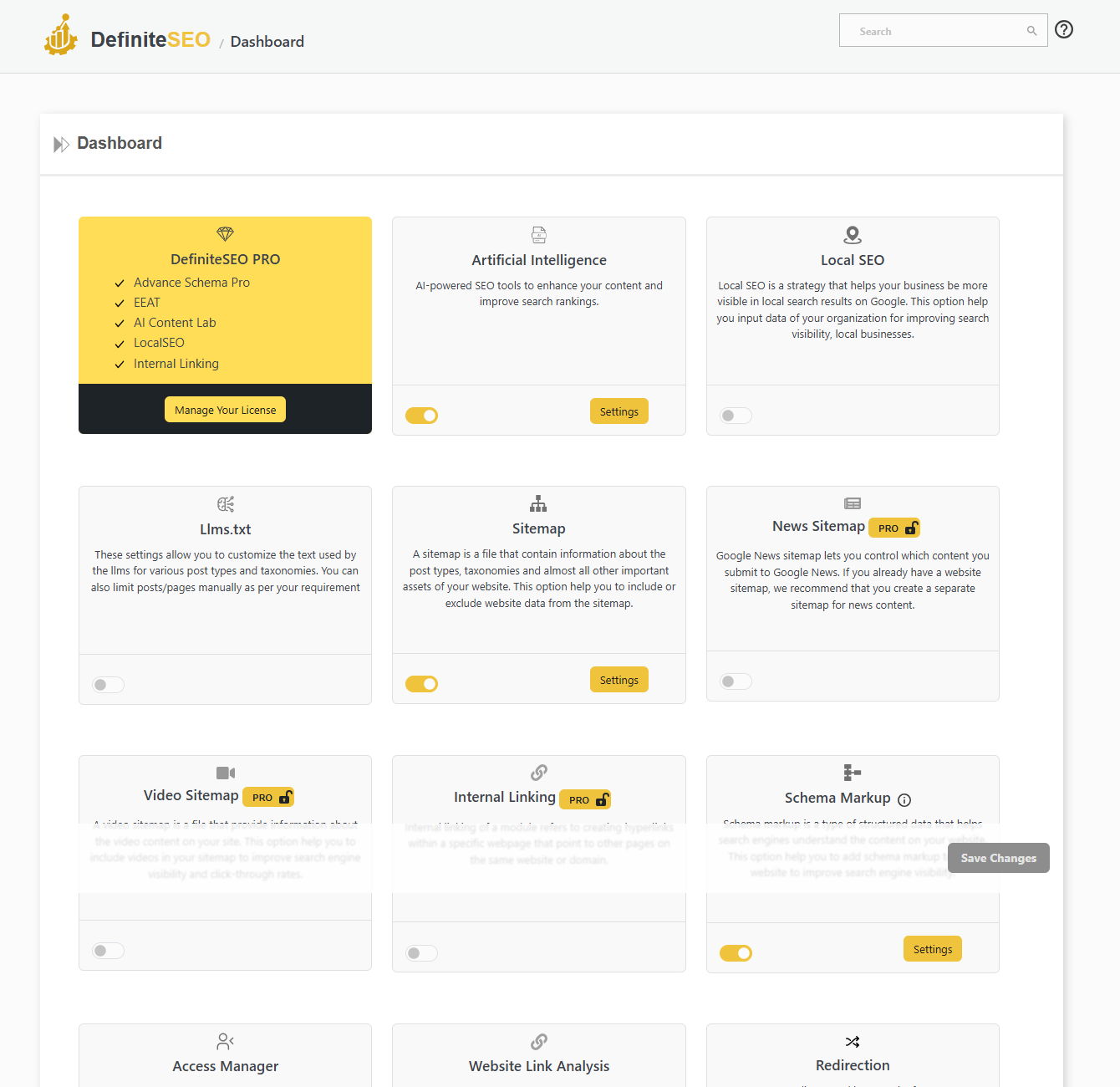
WordPress SEO dashboard and module control
Every feature is a card on the DefiniteSEO dashboard. Switch modules on or off, open their settings, and manage your whole SEO stack from a single screen.
- Enable or disable any module with a single toggle
- Open each module’s settings in one click
- See your license and active modules at a glance
- Turn off features you do not use to keep the admin clean
At a glance
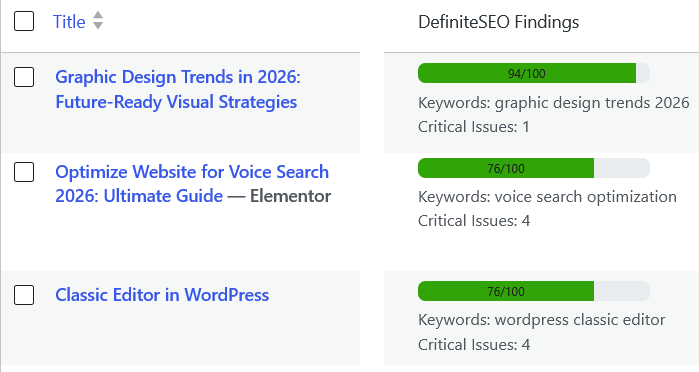
See every post’s SEO score in the list
DefiniteSEO adds a Findings column to your Posts, Pages and product lists, so you can read each item’s SEO score, target keyword and critical-issue count without opening a single editor.
- SEO score out of 100 on every post, page and product
- Target keyword and critical-issue count on each row
- Spot weak or unoptimised content across your site in seconds
- Filter the posts list by DefiniteSEO findings
SEO monitoring
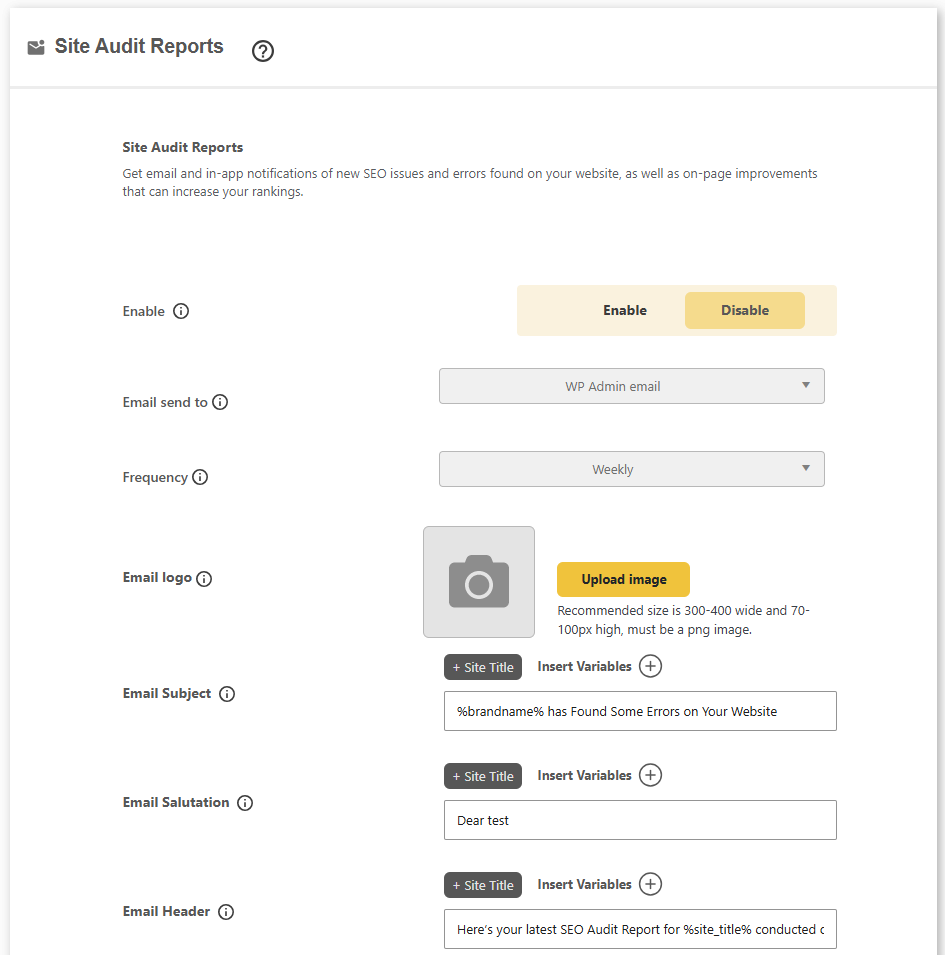
White-label email audit reports
Get scheduled SEO audit reports by email, branded as your own, so you and your clients always know what needs fixing.
- Daily, weekly or monthly email audit reports
- Choose who each report is sent to
- White-label the logo, subject and sender name
- In-app alerts for new SEO issues and errors
Let DefiniteSEO fix your WordPress SEO
Install the free plugin in a minute, then upgrade whenever you want AI to find and fix every on-page issue for you.
Block editor
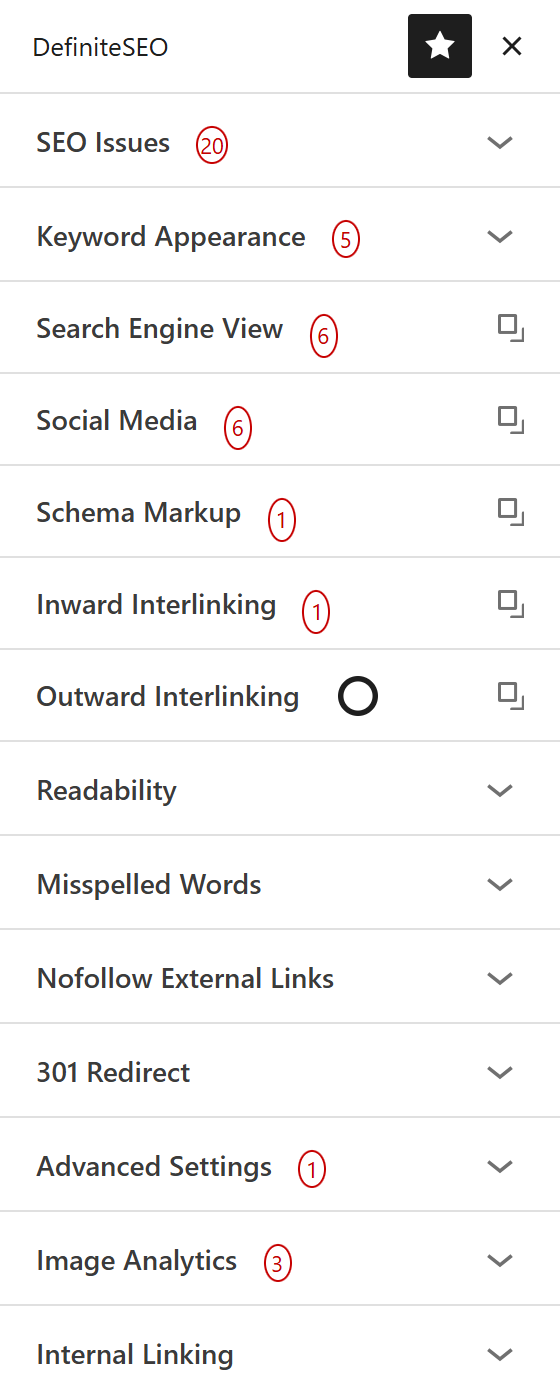
Full SEO inside the Gutenberg block editor
DefiniteSEO adds a dedicated sidebar to the WordPress block editor, so your live SEO score, keyword checks and every optimisation panel sit right beside your content as you write.
- DefiniteSEO panel pinned in the block editor toolbar
- Live SEO score and issue count update as you edit blocks
- Search engine and social previews without leaving Gutenberg
- Schema, internal linking and image checks in one sidebar
Elementor
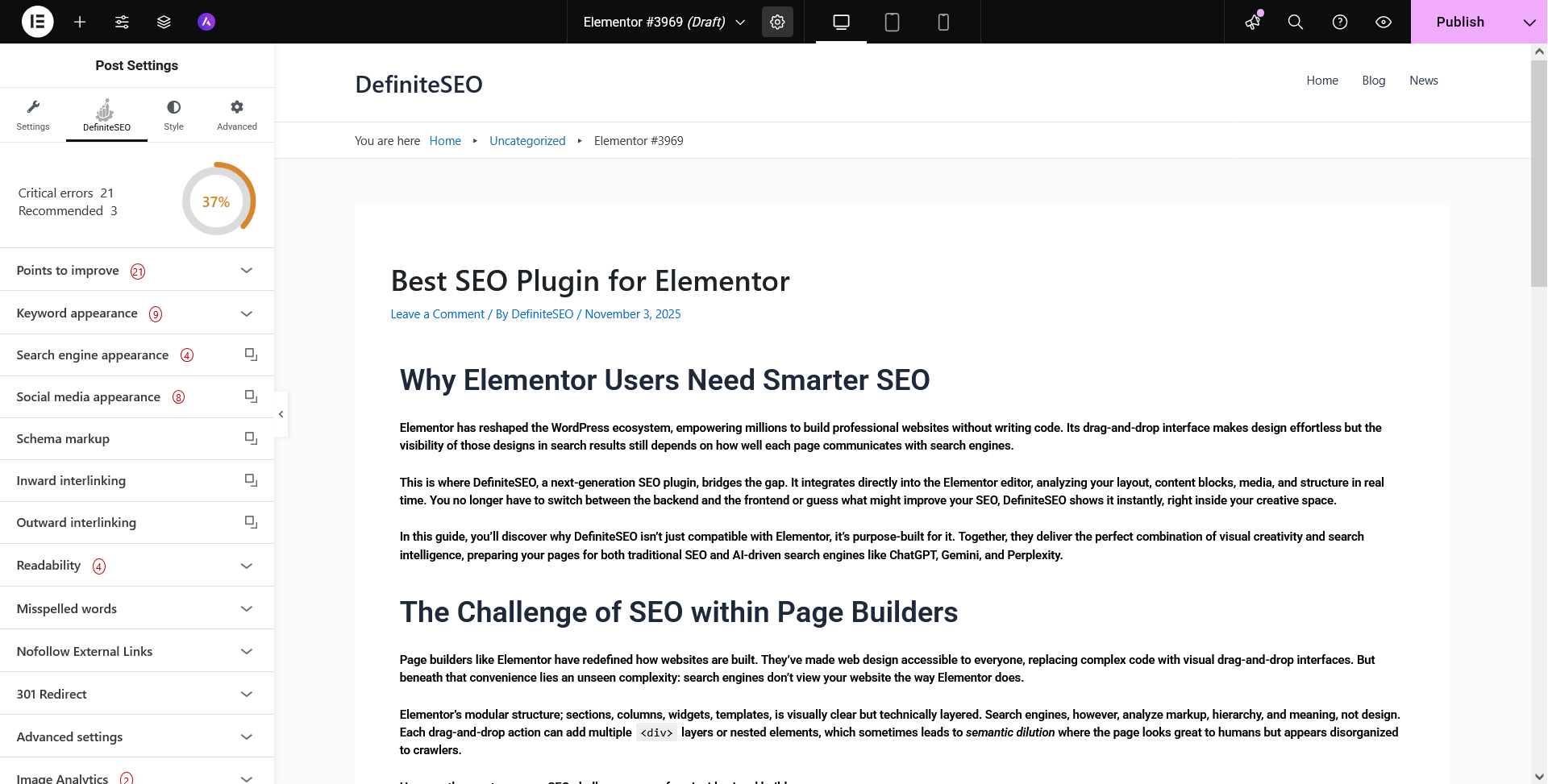
SEO built into the Elementor editor
Building with Elementor? DefiniteSEO appears as its own tab right next to Style and Advanced, analysing your layout, content and media in real time so you never switch tabs to optimise a page.
- DefiniteSEO tab inside the Elementor editor panel
- Live score updates as you design with Elementor widgets
- Works with both Elementor free and Elementor Pro
- Schema, previews and readability without leaving the canvas
Classic editor
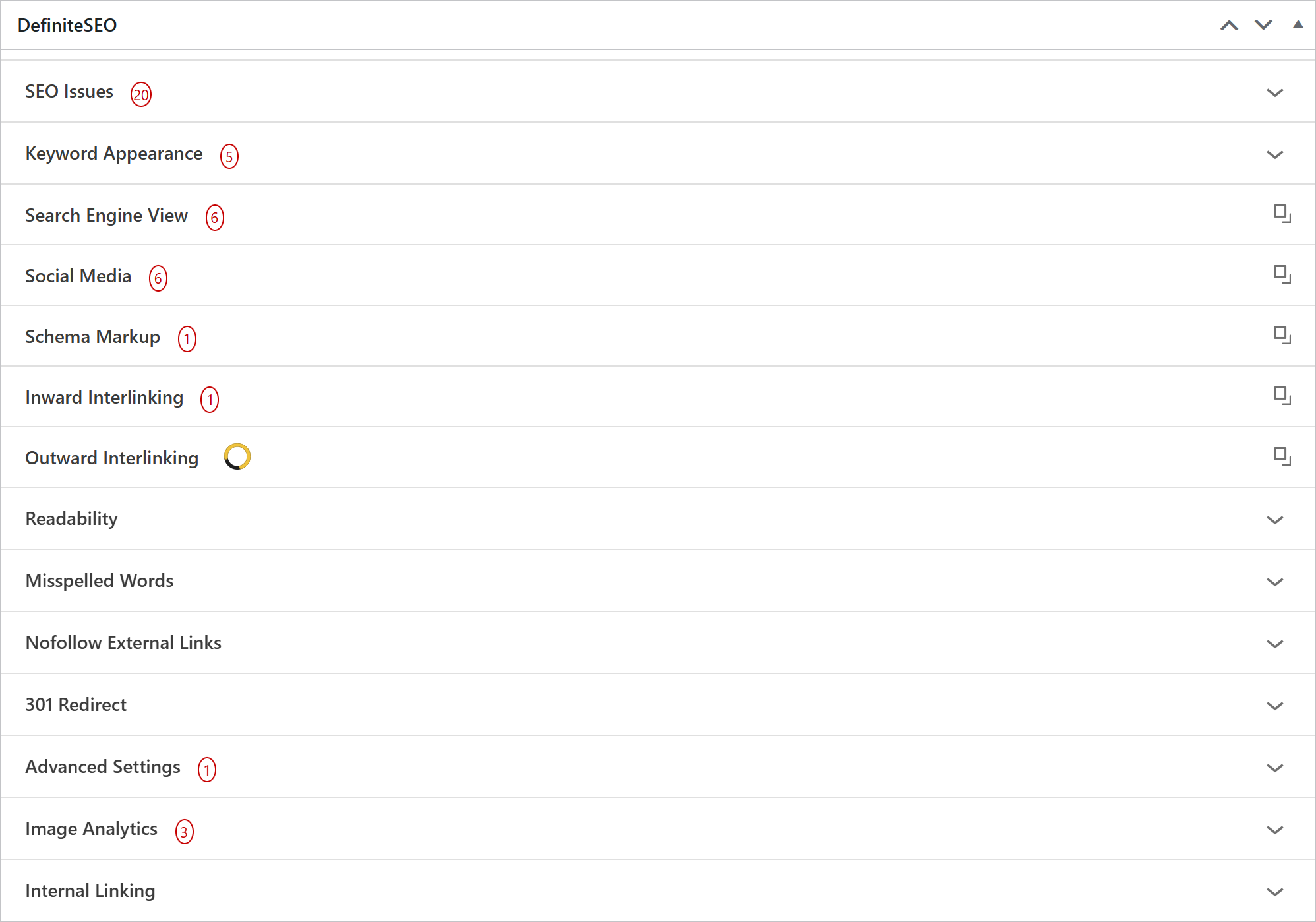
Works with the Classic Editor too
Prefer the Classic Editor? The full DefiniteSEO toolkit loads as a metabox below your content, with the same score, panels and AI tools you get everywhere else.
- Complete DefiniteSEO panel as a Classic Editor metabox
- Same SEO score, previews and schema controls
- No block editor required to optimise a post
- Ideal for sites standardised on the Classic Editor
In the editor
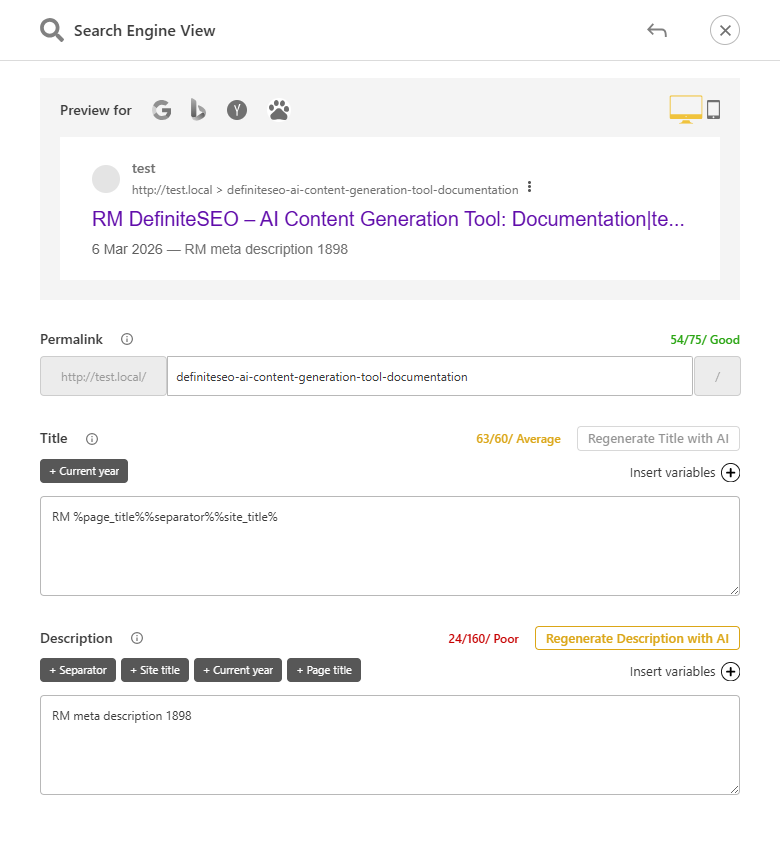
Regenerate title and meta with AI
Stuck on a title or meta description? Regenerate either one with AI in a click, right from the post editor, with live length scoring.
- One-click AI title regeneration
- One-click AI meta description regeneration
- Live SERP preview and length score
- Works on any post, page or product
Homepage SEO
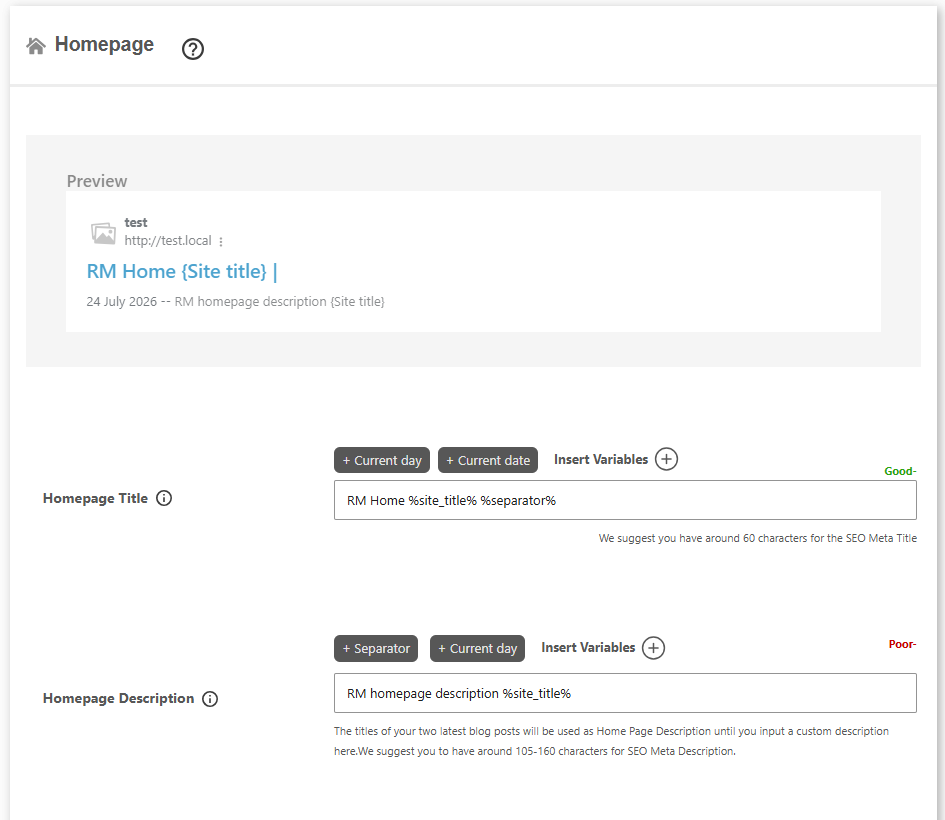
Homepage title, description and SERP preview
Set the fallback SEO title and meta description for your home page, and see exactly how it looks in Google as you type.
- Fallback SEO title and meta description for the home page
- Live Google SERP preview as you write
- Dynamic variables like site title, tagline and date
- Length score keeps titles and descriptions in range
Custom post types
Full SEO for custom post types
DefiniteSEO treats your custom post types as first-class content, with the same titles, meta, schema and analysis as posts and pages.
- Per-CPT title and meta templates
- Works with WooCommerce, LMS, docs and any CPT
- Schema, breadcrumbs and sitemaps for every type
- The full SEO metabox on every custom post type
Taxonomy SEO
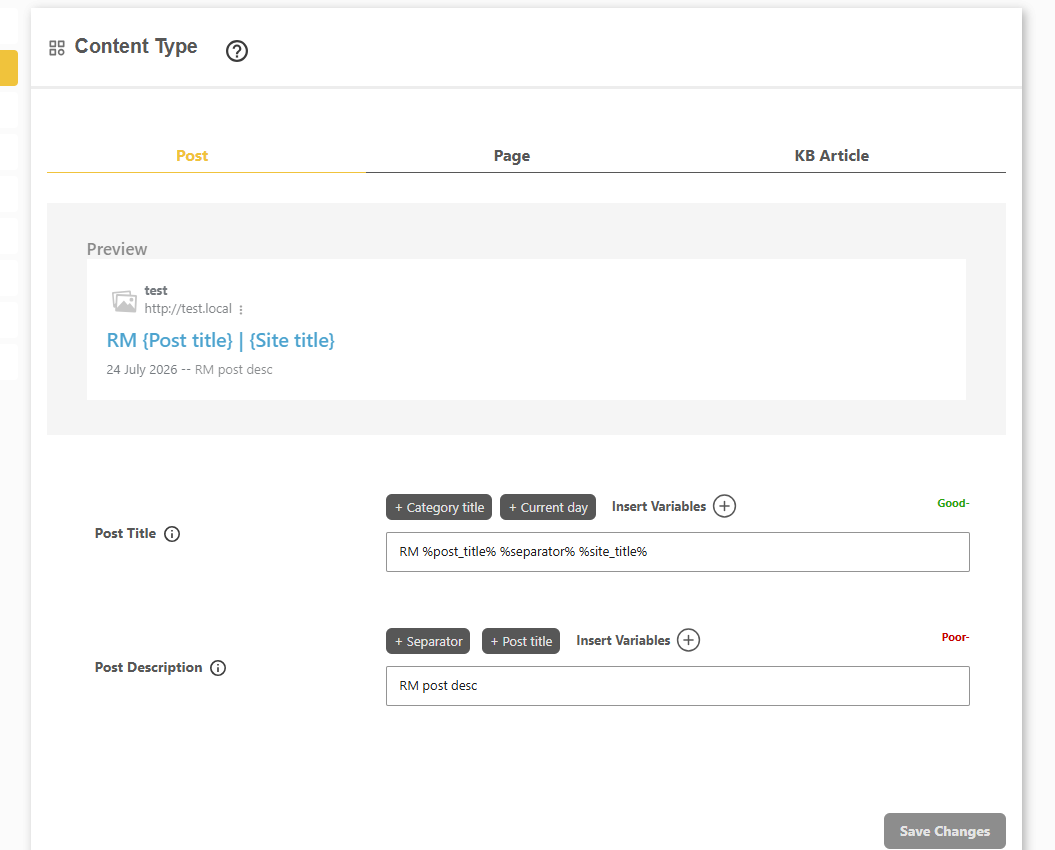
SEO titles and meta for categories and tags
Give every category, tag, product category and product tag its own default title and meta description so archive pages rank on their own terms.
- Fallback titles and descriptions per taxonomy
- Categories, tags, product categories and product tags
- Custom taxonomies supported out of the box
- Template variables plus a live SERP preview
Archive SEO
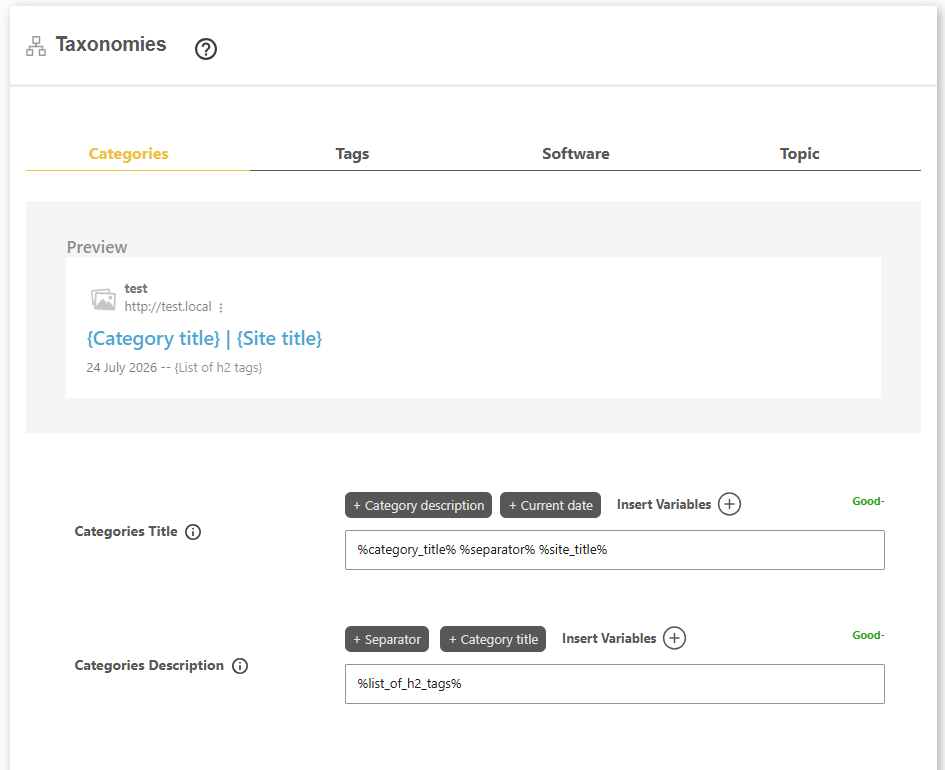
Author and date archive SEO
Control how author and date archives appear in search, and switch off the thin ones you do not want indexed.
- Enable or disable author and date archives
- Custom titles and descriptions for each
- Author variables like name and bio
- Stops thin archive pages diluting your SEO
System pages
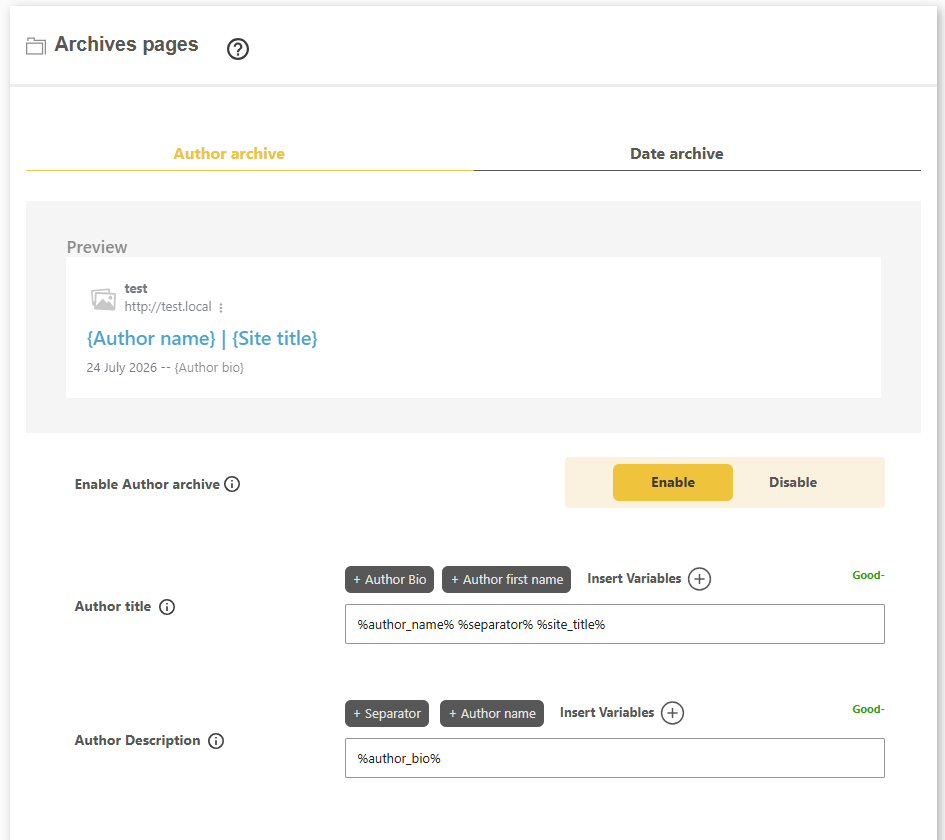
404 and search results page SEO
Set clean, branded titles for your 404 page and internal search-results page so even your system pages stay on-brand.
- Custom title for your 404 page
- Custom title for the search-results page
- Template variables and a live preview
- Consistent branding across every page type
Image SEO
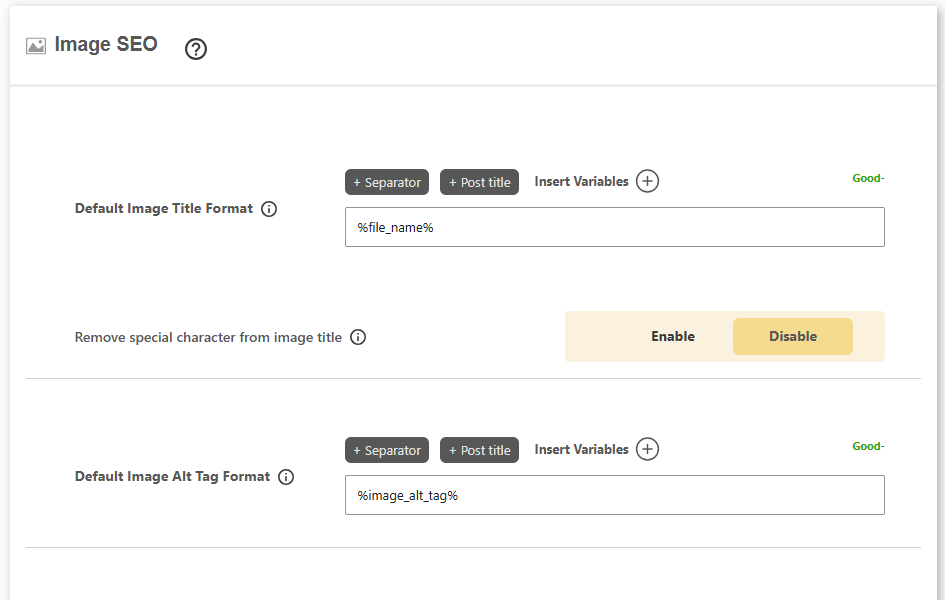
Default image title and alt templates
Automatically build image titles and alt text from the filename and variables, and clean up messy filenames as you go.
- Default image title format from variables
- Default image alt tag format
- Strip underscores and special characters from titles
- Rule-based, works alongside AI Image SEO
In the editor
Per-post image SEO audit
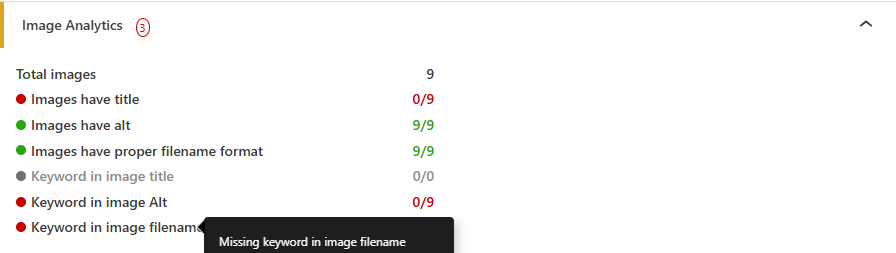
See exactly how your images score for SEO on each post, from alt text to keyword coverage, without leaving the editor.
- Counts images with title, alt and clean filenames
- Flags missing keywords in alt and filenames
- Per-post image score at a glance
- Fix issues before you publish
Title formatting
Custom title separator
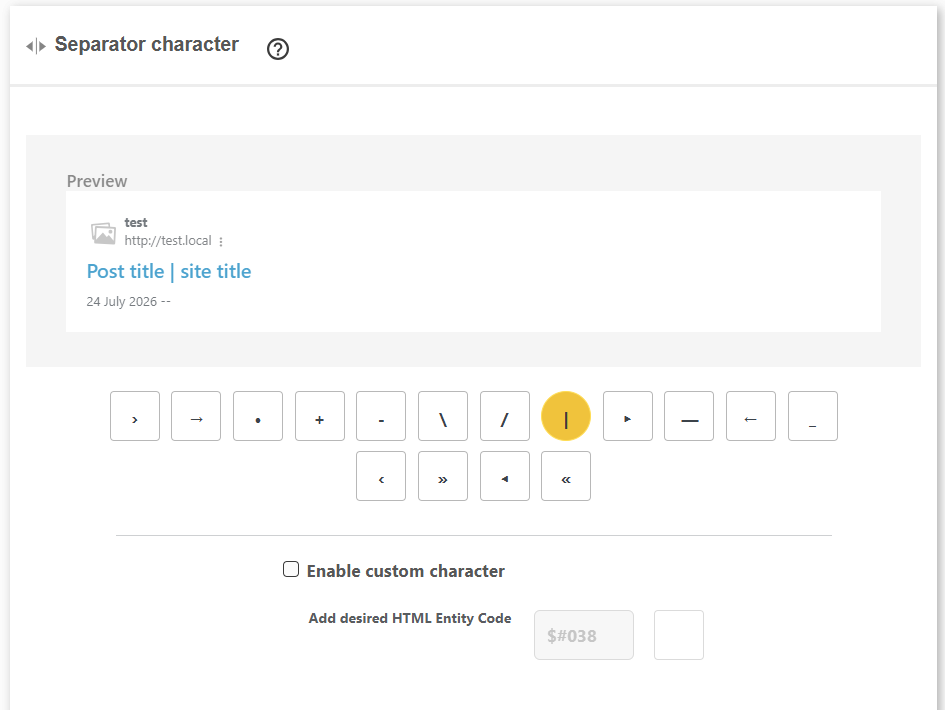
Pick the character that sits between your page title and site name, or supply your own HTML entity for a signature look.
- Choose from dash, pipe, arrow and more
- Or enter a custom HTML entity
- Applied consistently across every title
- Live preview of the finished title
Multiple keywords
Optimise for multiple keywords at once
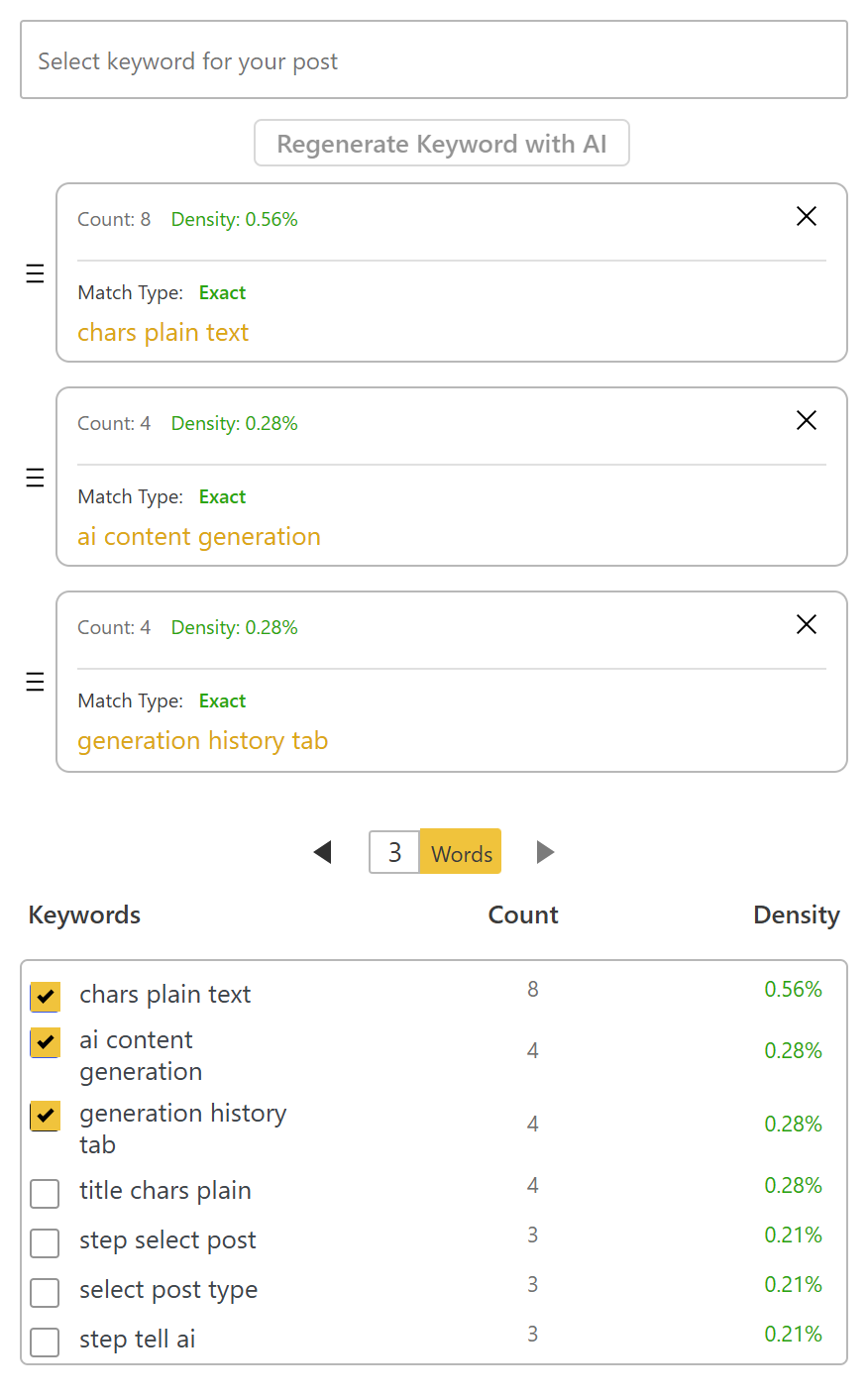
DefiniteSEO is not tied to a single focus keyword. Add as many target keywords as you like and it scores each one separately, so one page can rank for a whole cluster of related terms.
- Track unlimited focus keywords on one post, page or product
- Live count, density and match type for every keyword
- Each keyword checked in headings, content, title, meta and images
- Pick keywords from suggestions or generate them with AI
Keyword density
Keyword-density analysis for WordPress
See exactly how often your focus keyword and its variations appear in a post, so you optimise for the right terms without keyword stuffing.
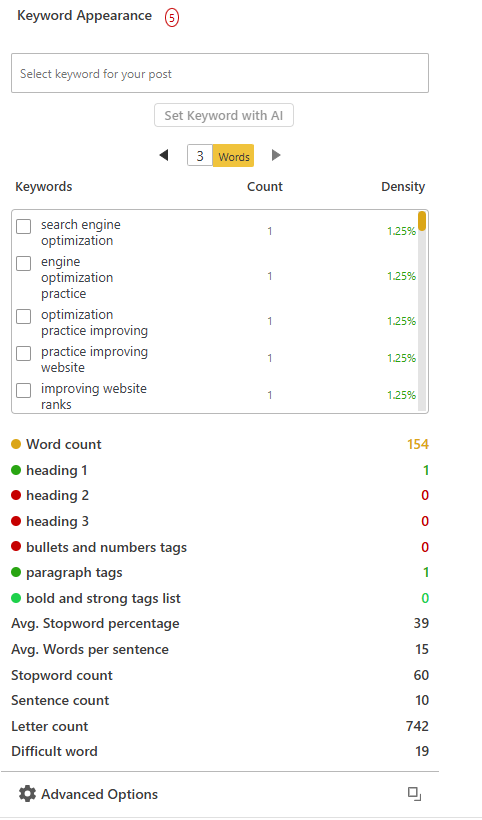
- Density breakdown for one, two and three-word phrases
- Live count and percentage for every keyword
- Content stats: word count, sentence length and difficult words
- Set your focus keywords or generate them with AI
Content readability
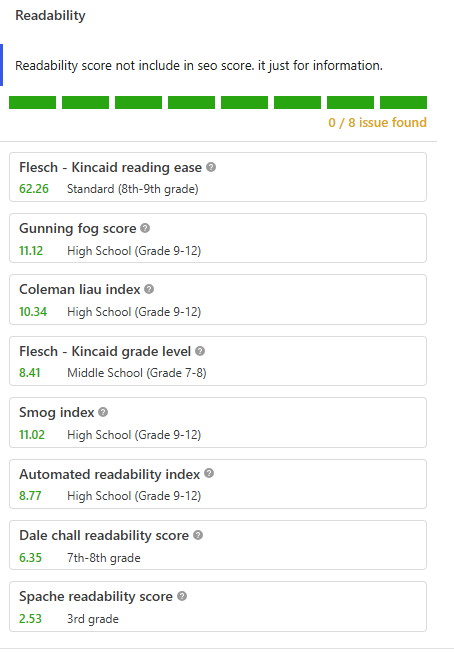
Readability analysis and grade level
Know how easy your content is to read before you publish, scored live against eight established readability formulas.
- 8 readability tests: Flesch-Kincaid, Gunning Fog, SMOG and more
- Reading-ease score and US school grade level for each test
- Turn the readability module on or off per site
- Readability score is informational and never lowers your SEO score
Keyword density settings
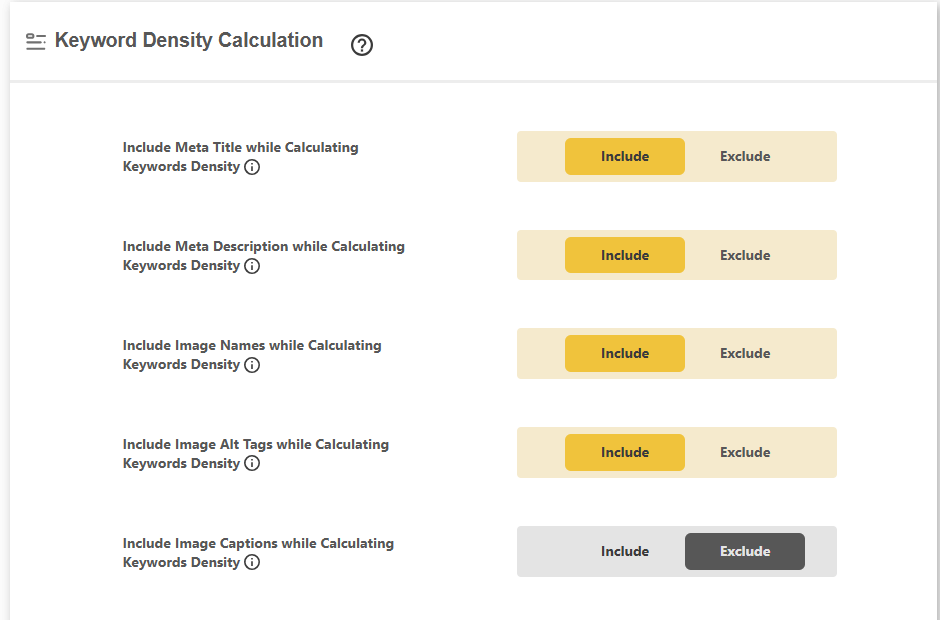
Control how keyword density is calculated
Choose exactly which parts of a post count toward keyword density, so the analysis matches the way you actually write.
- Include or exclude the meta title and description
- Count image names, alt tags and captions
- Include or exclude stopwords from the calculation
- Fine-tune density scoring to your workflow
Stopwords
Custom stopwords list for keyword density
Common stopwords like “the” and “of” can skew your keyword-density numbers. Exclude them, or edit the list to fit your niche.
- Include or exclude stopwords in density analysis
- Edit the full stopwords list
- Add niche terms you want ignored
- Cleaner, more accurate keyword-density scores

Structured data
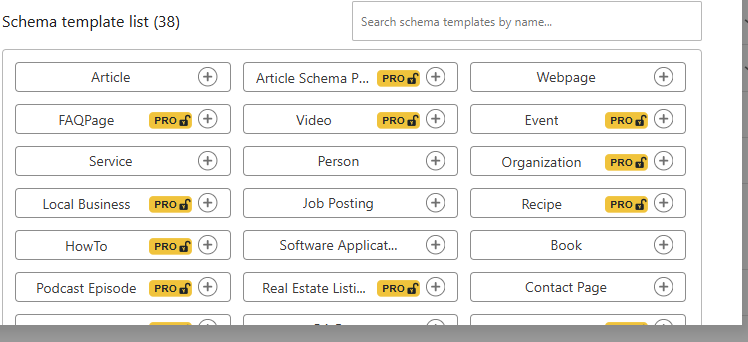
38+ schema types for rich results
Add the right structured data in a click with a searchable library of ready-made schema types for every kind of content.
- Article, Product, FAQ, HowTo, Recipe and Event
- LocalBusiness, JobPosting, Video and Service
- Book, Podcast, Real Estate and more
- Search and add any type in one click
Automatic schema
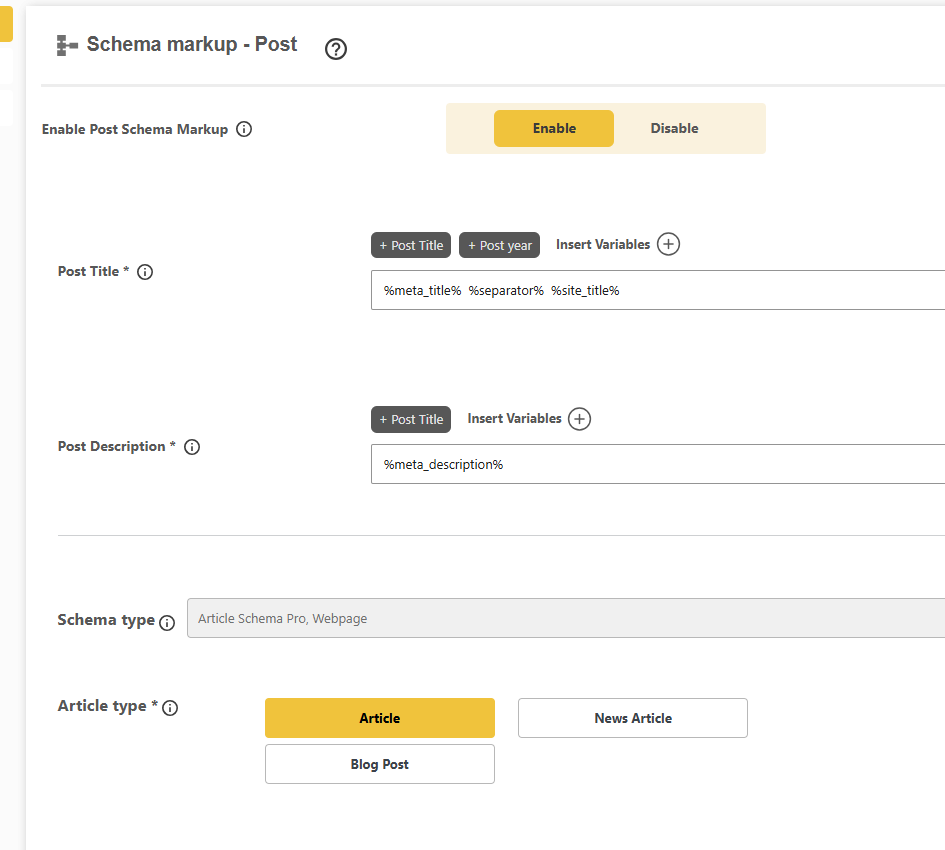
Automatic schema per content type
Set your default schema once and DefiniteSEO applies it to every post, page and product, populated from your content with variables.
- Article for posts, WebPage for pages, Product for products
- Article, News Article or Blog Post subtypes
- Variable mapping from your content
- Works with custom post types
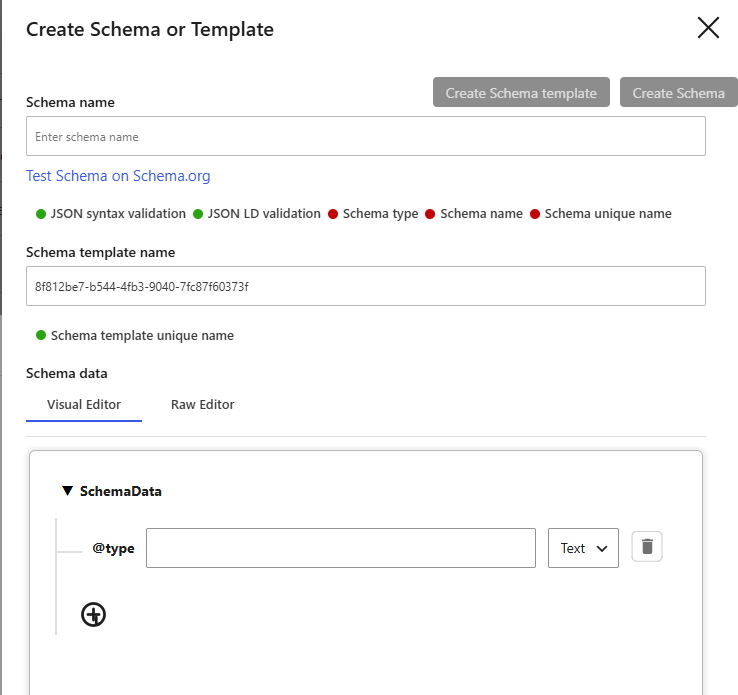
Schema builder
Custom schema builder and validator
Build any schema by hand in a visual or raw editor, and validate it live before it ever reaches Google.
- Visual and raw JSON-LD editors
- Live JSON syntax and JSON-LD validation
- Test your schema on Schema.org
- Save it as a reusable template
AI schema
AI-generated schema markup
Let DefiniteSEO read your content and generate the right schema automatically, so every page ships with valid structured data.
- AI picks and fills the right schema
- Populated from your actual content
- Valid JSON-LD every time
- No manual coding required
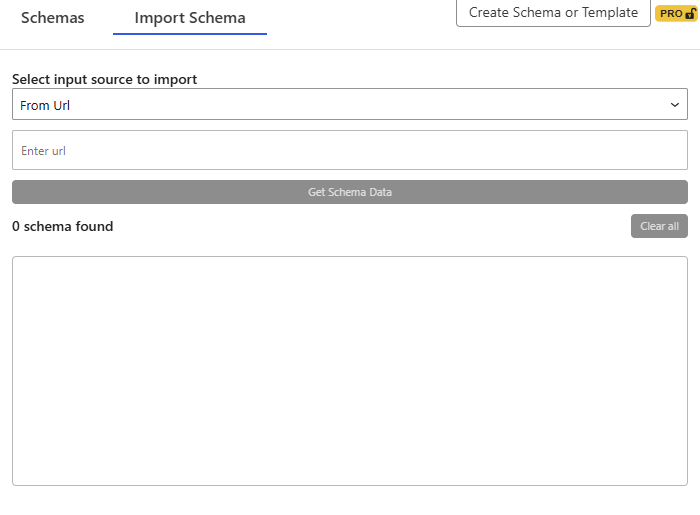
Schema import
Import schema from any source
Bring in existing structured data from a URL, raw HTML or Schema JSON, and reuse it across your site.
- Import from a URL
- Import from HTML
- Import from raw Schema JSON
- Extracts every valid schema found
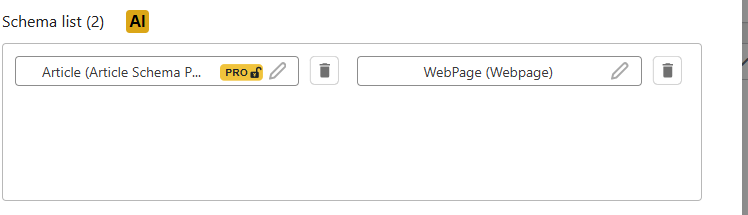
Stacked schema
Multiple schemas on one page
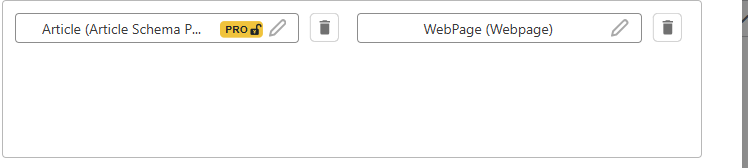
Layer several schema types on a single post or page, and edit or remove each one independently.
- Stack Article, WebPage, FAQ and more
- Edit any schema in place
- Remove schemas you do not need
- Full control per URL
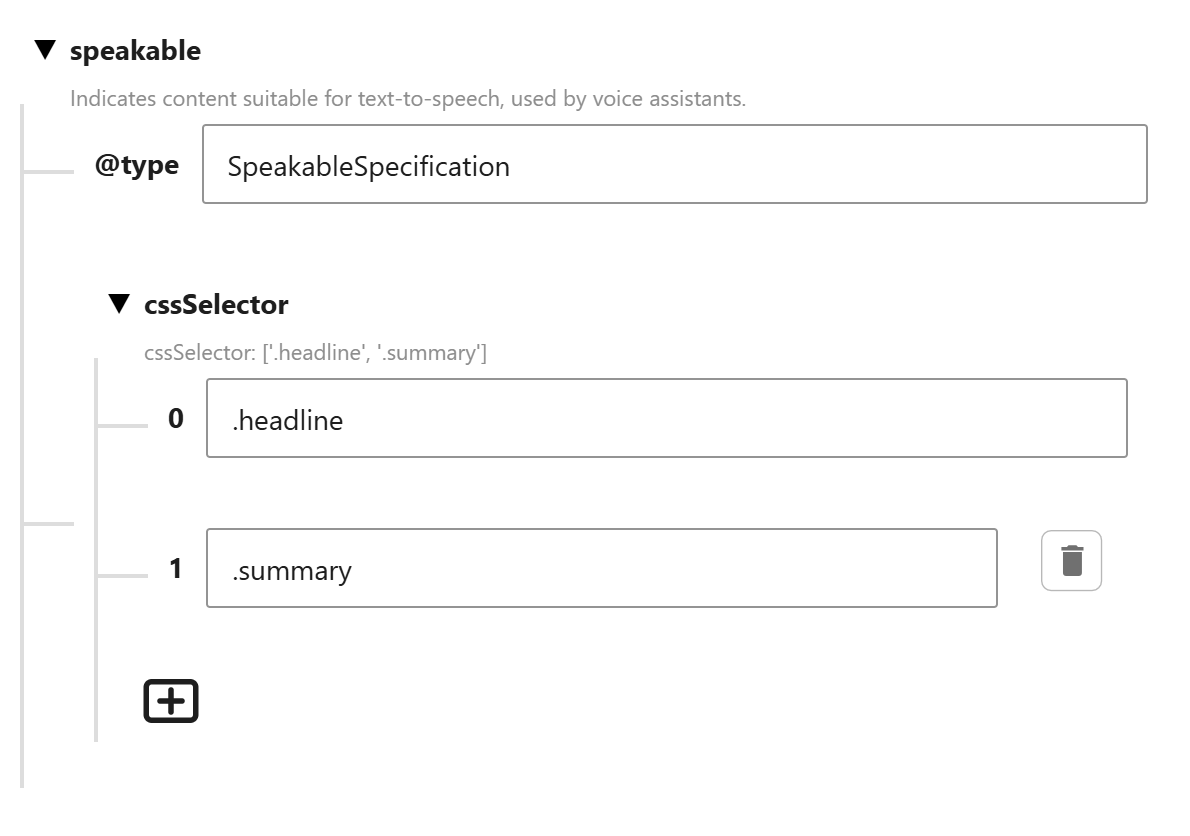
Speakable schema
Speakable schema for voice search
Mark up the exact parts of a page that voice assistants should read aloud. DefiniteSEO adds a SpeakableSpecification to your schema so Google Assistant and other voice tools know which content to speak.
- Adds a SpeakableSpecification node to your page schema
- Point to the content with simple CSS selectors
- Optimises pages for Google Assistant and voice search
- Built into the schema builder, no code required
WooCommerce SEO
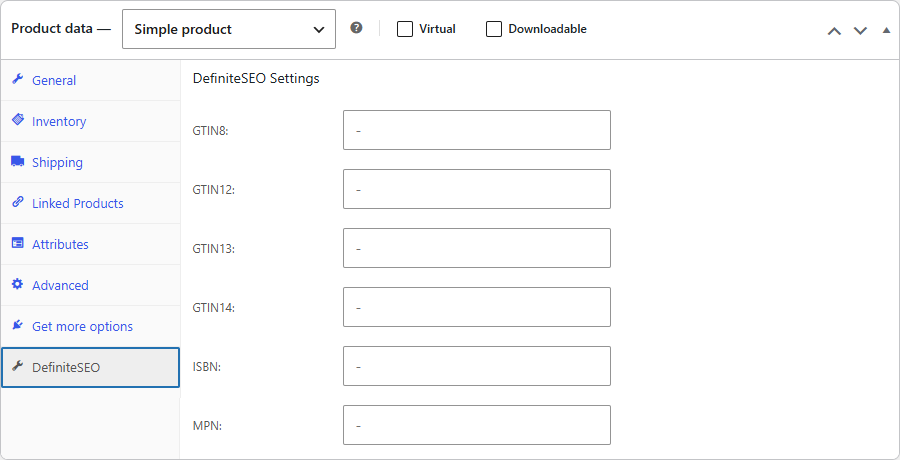
WooCommerce product SEO and rich results
Give every product the structured data Google needs for shopping-rich results, with product identifiers and schema wired straight into the product editor.
- Product identifiers per product: GTIN8-14, ISBN and MPN
- Product schema for price, availability and reviews
- Clean product and category URLs without the shop base
- Optimised titles, meta and Open Graph for every product
SEO meta tags
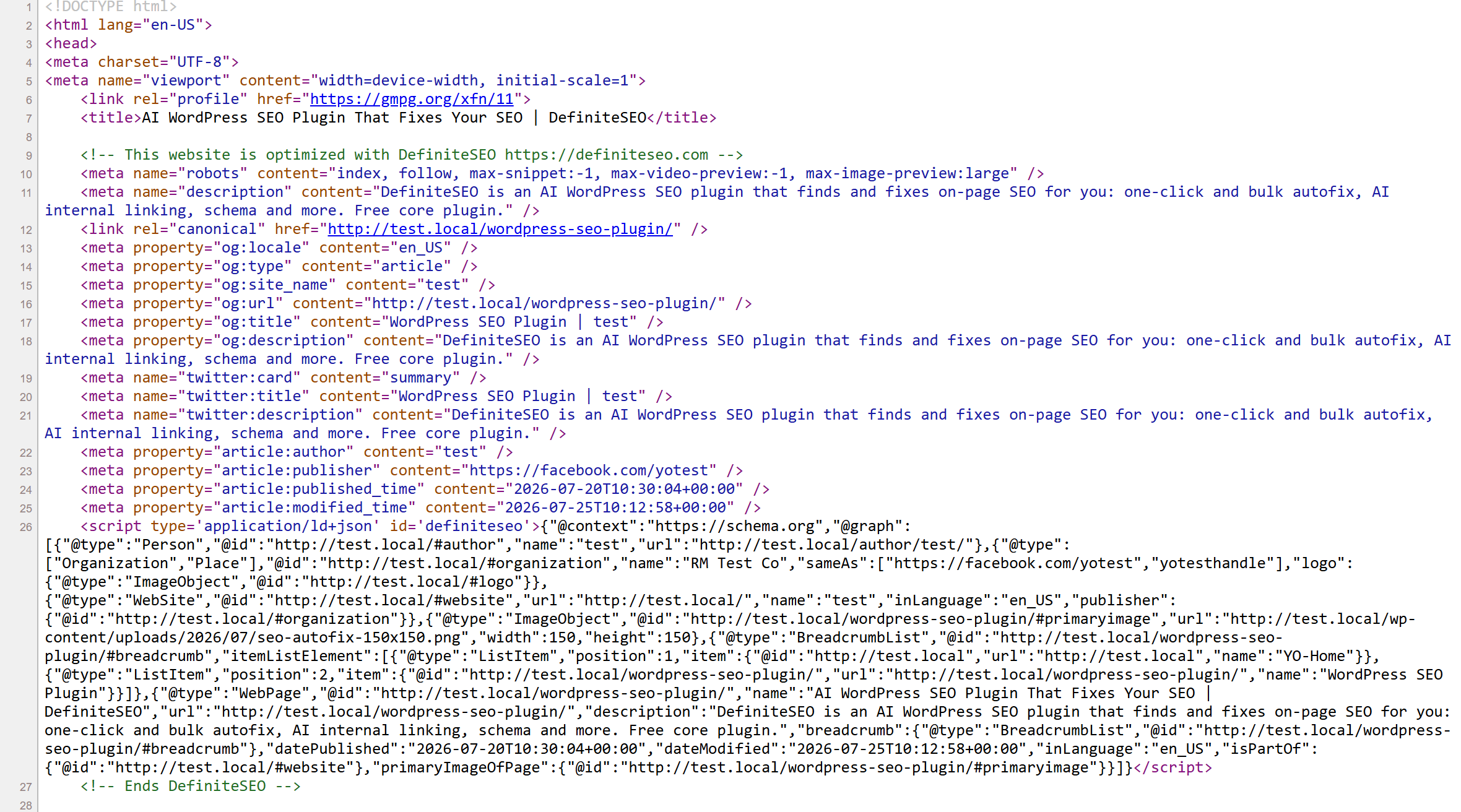
The industry’s most advanced SEO meta tags
DefiniteSEO writes a complete, standards-perfect block of tags into every page head automatically, so your source code gives search engines and AI crawlers everything they need in one clean pass.
- SEO title, meta description and canonical on every page
- Full Open Graph and Twitter (X) cards for rich sharing
- Advanced robots directives: max-snippet, image and video preview
- Article metadata plus a complete JSON-LD schema graph
Duplicate content
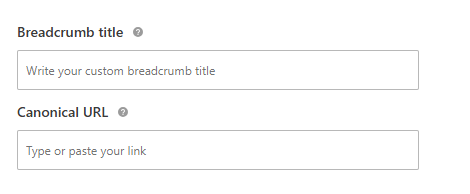
Canonical URL control for WordPress
Point duplicate or similar pages at a single canonical URL so search engines index the right one and your ranking signals stay consolidated.
- Set a custom canonical URL on any post or page
- Prevent duplicate-content dilution across similar URLs
- Self-referencing canonicals added automatically
- First page set as canonical for paginated archives
Per-post robots
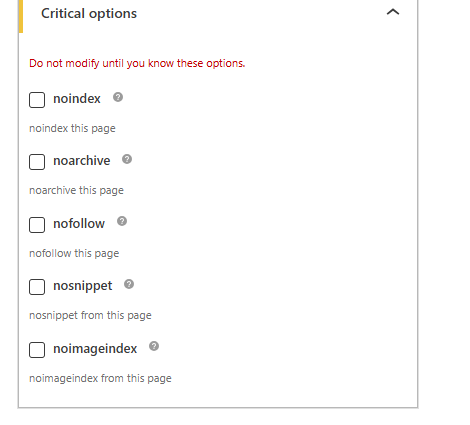
Per-post robots meta
Decide exactly what search engines do with a single URL. Set noindex, nofollow and more right from the post editor.
- noindex, nofollow, noarchive, nosnippet and noimageindex per URL
- Set it directly in the post, page or product editor
- Overrides your site-wide robots defaults
- Keep private or thin pages out of search results
Site-wide robots
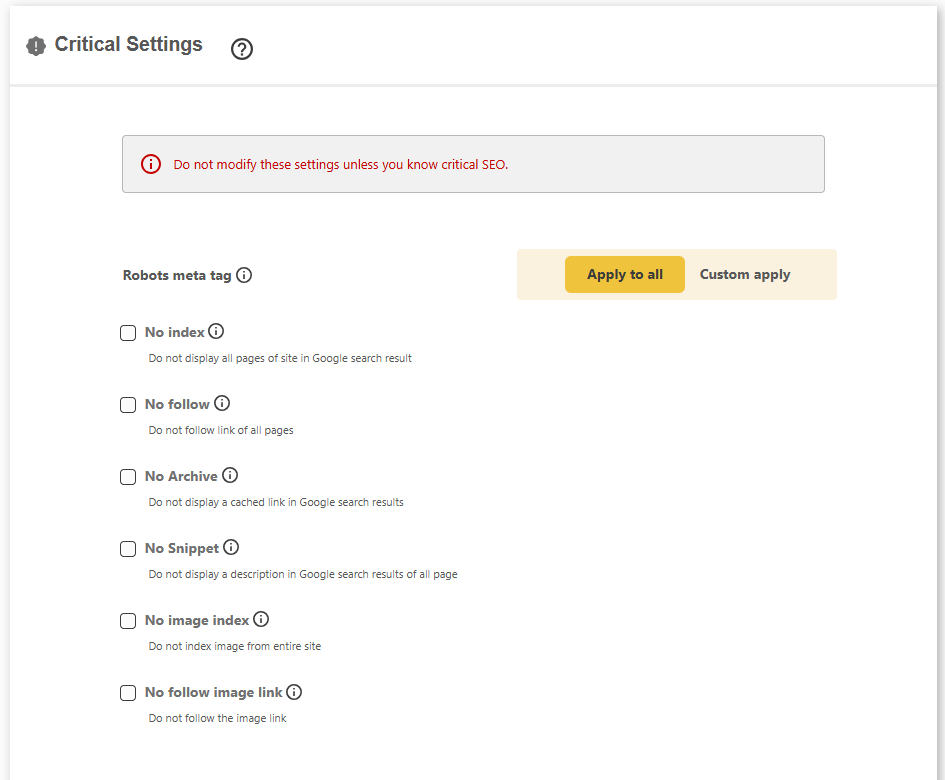
Site-wide robots meta controls
Apply robots rules across your entire site in one place, for the big, deliberate calls like keeping a staging site out of Google.
- Noindex or nofollow the whole website
- No image index across the entire site
- No archive, no snippet and no cached link
- Apply to all, or customise per area
Snippet controls
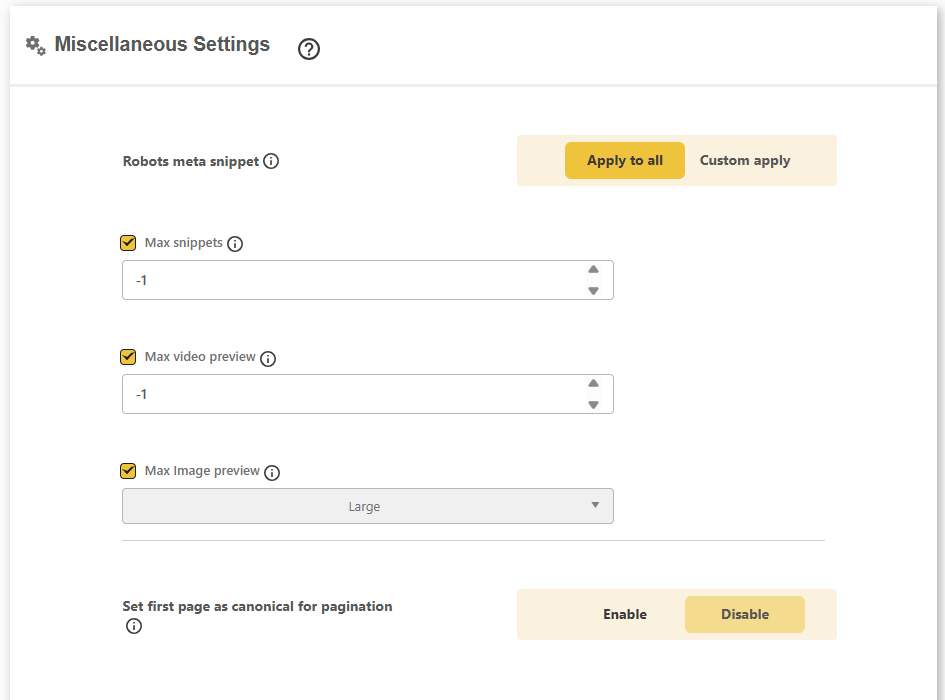
Robots snippet and preview controls
Fine-tune how Google previews your content, from snippet length to image and video preview size.
- Set max snippet length
- Set max image preview size
- Set max video preview length
- Make the first page canonical for paginated archives
Own your content
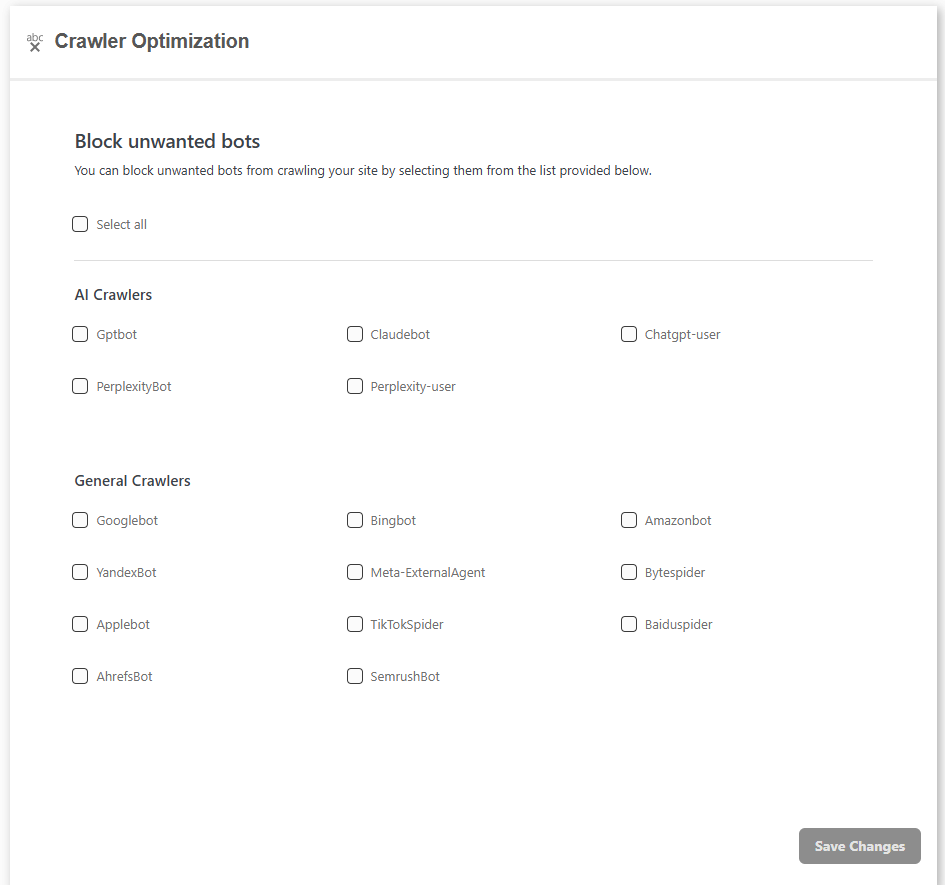
Control which AI crawlers can use your site
Block AI and general crawlers in one click, including GPTBot, ClaudeBot, PerplexityBot, ChatGPT-User and Bytespider, so your content is only used the way you allow.
- One-click robots.txt blocklist for AI & SEO crawlers
- Separate AI-crawler and general-crawler groups
- Select-all or pick individual bots to block
- Built-in robots.txt analyser
AI content rules
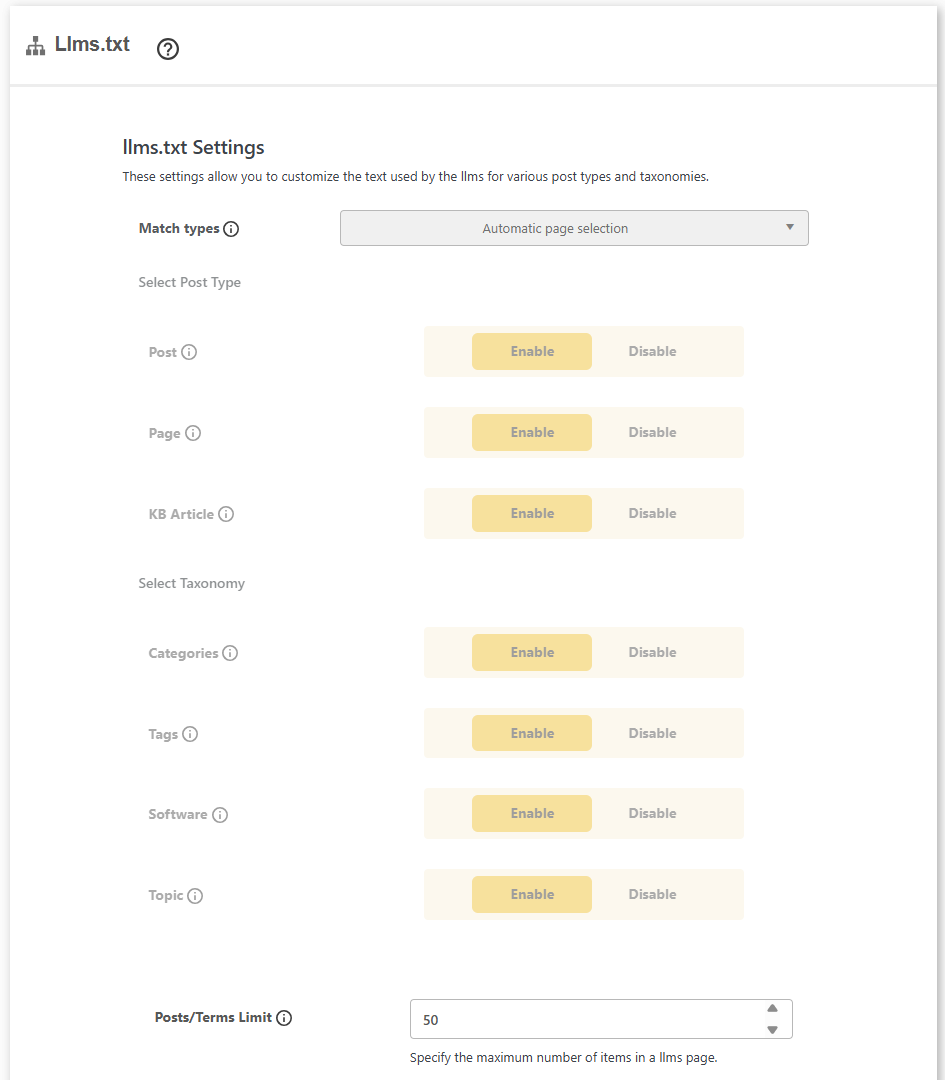
llms.txt generator for LLM access rules
Publish an llms.txt file that tells large language models which of your content they may use and how, generated automatically from your posts, pages and taxonomies.
- Auto-generate llms.txt from your chosen content
- Include or exclude any post type or taxonomy
- Set a per-page item limit and add custom notes
- Served at a clean /llms.txt URL for AI crawlers
Facebook and LinkedIn
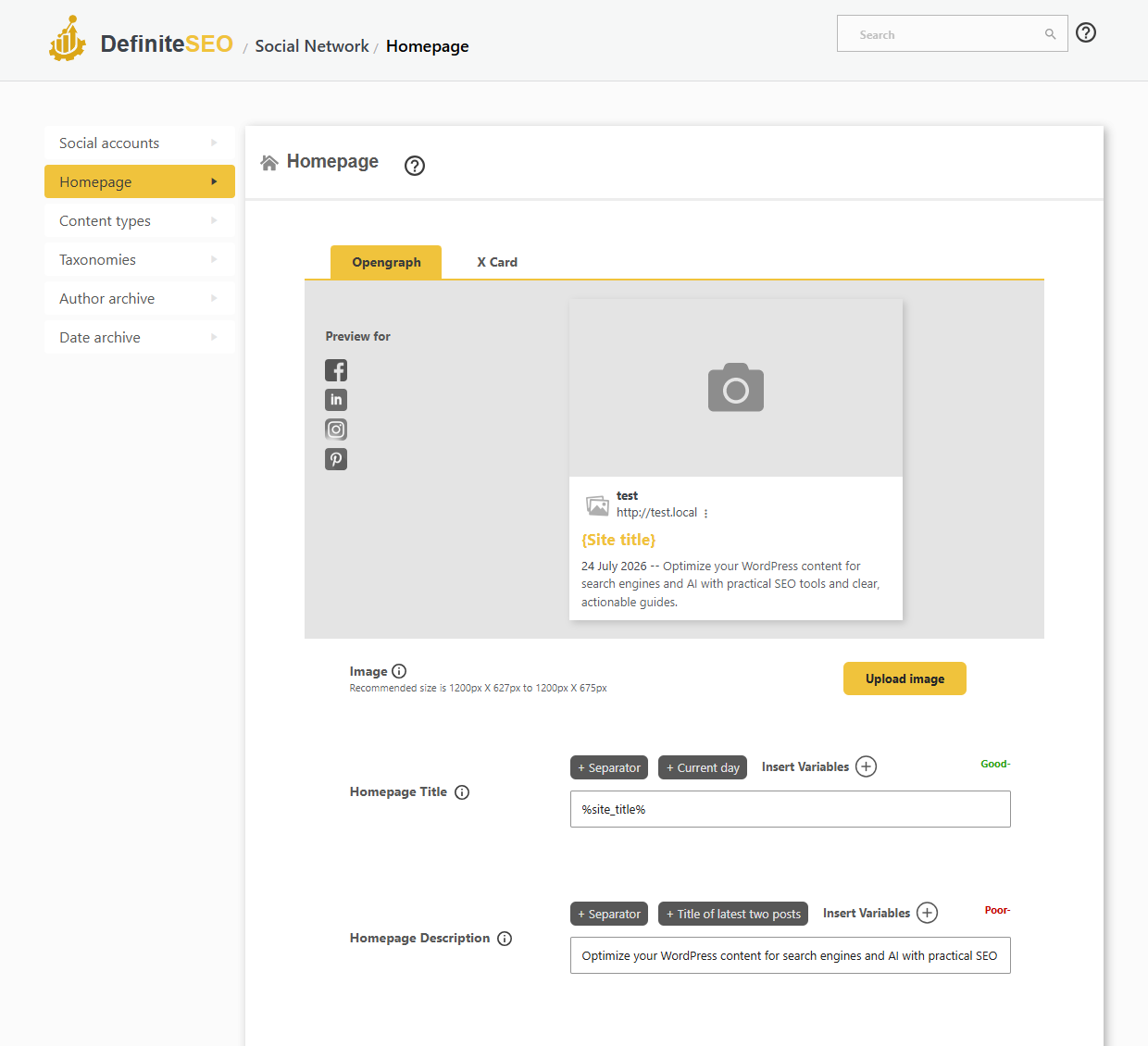
Open Graph tags for social sharing
Control exactly how your pages look when shared on Facebook, LinkedIn, Pinterest and more, with per-content-type Open Graph tags and a live preview.
- Open Graph title, description and image per content type
- Live preview for Facebook, LinkedIn, Instagram and Pinterest
- Default share image with site-wide fallbacks
- Facebook app ID, admins and social profile links
X (Twitter)
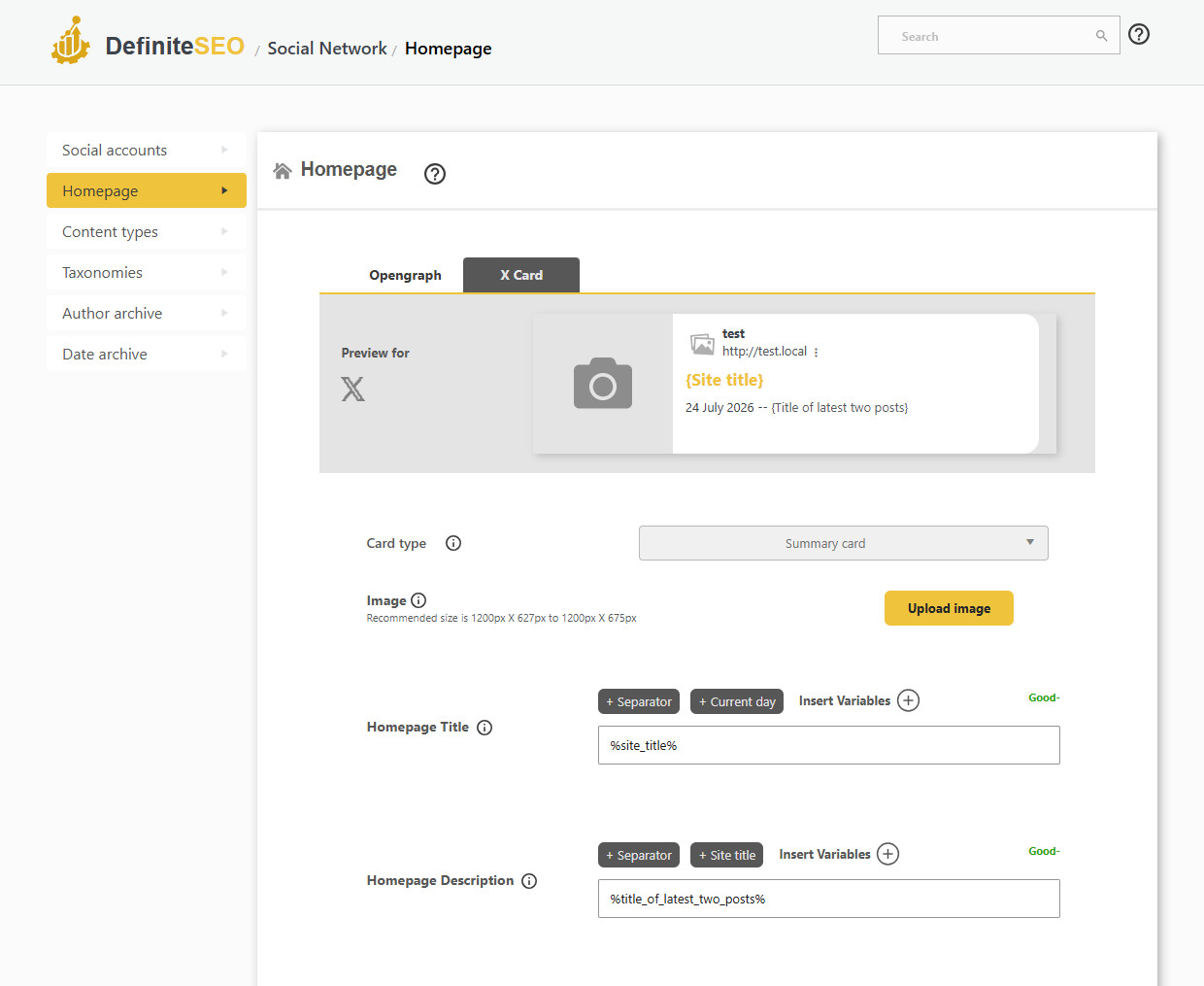
X (Twitter) Card optimization
Make your links stand out on X with the right card type, image and copy for every page.
- Summary, large image, player and app card types
- Per-content-type X card title, description and image
- App card fields for iPhone, iPad and Google Play
- Live X card preview
In the editor
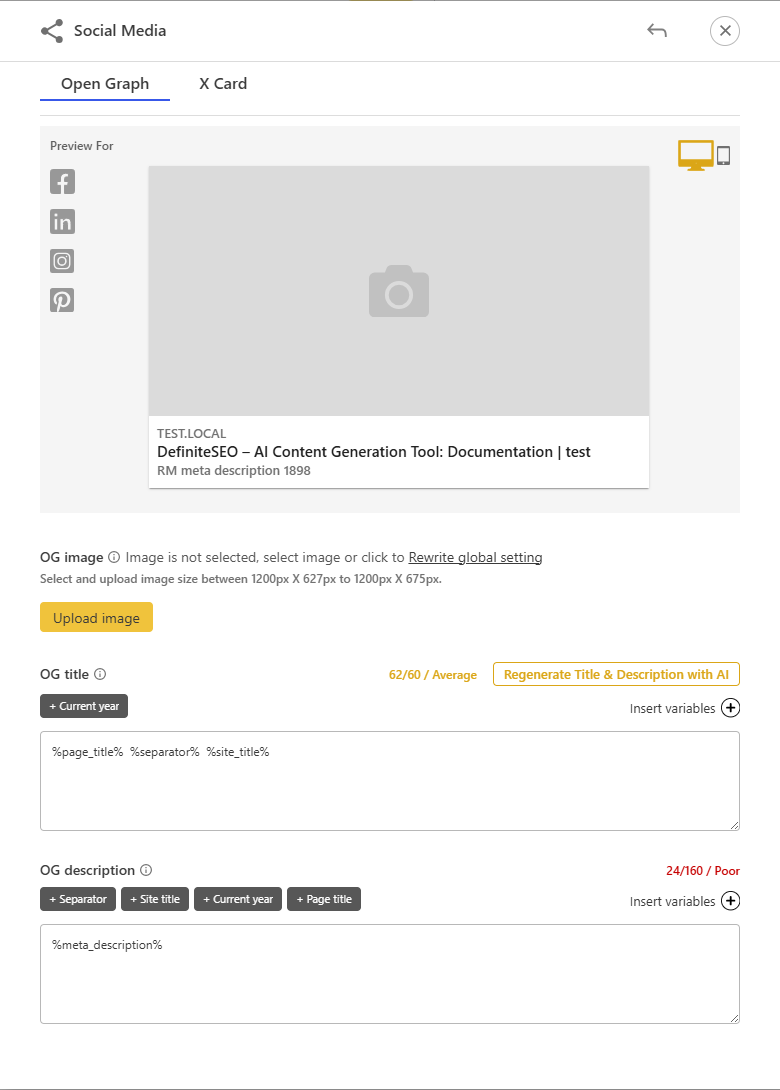
Regenerate social cards with AI
Generate scroll-stopping Open Graph and X card titles and descriptions with AI, straight from the post editor.
- One-click AI Open Graph title and description
- One-click AI X card copy
- Live social card preview
- Rewrite per post or use global defaults
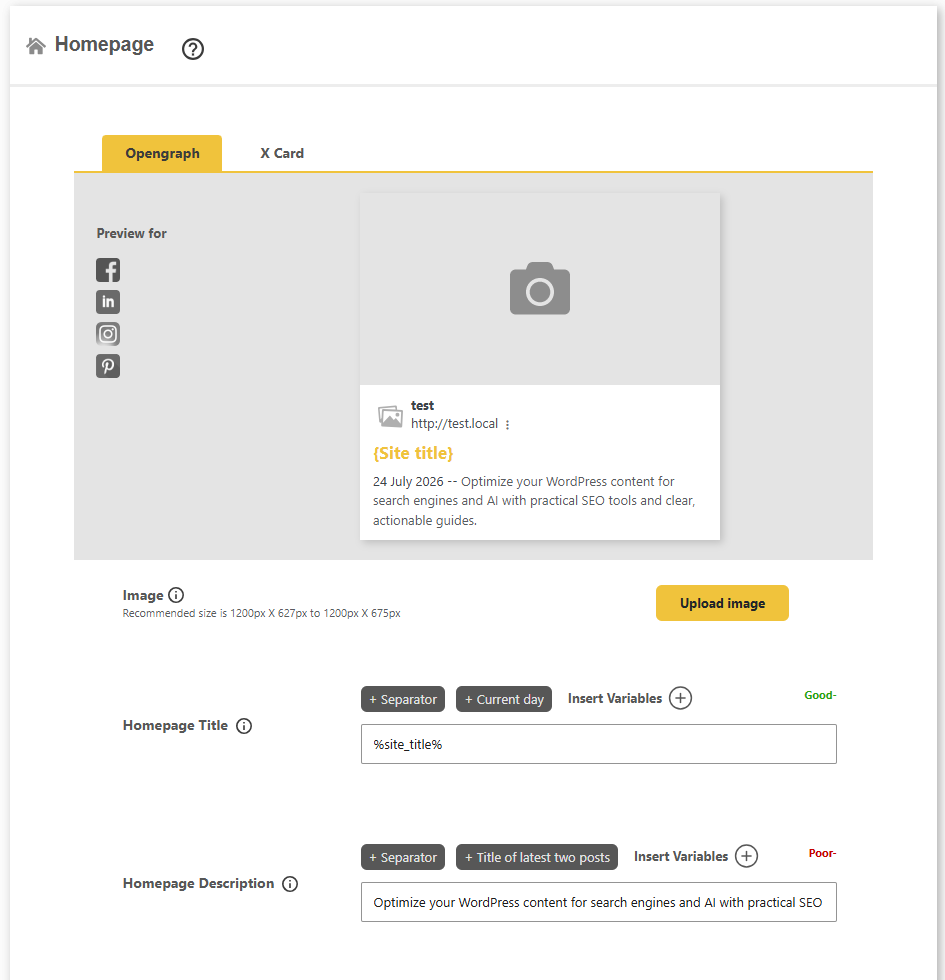
Homepage sharing
Homepage social share preview
Set the image, title and description that appear when your home page is shared on social media, with a live preview.
- Default Open Graph and X card for the home page
- Custom share image, title and description
- Live preview for Facebook, LinkedIn and more
- Looks great on every social platform
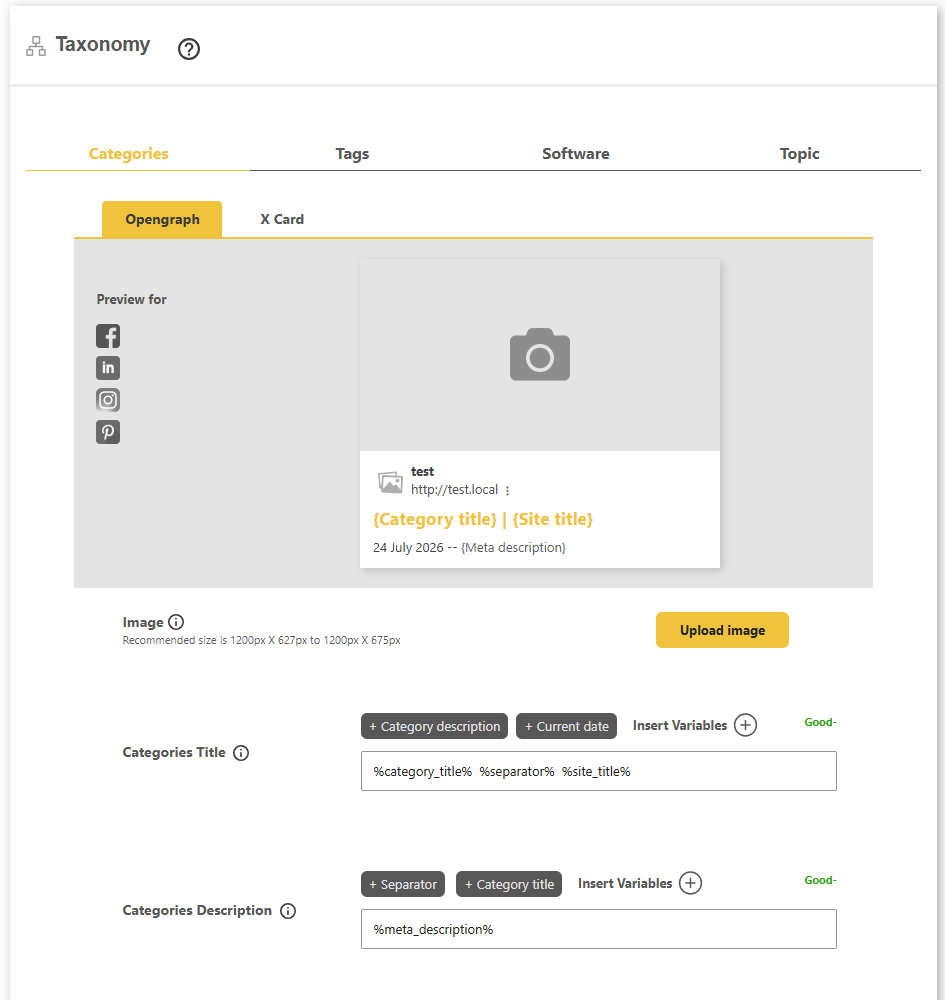
Taxonomy sharing
Category and tag social previews
Control how category, tag and custom taxonomy pages look when shared, so every listing page makes a strong first impression.
- Open Graph and X card per taxonomy
- Custom image, title and description
- Categories, tags and custom taxonomies
- Live social preview as you edit
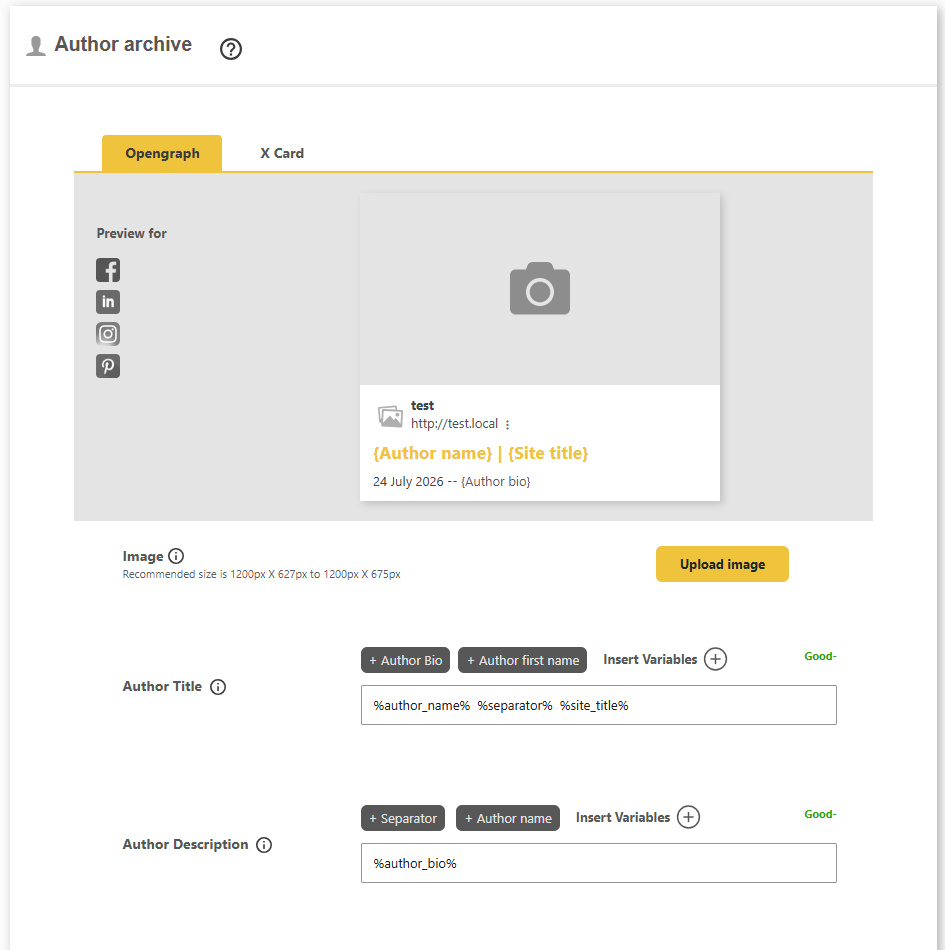
Author sharing
Author archive social previews
Give author archive pages their own share image, title and description, built from author variables like name and bio.
- Open Graph and X card for author archives
- Author name and bio variables
- Custom share image per author area
- Live preview before you publish
Archive sharing
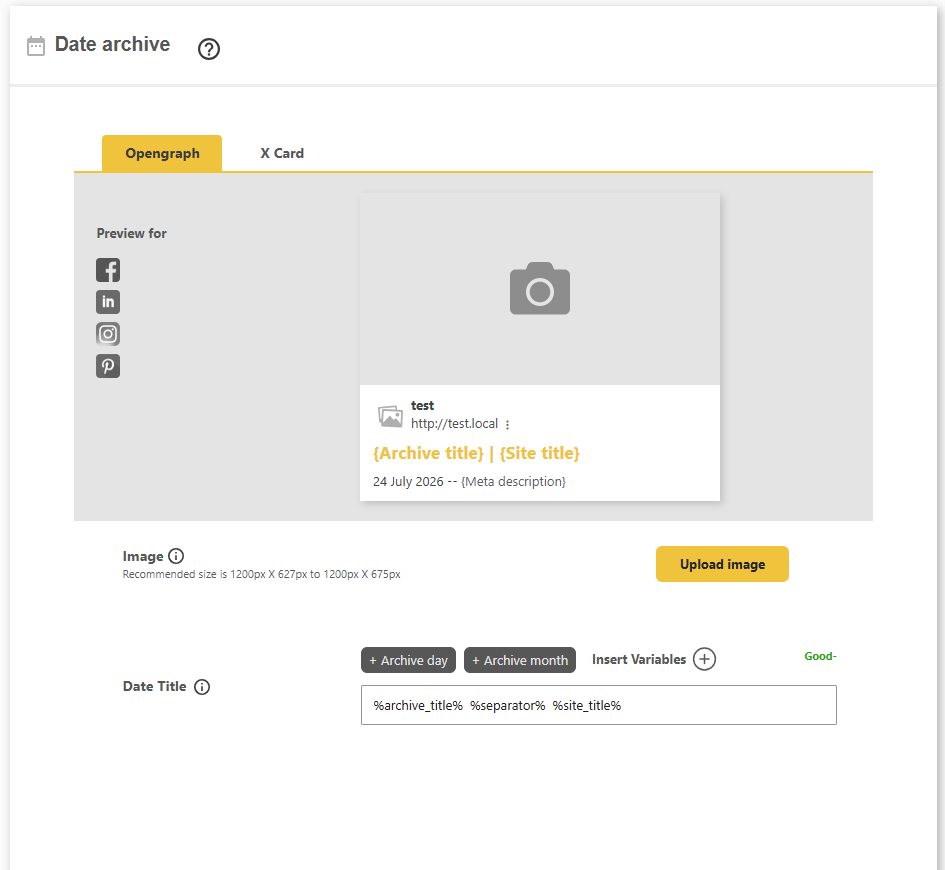
Date archive social previews
Set the social share image, title and description for date-based archive pages so they never share a broken or empty card.
- Open Graph and X card for date archives
- Custom image, title and description
- Consistent sharing across your archive
- Live social preview
Local SEO
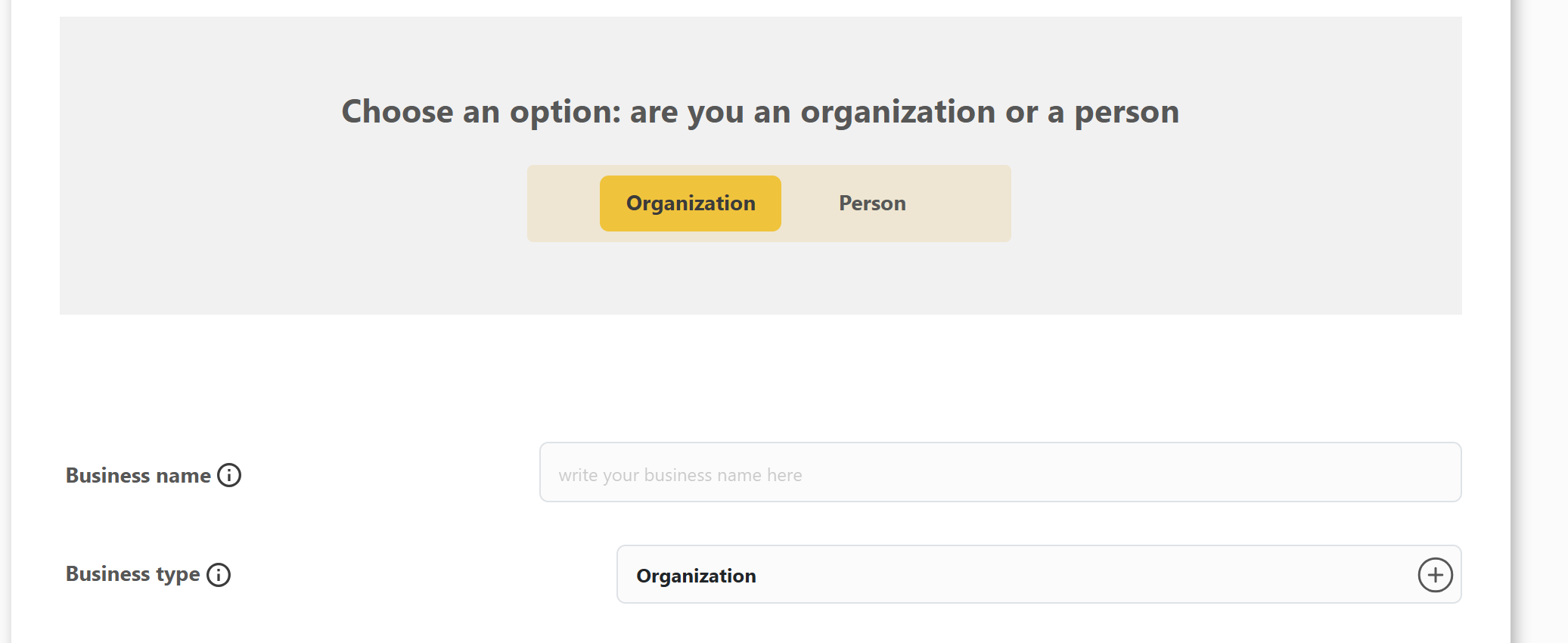
LocalBusiness schema for your business
Local SEO starts here: tell Google exactly who you are, as an organization or a person, with the right LocalBusiness type wired into structured data.
- Choose organization or person
- Pick from hundreds of LocalBusiness types
- Business name and description
- Powers your Google knowledge panel

Knowledge Graph
Control your Google Knowledge Graph entity
Tell search engines whether your site represents an organization or a person, and DefiniteSEO outputs the matching Organization or Person structured data that powers your Google Knowledge Graph panel.
- Choose whether your site represents an organization or a person
- Outputs Organization or Person schema with your logo
- Links your social profiles as sameAs entity signals
- Gives Google, Bing and AI search a clear brand identity
Local SEO · Contact
Business contact details and phone types
As part of your Local SEO profile, add every way customers reach you, with multiple phone numbers by type, wired into contactPoint structured data.
- Multiple phone numbers by contact type
- Customer service, billing, technical and more
- Business email, fax and website URL
- Feeds contactPoint schema

Local SEO · Address
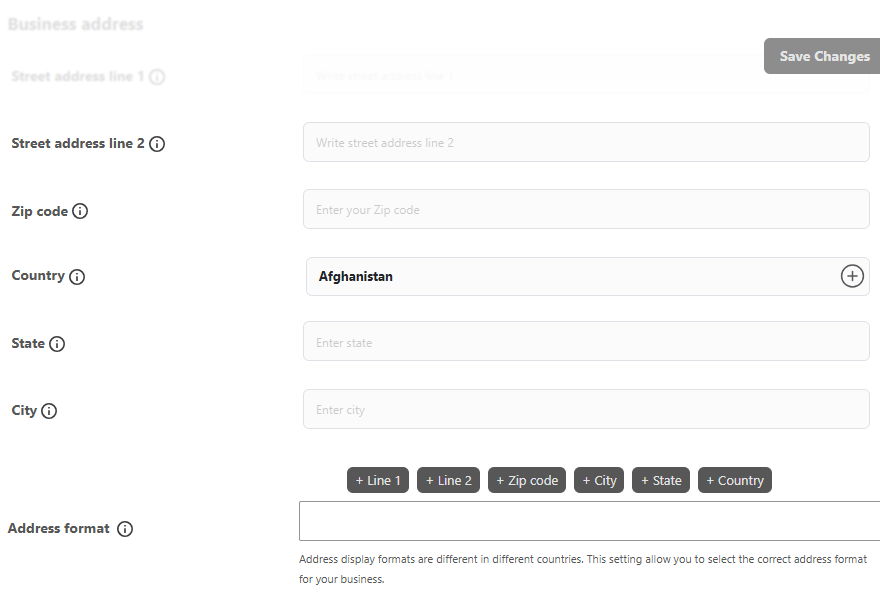
Business address and area served
Give search engines your exact local business address and service area so you show up for the right local searches.
- Full street, city, state, country and zip
- Choose the correct address format
- Set the geographic area you serve
- Consistent NAP across your site
Local SEO · Opening hours
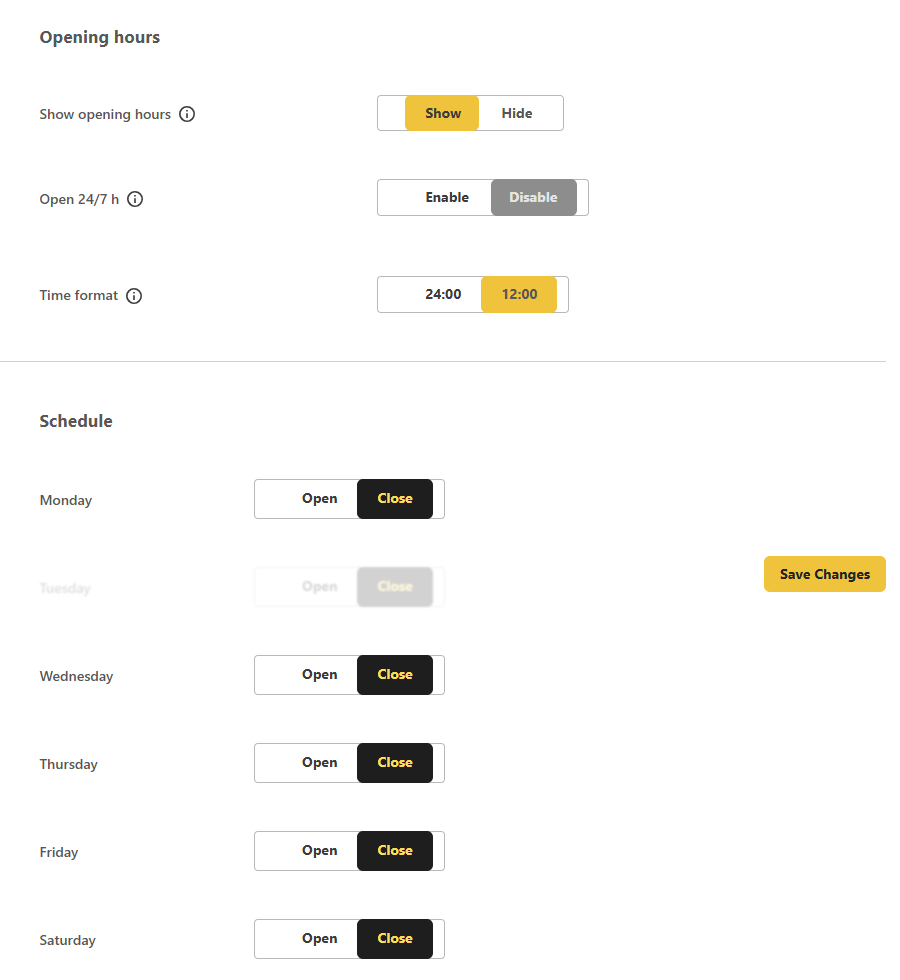
Business opening hours in schema
Publish your local business opening hours so Google can show when you are open, right in the search results and on maps.
- Per-day open and close times
- Open 24/7 option
- 12 or 24 hour time format
- Wired into openingHours schema
Local SEO · Pricing
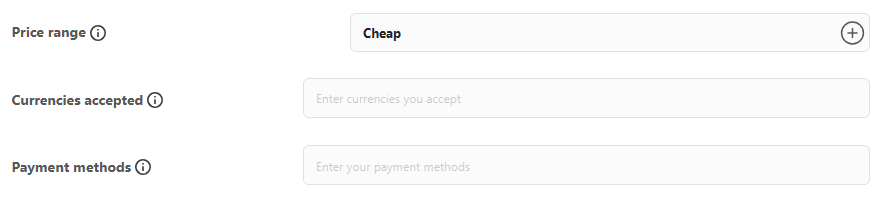
Price range and payment methods
Tell local shoppers what to expect with a price range, accepted currencies and payment methods in your LocalBusiness schema.
- Price range from cheap to expensive
- Currencies accepted
- Payment methods you support
- Richer local business data
Local SEO · Geolocation
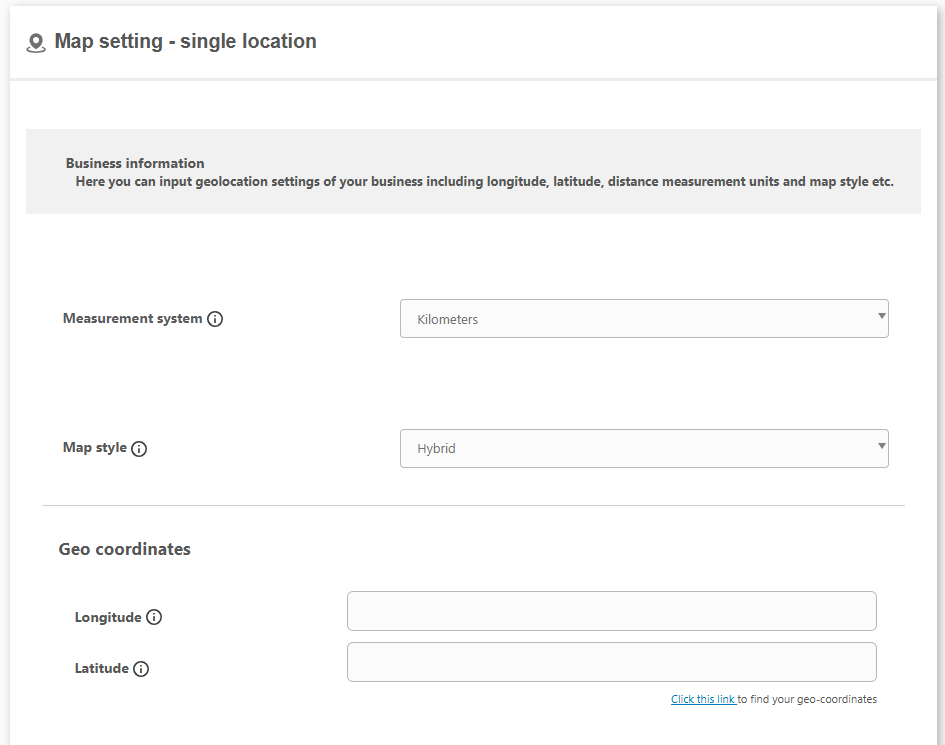
Google Maps and geo coordinates
Pin your local business on the map with exact latitude and longitude, and control how your map displays for visitors.
- Latitude and longitude coordinates
- Google Maps API key support
- Choose map style and distance units
- Precise geo location for local SEO
Local SEO · Trust pages
Link your About and Contact pages
Connect your About and Contact pages to your local business schema so search engines can verify who you are.
- Link your About page
- Link your Contact page
- Strengthens entity and trust signals
- Wired into Organization schema

Local SEO · Entity data
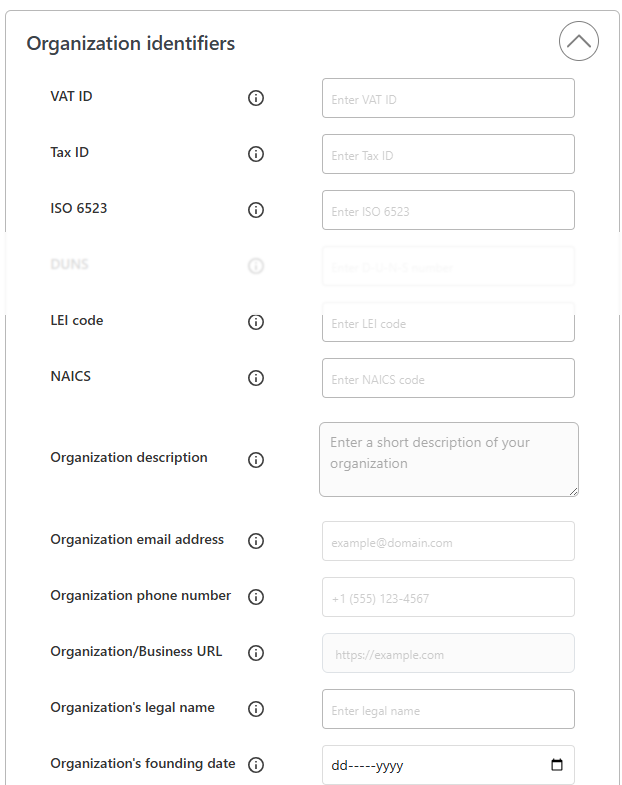
Organization identifiers and entity data
Round out your Local SEO with the official identifiers that tie your website to a real-world business entity, all wired into Organization structured data.
- VAT, Tax ID, DUNS, LEI, ISO 6523 and NAICS
- Legal name, founding date and employee count
- Organization description, email and phone
- Feeds richer Organization schema for entity SEO
XML sitemap
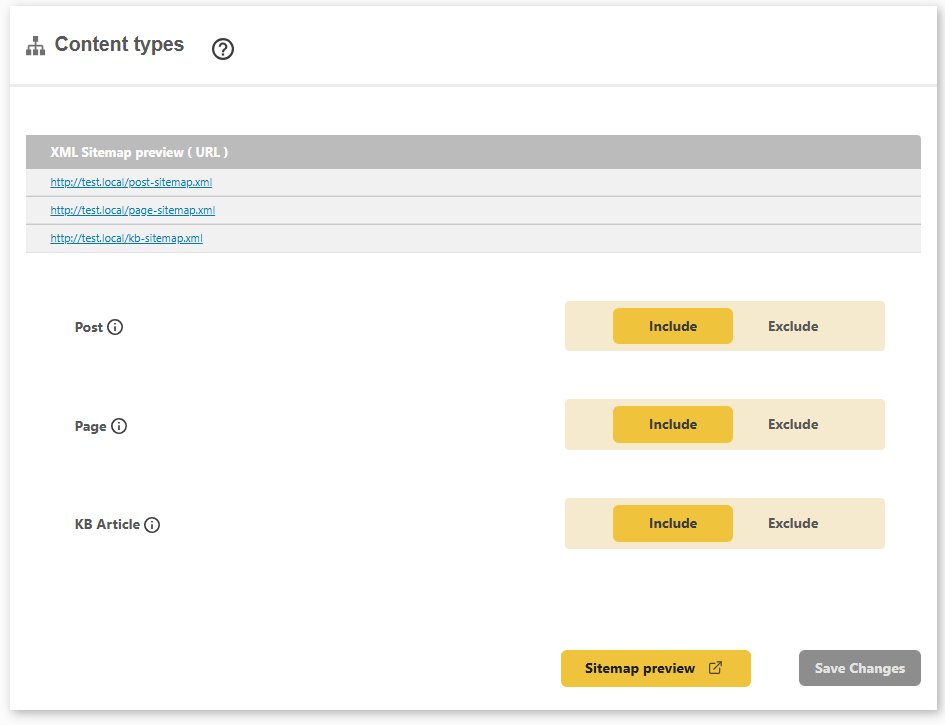
Dynamic XML sitemap for WordPress
DefiniteSEO builds and updates a clean XML sitemap automatically, so search engines always discover your latest posts, pages and products.
- Auto-updating sitemap for posts, pages and products
- Include or exclude any content type
- Custom post types supported out of the box
- A separate sitemap file per content type
Google News
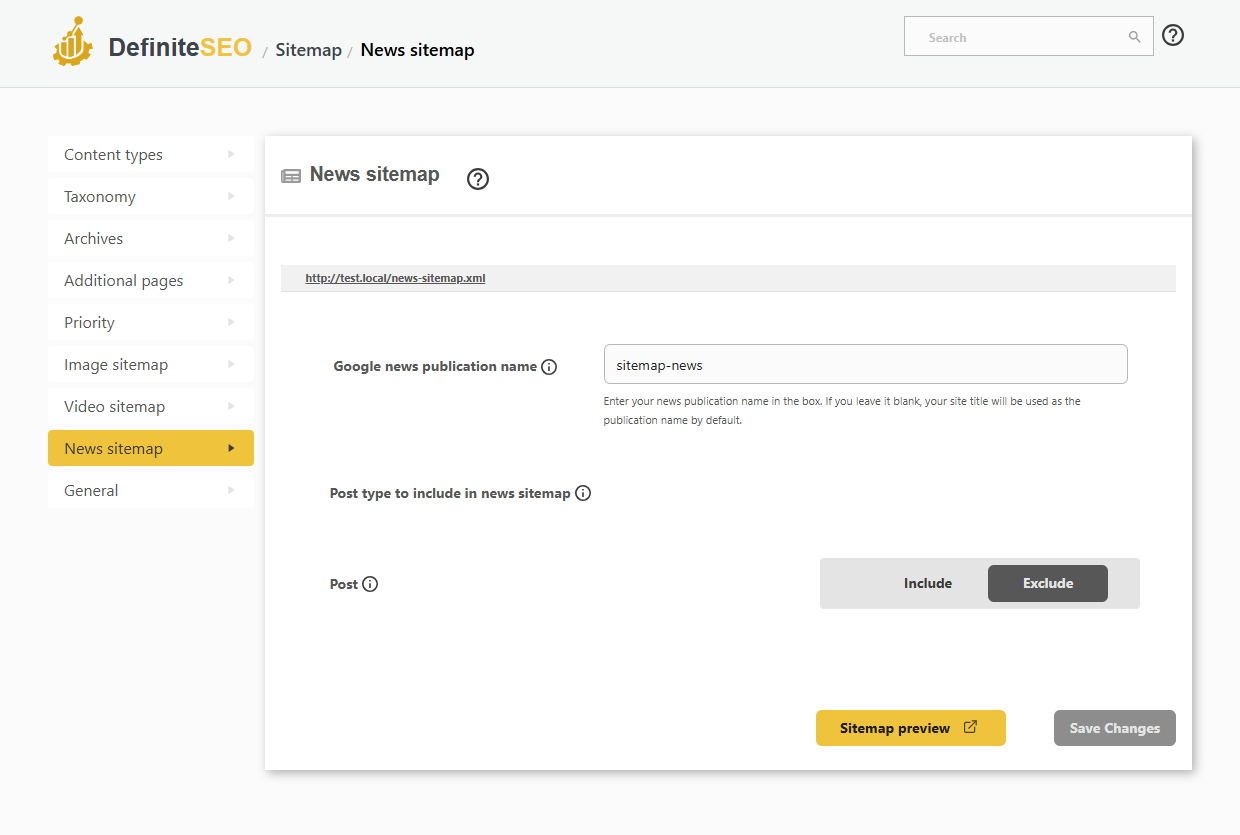
Google News sitemap
Get your articles into Google News with a dedicated news sitemap and a publication name you control.
- Dedicated Google News XML sitemap
- Set your Google News publication name
- Choose which post types are included
- Per-post news inclusion and exclusion
Video SEO
Video sitemap
Help your videos rank and earn video rich results with a dedicated video sitemap.
- Dedicated video XML sitemap
- Include or exclude videos site-wide
- Auto-detect embedded videos on your pages
- Feed video metadata to search engines
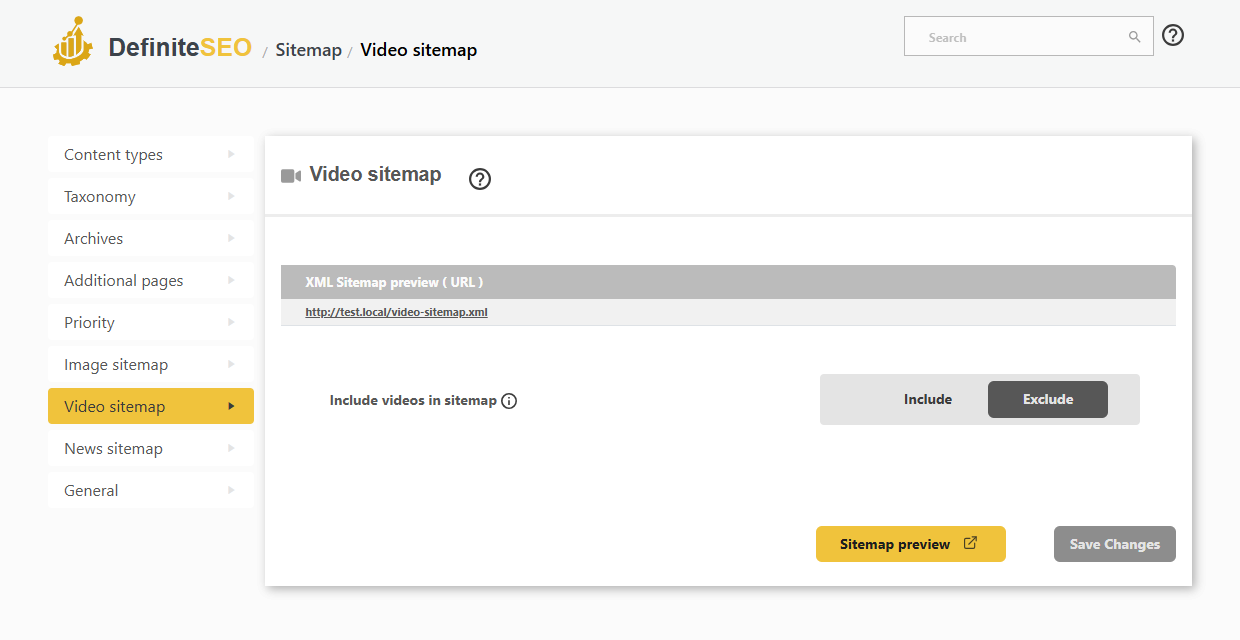
Image sitemap
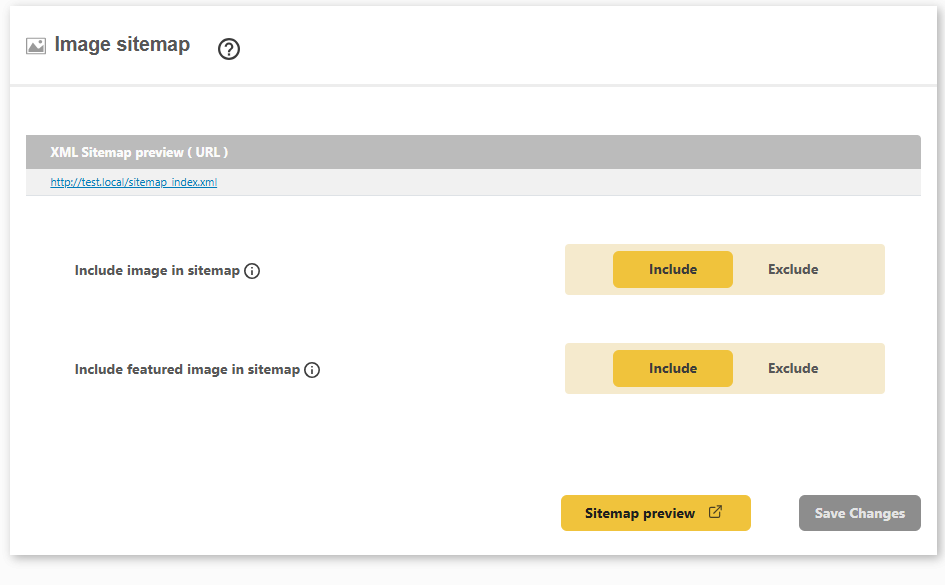
XML image sitemap
Help your images get found in Google Images by including them, and their featured images, in the XML sitemap.
- Include or exclude images in the sitemap
- Include or exclude featured images
- Boost visibility in Google Images
- Works across posts, pages and products
Taxonomy sitemap
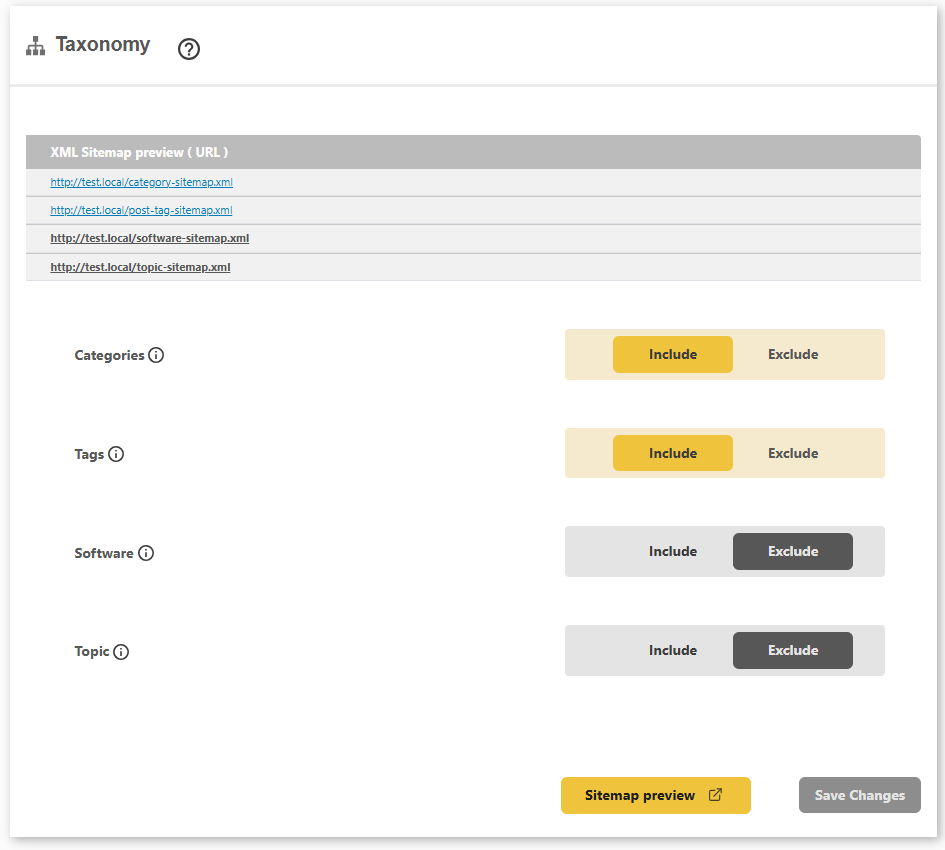
Category and tag XML sitemaps
Include your category, tag and custom taxonomy archives in the sitemap so search engines crawl every important listing page.
- Include or exclude categories and tags
- Product categories and product tags
- Custom taxonomies supported
- A dedicated sitemap file per taxonomy
Archive sitemap
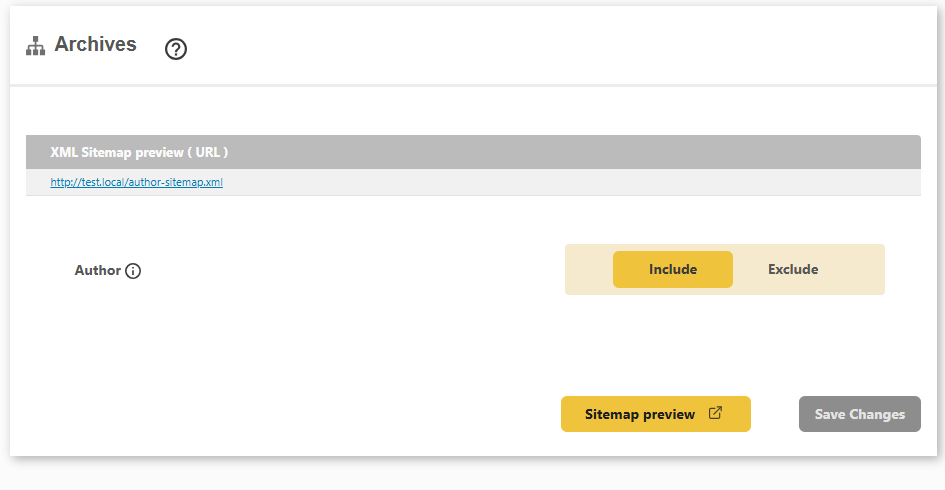
Author archive XML sitemap
Choose whether author archive pages appear in your sitemap, so you control exactly what search engines crawl.
- Include or exclude author archives
- A dedicated author sitemap file
- Keep thin archives out of the index
- Full control over crawlable pages
Crawl priority
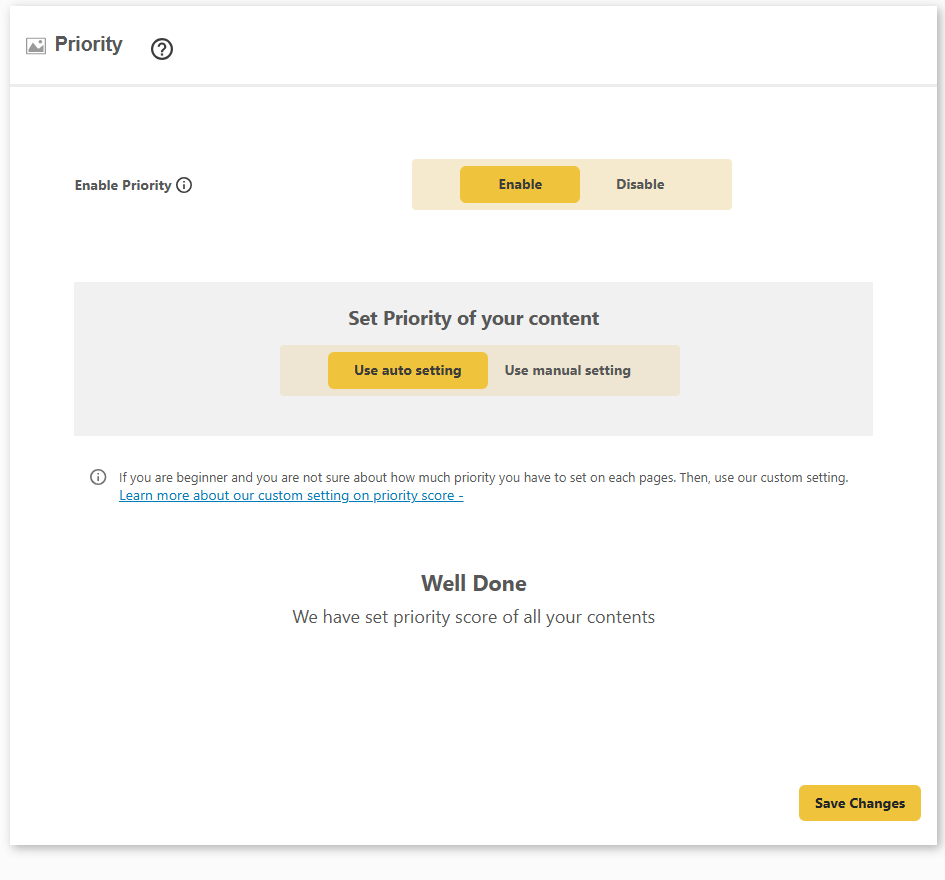
Sitemap crawl priority control
Tell search engines which content matters most with per-content priority scores, set automatically or by hand.
- Automatic or manual priority scoring
- Set priority per content type
- Guide crawlers to your key pages
- Enable or disable in one click
External URLs
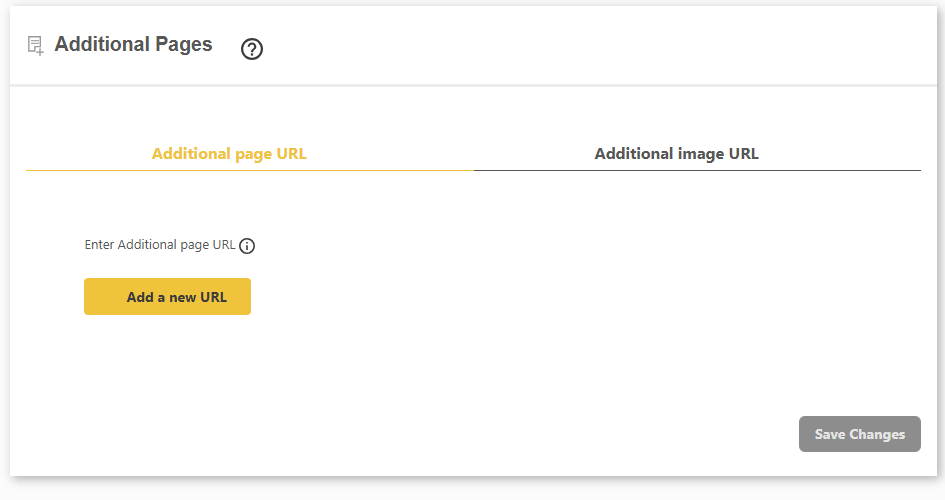
Add external pages to your sitemap
Include non-WordPress pages and externally hosted images in your sitemap, so nothing important is left out.
- Add external or static page URLs
- Add external image URLs
- Include content that lives outside WordPress
- One sitemap for your whole site
Large sitemaps
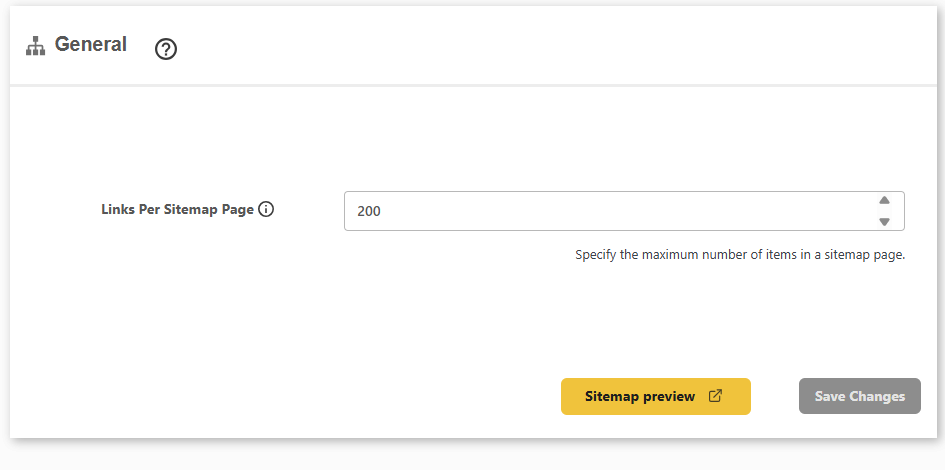
Split large sitemaps automatically
Keep big sitemaps within search-engine limits by capping how many links go in each sitemap file.
- Set the links-per-file limit
- Split large sitemaps into pages
- Stay within search-engine limits
- Clean sitemap index for crawlers
Manage redirects
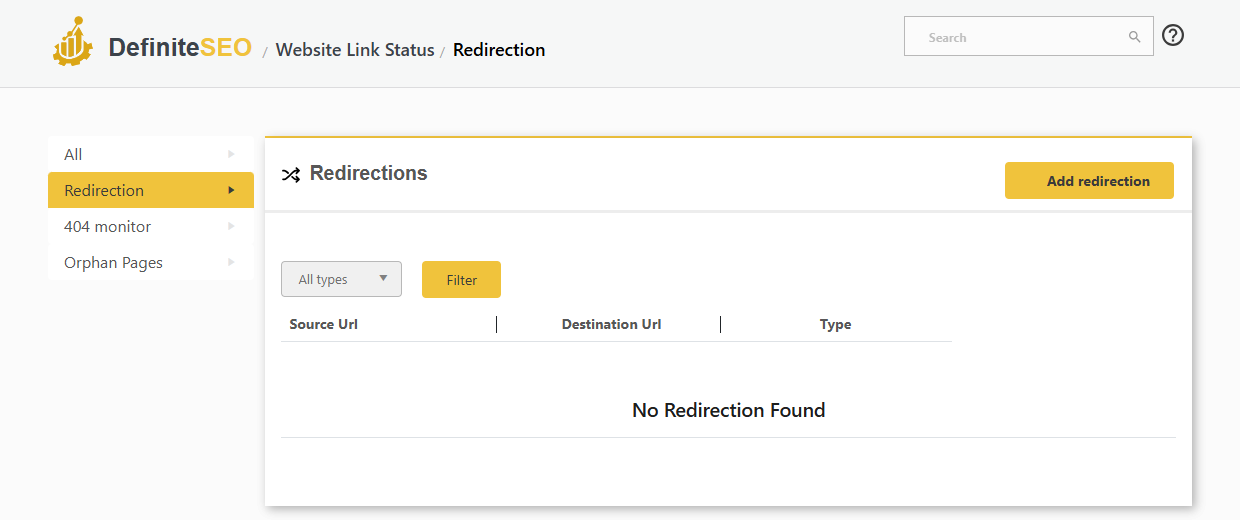
View, edit and delete your WordPress redirects
Every redirect you create lands in one searchable list, so you can review, update or remove any rule without losing rankings.
- See every redirect in one sortable list
- Edit or delete any redirect in a click
- Filter redirects by type
- Source, destination and status at a glance
Advanced redirects
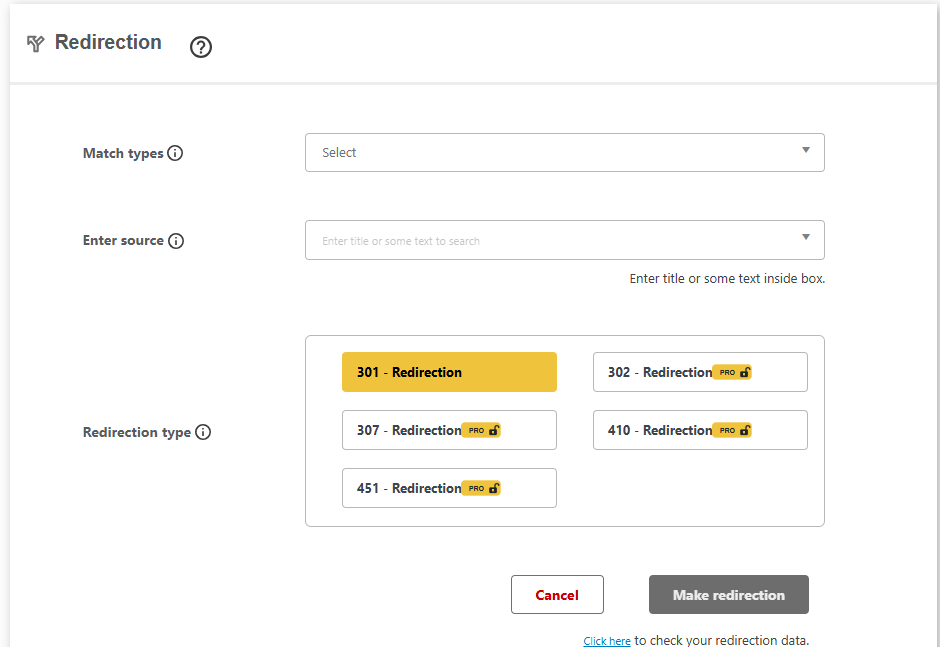
Advanced redirection manager
Create precise redirects with match-type rules and choose the exact HTTP status for every rule you add.
- Match types for exact, contains and pattern rules
- Search your content to pick the source URL
- 301, 302, 307, 410 and 451 redirect status types
- Check your redirection data in one click
In the editor
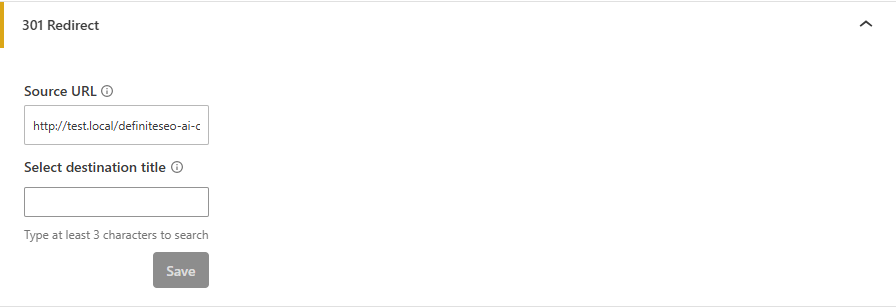
Set a 301 redirect from the editor
Point an old or alternate URL straight to this post without leaving the editor, so link equity flows where you want it.
- Add a source URL to redirect from
- Pick the destination by title search
- No trip to the redirect manager needed
- Preserve rankings when URLs change
404 errors
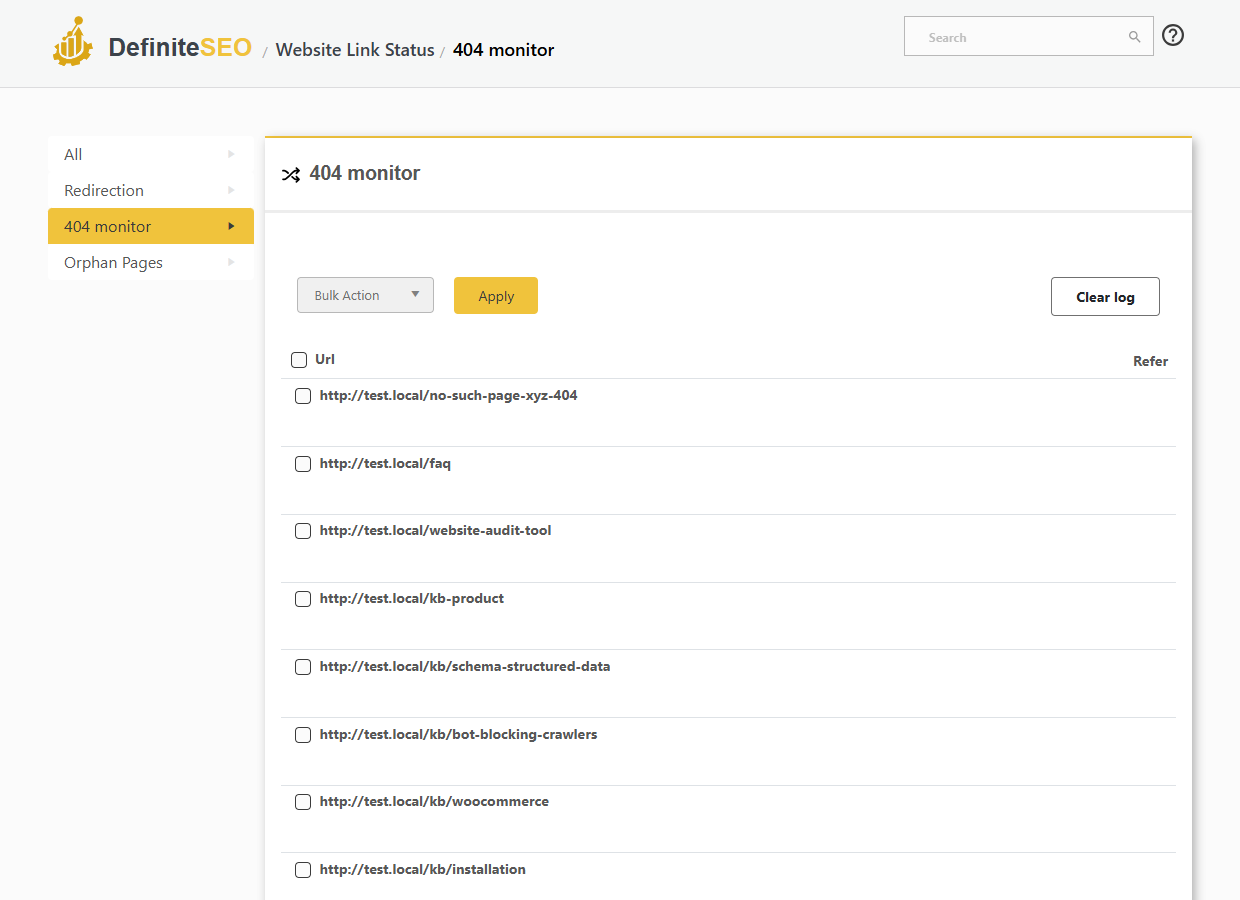
404 monitor and error log
Automatically log every 404 error your visitors and crawlers hit, so you can redirect or fix them before they cost you SEO.
- Automatic 404 error logging as they happen
- See the requested URL and the referring page
- Bulk actions and one-click redirect from a 404
- Clear the error log any time
Link health
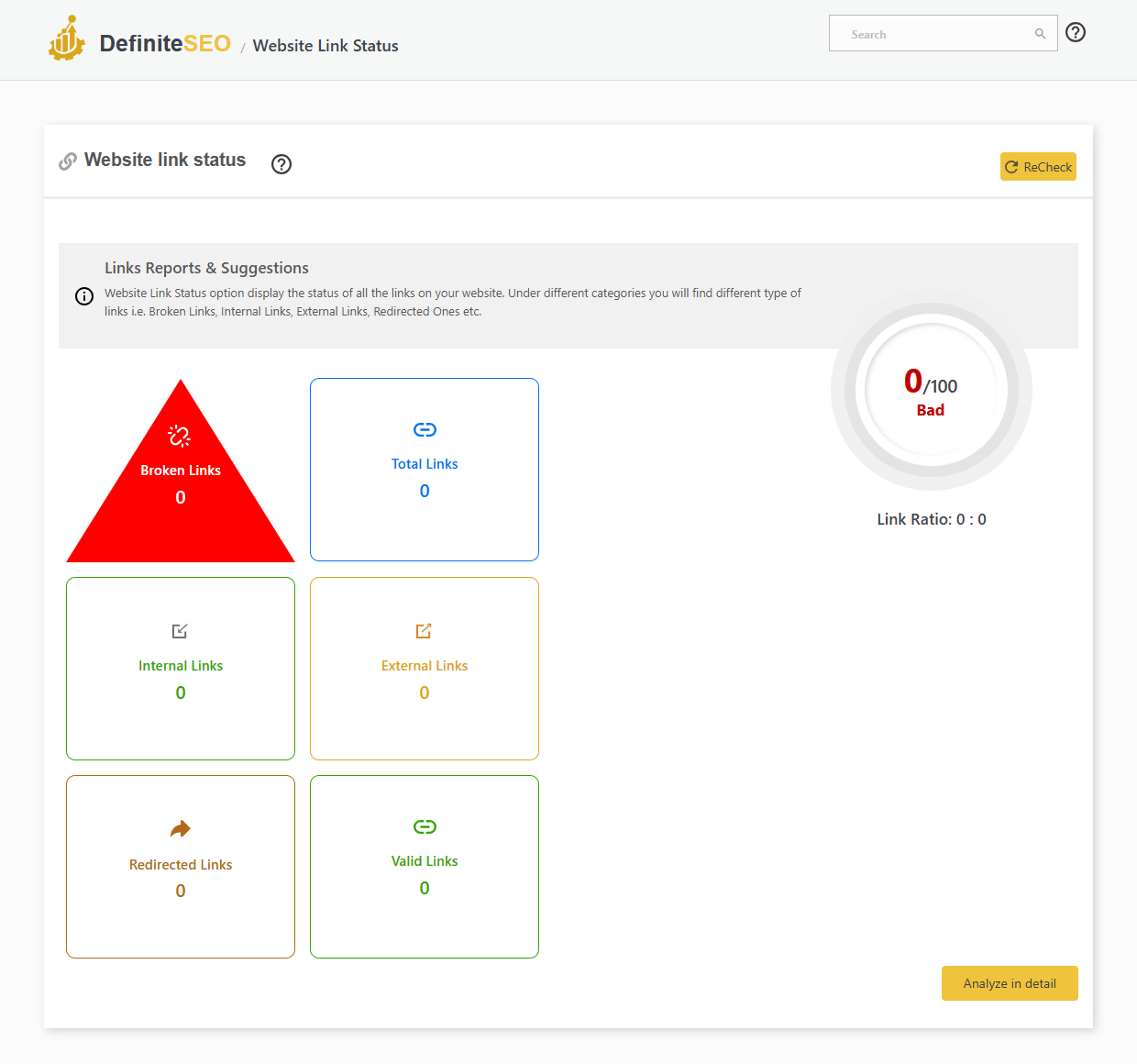
Broken-link checker and link monitor
Scan every link on your site and get a clear health score, so nothing quietly rots into a broken link.
- Site-wide scan of internal, external and redirected links
- Broken-link detection with live HTTP status
- Total, valid and redirected link counters
- An overall link-health score
- Export the full link report
Internal linking
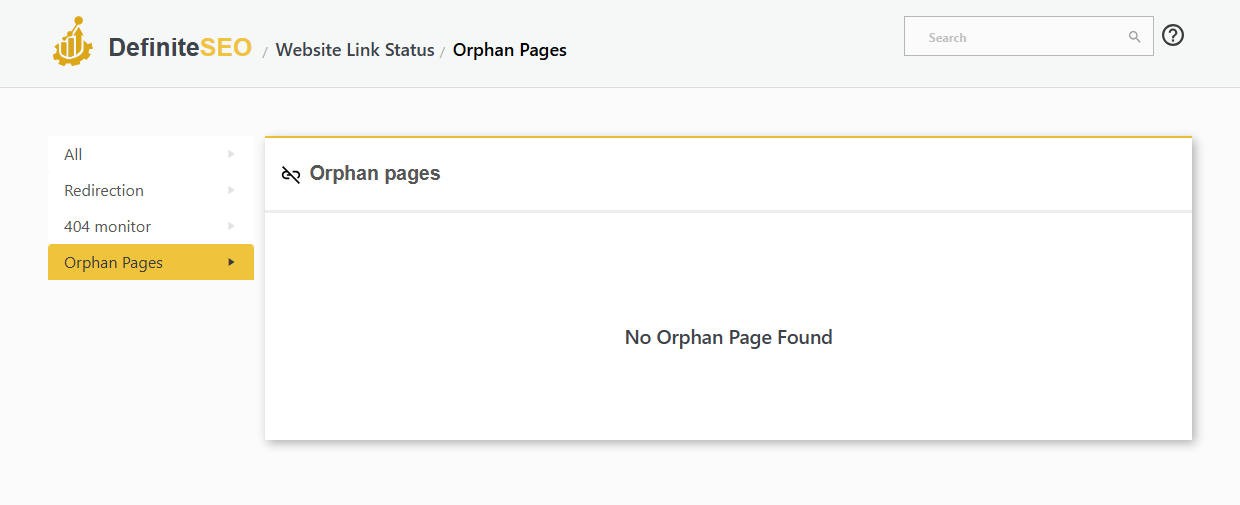
Orphan page detector
Find pages with no internal links pointing to them, so search engines and readers can actually reach your content.
- Detects pages with no inbound internal links
- Surfaces content search engines may be missing
- Helps you plan and fix your internal linking
- Works across posts, pages and custom types
In the editor
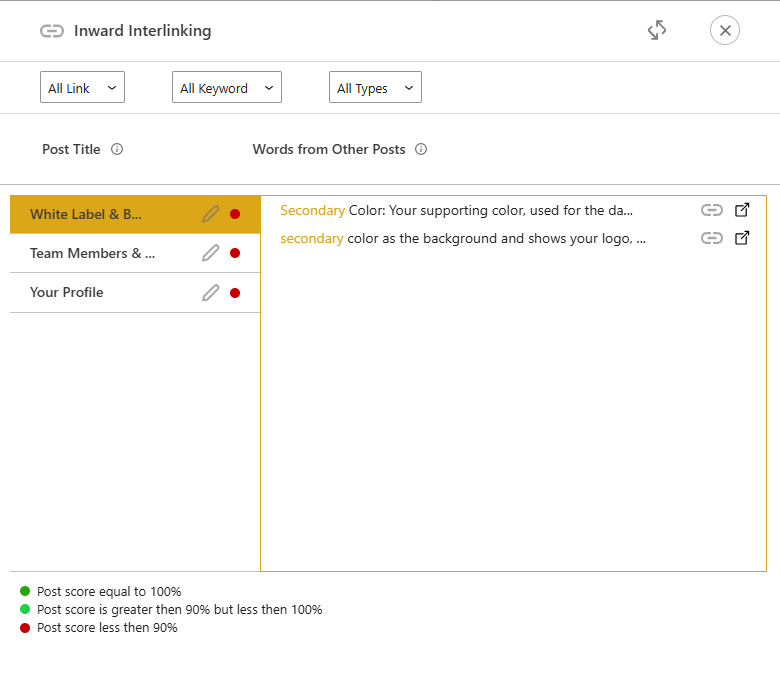
Inbound internal link suggestions
See which other posts should link to this one, with the exact anchor phrases already in their content, ready to add.
- Finds posts that should link here
- Suggests the exact anchor text to use
- Filter by link, keyword and type
- Build authority to your key pages
In the editor
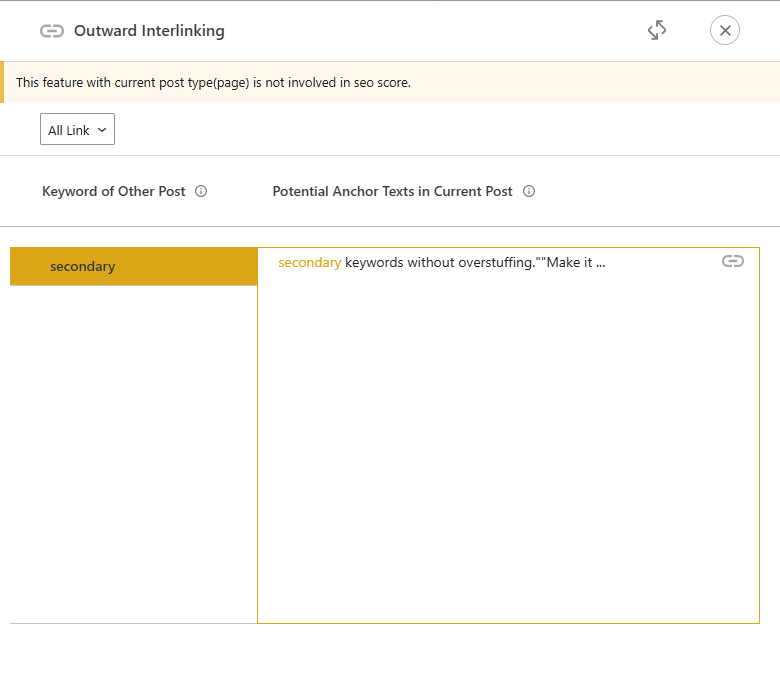
Outbound internal link suggestions
Find the best phrases in this post to link out to related content, so every article strengthens your internal structure.
- Suggests anchor phrases in this post
- Matches them to related posts
- Add internal links in a click
- Avoids anchor over-optimisation
In the editor
Mark pillar and landing pages
Tell DefiniteSEO which posts matter most so its internal-link suggestions send authority to your pillar and landing pages.
- Mark a post as a pillar page
- Mark important landing pages
- Prioritised as internal-link targets
- Get AI internal-link suggestions per post

External link SEO
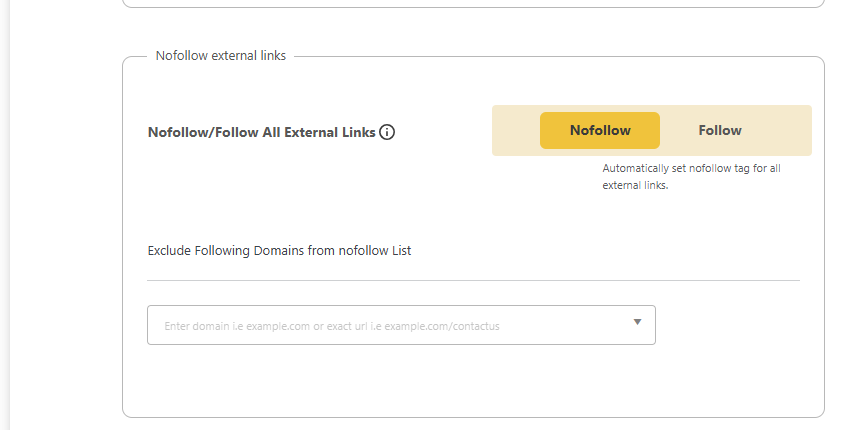
External link nofollow and new-tab rules
Control how your outbound links behave across the whole site and protect your link equity from pages you do not want to vouch for.
- Add nofollow to all external links automatically
- Open external links in a new tab
- Exclude trusted domains from the nofollow rule
- Per-post external-link overrides from the editor
In the editor
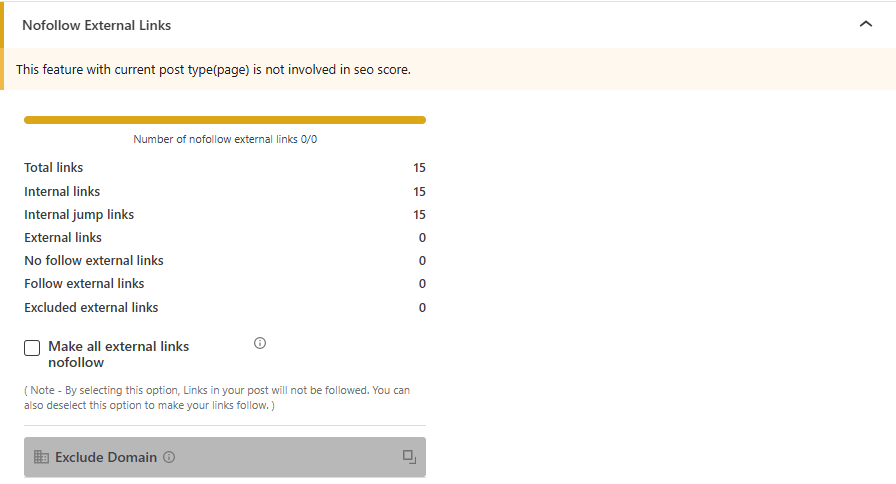
Per-post link analysis and nofollow
See every link in a post and control it without leaving the editor, from a full link breakdown to nofollowing your externals.
- Counts internal, external and nofollow links
- Make all external links in this post nofollow
- Exclude specific domains
- Full link control per post
SEO breadcrumbs
Schema breadcrumbs for rich results
Show a clear breadcrumb trail on every page, backed by BreadcrumbList structured data so Google can display it in search results.
- Automatic BreadcrumbList structured data
- Clean, clickable trail on posts, pages and products
- Helps search engines understand your site structure
- Works with any theme

Flexible placement
Add breadcrumbs anywhere
Drop breadcrumbs wherever you want them, with a shortcode, a Gutenberg block or a one-line PHP snippet in your theme.
- Shortcode for any editor
- Gutenberg block for the block editor
- PHP snippet for theme templates
- No template rebuild required

Breadcrumb style
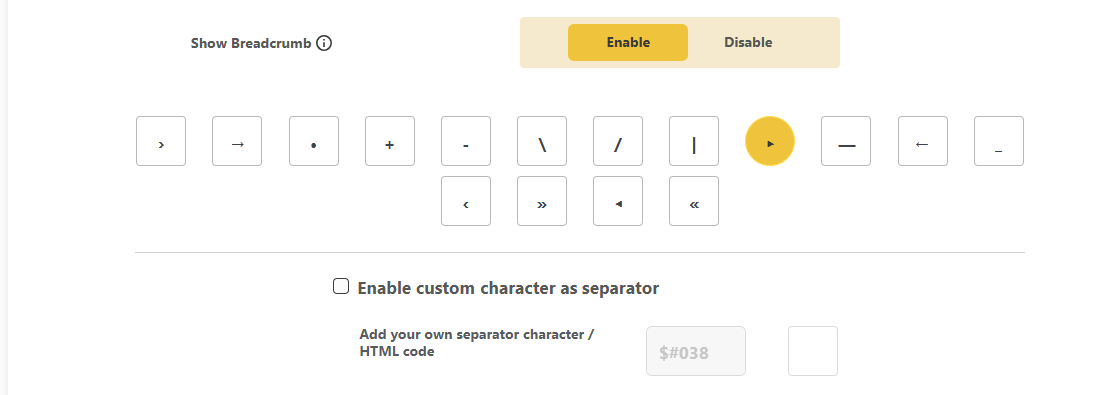
Custom breadcrumb separator
Pick the character that sits between breadcrumb items, or enter your own HTML entity to match your brand.
- Choose from arrows, slashes, dashes and more
- Or enter a custom HTML entity
- Applied across every breadcrumb trail
- Turn breadcrumbs on or off in one click
Home crumb
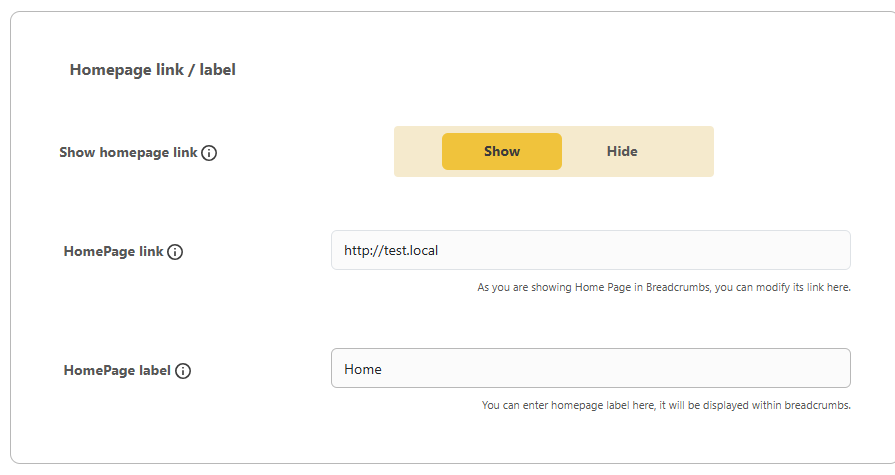
Homepage breadcrumb link and label
Decide whether the home link appears in your trail, rename it, and point it wherever you like.
- Show or hide the home link
- Custom home label like “Home” or your brand
- Set a custom home URL
- Full control over the first crumb
Trail control
Control what shows in the trail
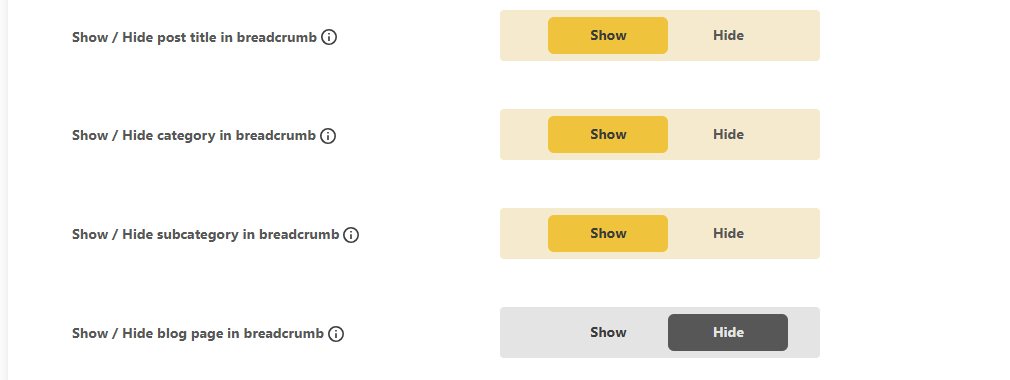
Show or hide each part of the breadcrumb trail so it stays as short or as detailed as you want.
- Show or hide the post title
- Show or hide category and subcategory
- Show or hide the blog page crumb
- Keep trails short and relevant
Breadcrumb prefixes
Breadcrumb prefixes per page type
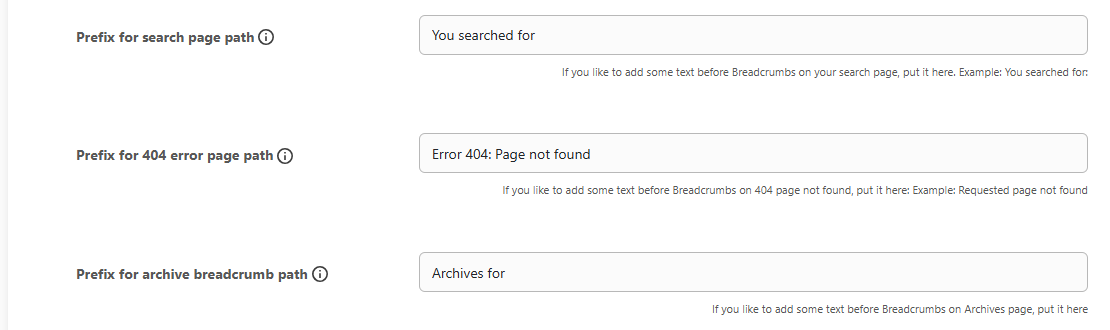
Add lead-in text before the trail, tailored to each page type, from “You are here” to a friendly 404 message.
- A “You are here” prefix on every page
- A “You searched for” prefix on search results
- A custom prefix on 404 pages
- An “Archives for” prefix on archives
Per-post control
Custom breadcrumb title per post
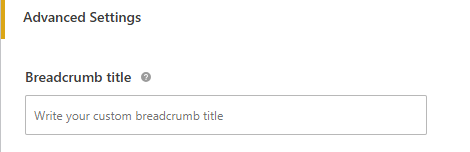
Override the breadcrumb label for a single post or page, right from the editor, when the title is too long for the trail.
- Set a custom breadcrumb label per URL
- Shorten long titles in the trail
- Keeps trails tidy and readable
- Set it in the editor, no code
Trust & authority
E-E-A-T author and reviewer signals
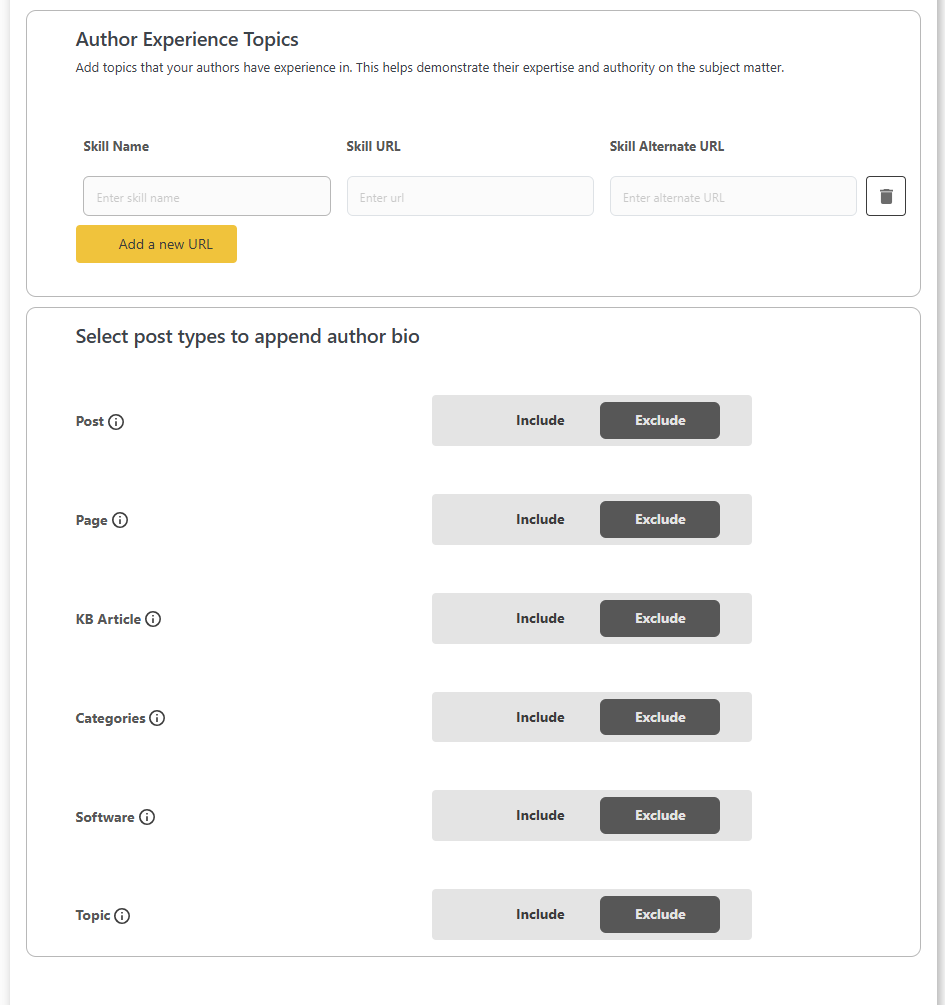
Give every article verifiable authorship. Build rich author profiles with job title, employer, education, topics they know about and social links, then mark posts as “reviewed by” a fact-checker, all wired into Person, Author and Reviewer schema.
- Per-author profiles with worksFor, alumniOf & sameAs
- Per-post reviewer / fact-checked-by assignment
- Category-level authors and reviewers
- Front-end author & reviewer info blocks via shortcode
Trust signals
Site policy pages for E-E-A-T
Map your policy pages so search engines can see the trust signals Google looks for, wired into your organization markup.
- Publishing principles and ethics policy
- Ownership, funding and corrections policy
- Actionable feedback and diversity policies
- Strengthens your E-E-A-T and trust signals

Search engine verification
Verify your site with Google, Bing and more
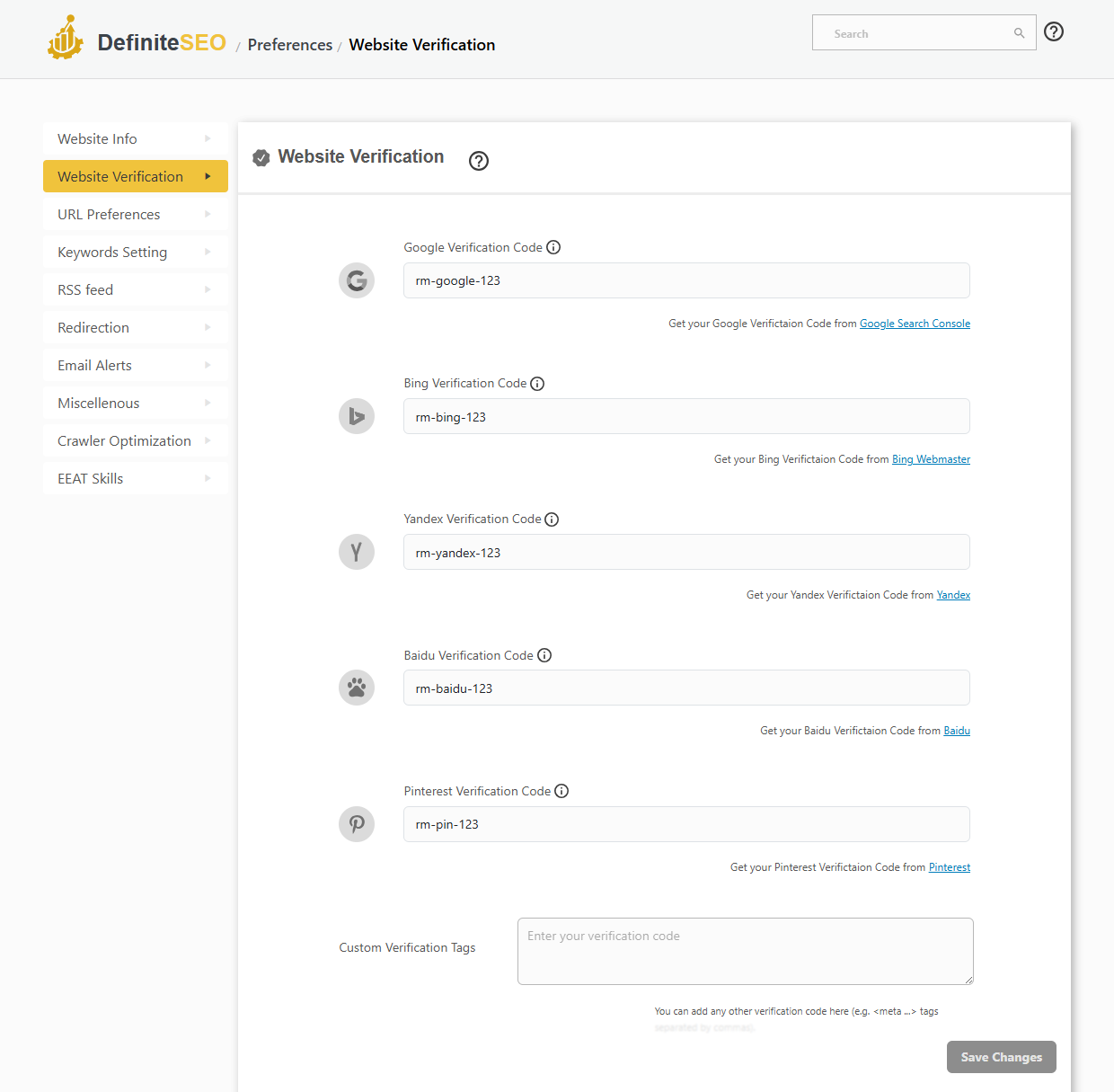
Connect your site to every major search engine from one screen. Paste each verification code once and DefiniteSEO adds the meta tag for you.
- One-field verification for Google, Bing, Yandex, Baidu and Pinterest
- Paste your HTML tag and the meta tag is added automatically
- Custom verification tags field for any other service
- No theme or header file edits required
Clean URLs
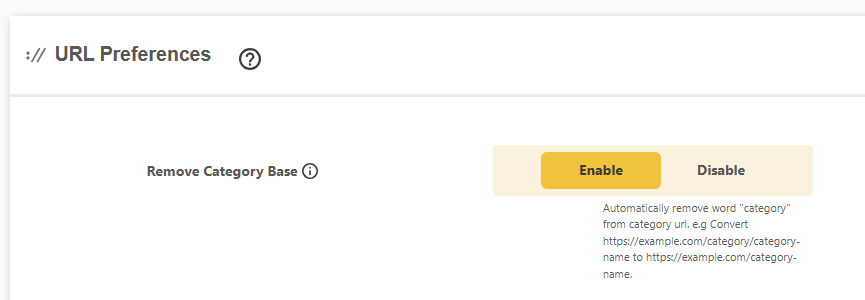
URL preferences and permalink cleanup
Strip the clutter WordPress and WooCommerce add to your permalinks so every URL stays short, readable and keyword-focused.
- Remove the category base from category URLs
- Remove the parent slug from child URLs
- Remove the WooCommerce shop and product base
- Short, readable, keyword-focused permalinks
Clean URLs
Primary category for breadcrumbs and URLs
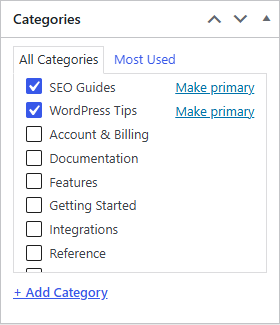
When a post sits in several categories, pick the primary one so your breadcrumbs and permalinks stay clean and consistent.
- Set a primary category on any post
- Controls breadcrumb trails and category-based URLs
- Also supports primary tags and custom terms
- A simple Make primary click in the editor
Slug changes
Auto-update in-content links on slug change
When you change a post or page slug, DefiniteSEO rewrites the old links inside your other content so nothing breaks.
- Rewrite in-content links when a slug changes
- Choose which post types are included
- Include or exclude categories and tags
- No more broken internal links after a rename

Attachment SEO
Redirect orphan attachment URLs
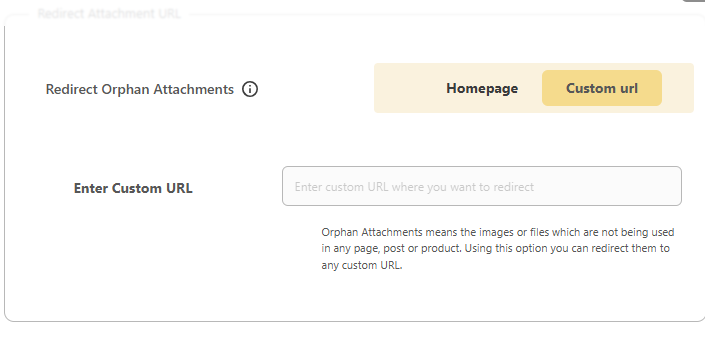
WordPress creates a page for every uploaded file. Redirect these thin attachment pages so they never dilute your SEO.
- Redirect orphan attachment pages automatically
- Send them to your homepage or a custom URL
- Removes thin, duplicate attachment pages
- Keeps crawl budget on the pages that matter
Attachment SEO
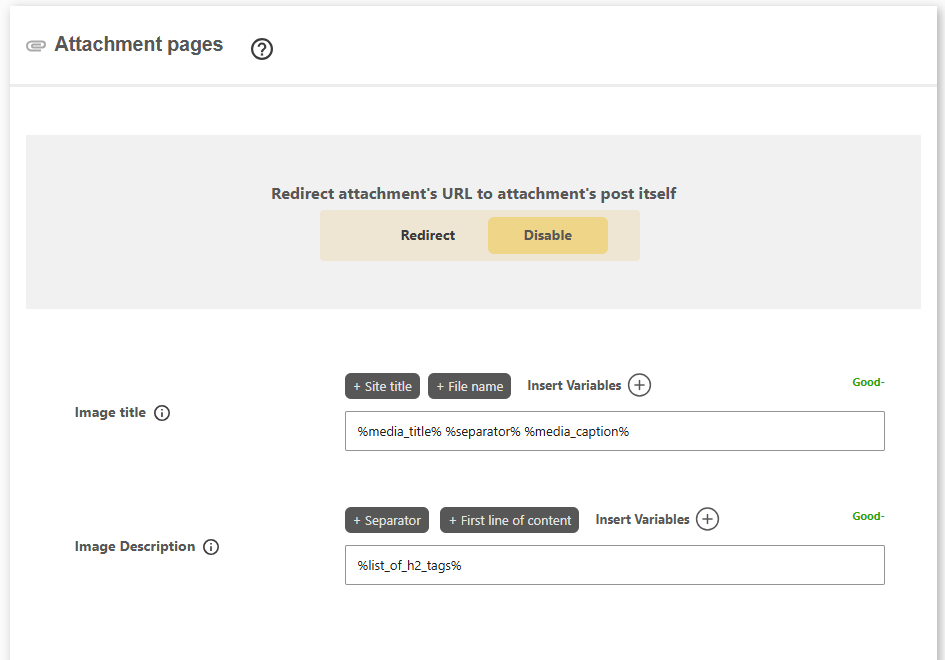
Attachment page titles and descriptions
Redirect attachment URLs to their parent post, or give attachment pages their own SEO title and description built from media variables.
- Redirect an attachment URL to its parent post
- Custom image title from media variables
- Custom image description template
- Turn thin media pages into useful SEO pages
RSS feed
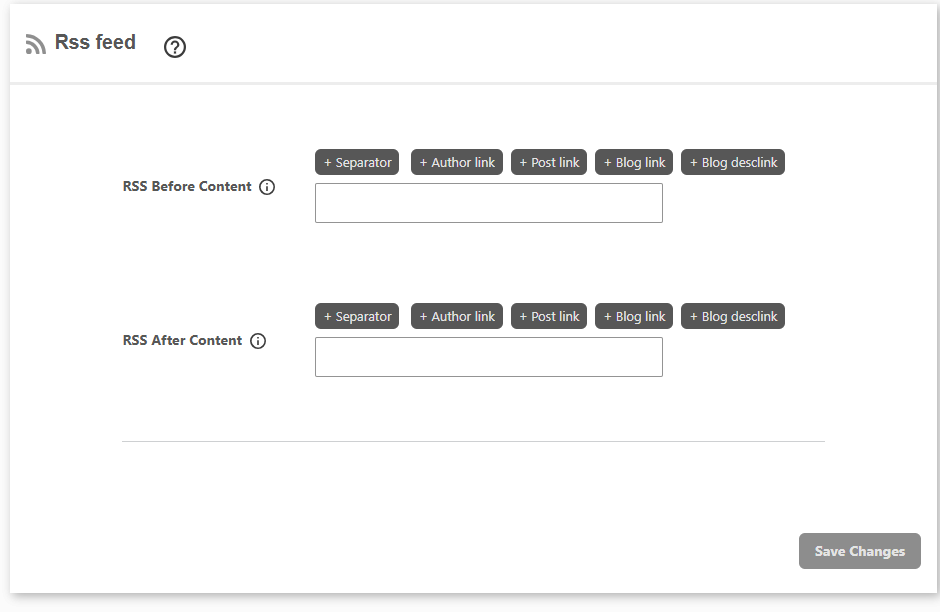
RSS feed content and attribution
Add custom content and backlinks before and after every item in your RSS feed to protect your work from content scrapers.
- Add content before and after each feed item
- Insert author, post and blog backlinks
- Deter scrapers with automatic attribution links
- Works with any RSS reader or syndication service
SEO user roles
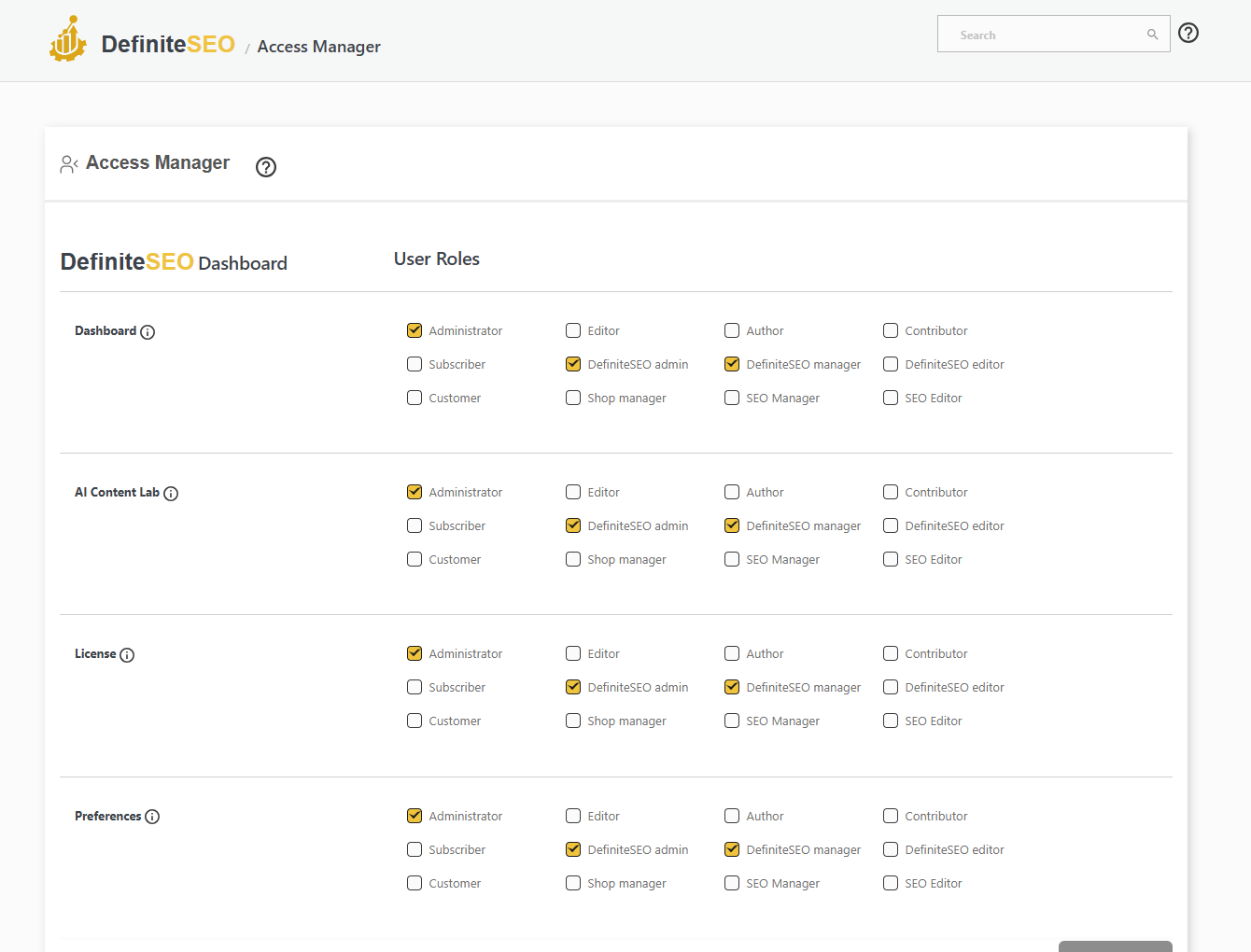
SEO role manager and user permissions
The Access Manager gives you per-role permissions across every DefiniteSEO module, so editors, authors and managers only touch the SEO settings you allow.
- Per-role capabilities for every module and settings page
- Built-in Editor, Manager and Admin SEO roles
- Lock advanced settings away from clients or junior staff
- Works with your existing WordPress roles
Switch from Yoast
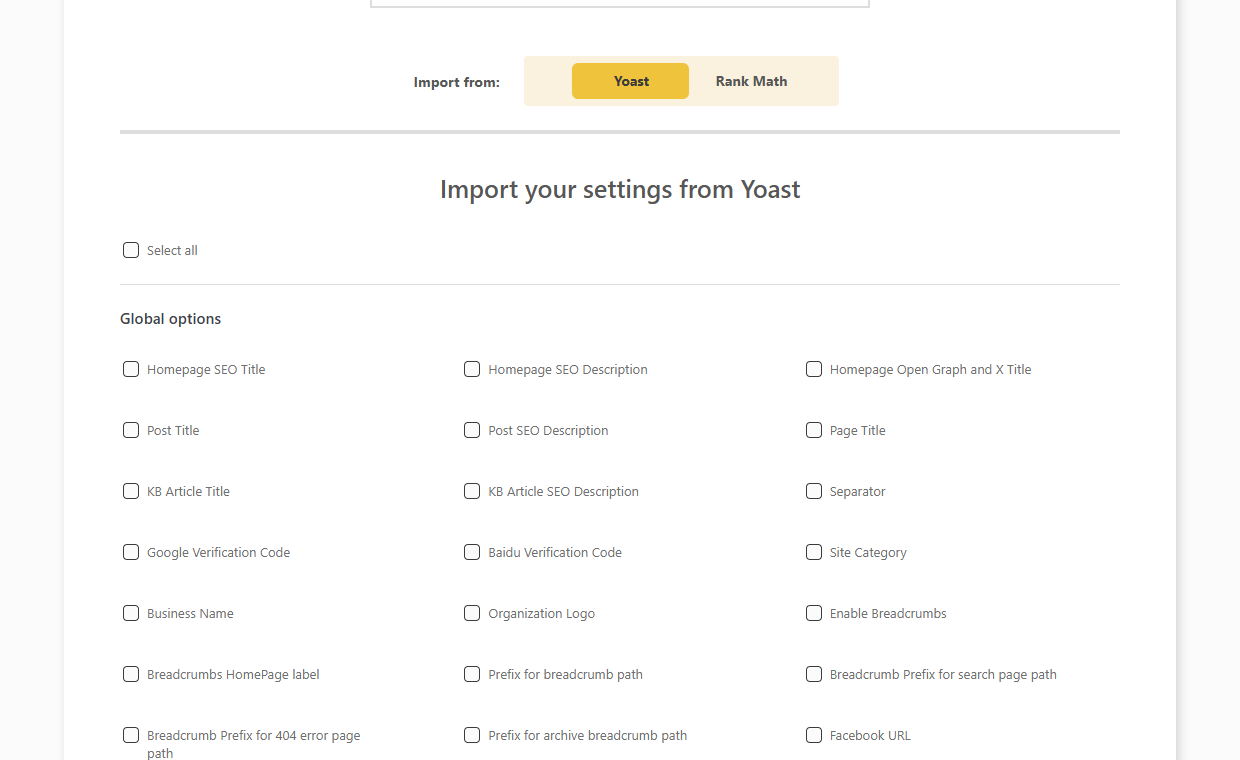
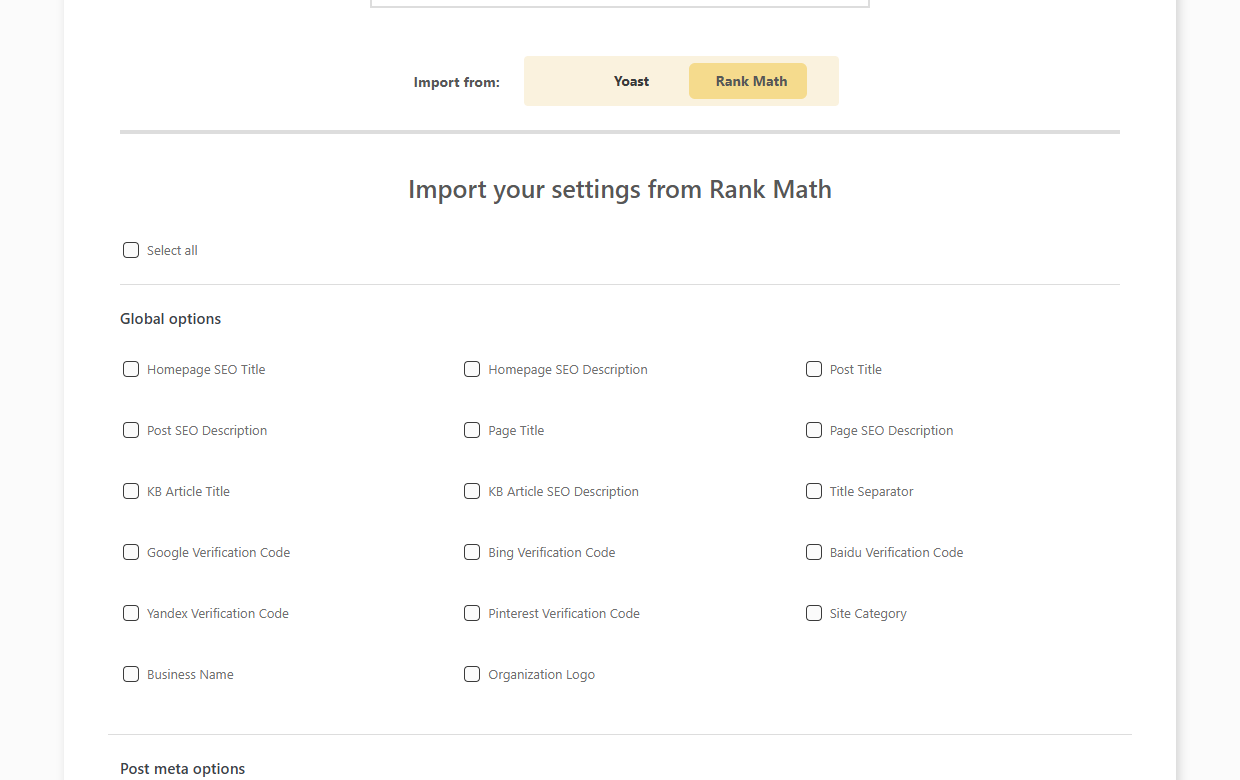
One-click migration from Yoast SEO
Move to DefiniteSEO without losing your work. Import your titles, meta, social tags and more from Yoast SEO.
- Import global titles, meta and separators
- Import per-post SEO titles, descriptions and keywords
- Bring across Open Graph, X and canonical data
- Choose exactly which options to import
Switch from Rank Math
One-click migration from Rank Math
Already on Rank Math? Import your existing SEO data into DefiniteSEO and keep your rankings.
- Import titles, meta descriptions and focus keywords
- Bring across robots meta and canonical URLs
- Import Open Graph and X card data
- Select the exact fields to migrate
Backup and transfer
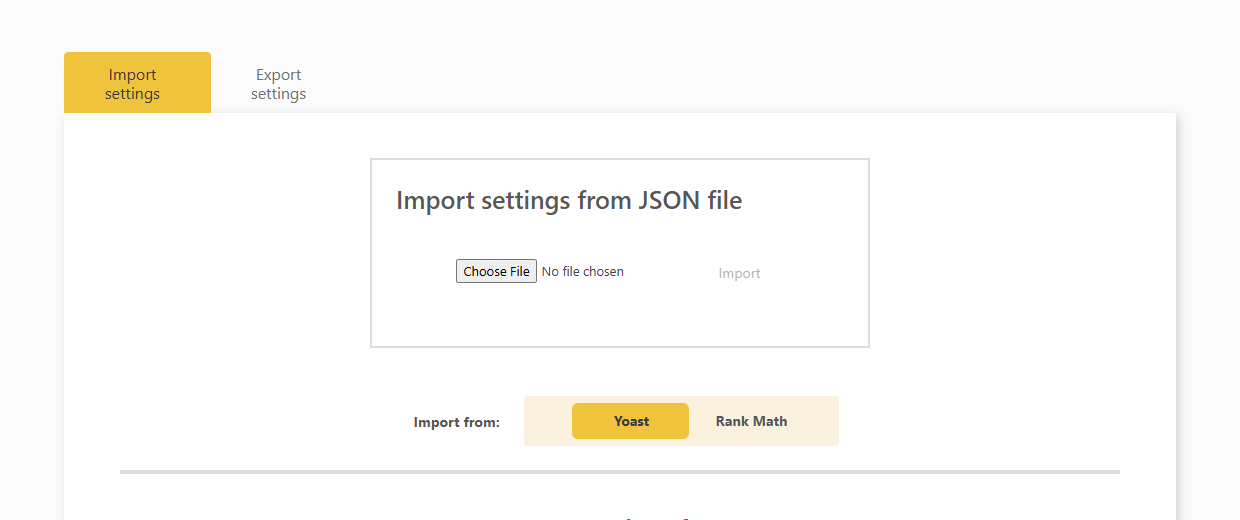
Import and export your SEO settings
Back up your entire SEO configuration to a file, or move it to another site in seconds.
- Export all settings to a JSON file
- Import settings from a JSON file
- Move your SEO setup between sites
- Take a safe backup before big changes
Onboarding
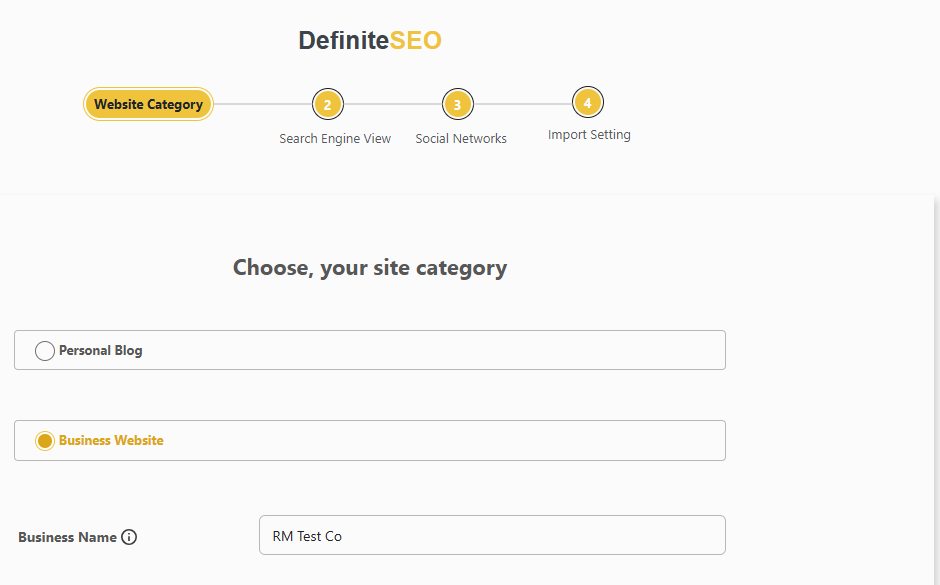
Guided SEO setup wizard
Get configured in minutes with a four-step wizard covering your site category, search appearance, social profiles and settings import.
- Four guided steps from category to import
- Set your site type and business details
- Configure search appearance and social profiles
- Import from Yoast or Rank Math in the last step
How the DefiniteSEO WordPress SEO plugin works
Install & run the wizard
Install the free plugin, run the setup wizard, and optionally import your settings from Yoast or Rank Math.
See your points to improve
DefiniteSEO scores each post and lists exactly what’s holding it back, sorted Critical, Recommended and Good.
Fix it, or let it autopilot
Click Fix, bulk-fix critical issues, or switch on the AI SEO Agent and let it keep your site optimised for you.
For agencies
White-label SEO plugin for agencies
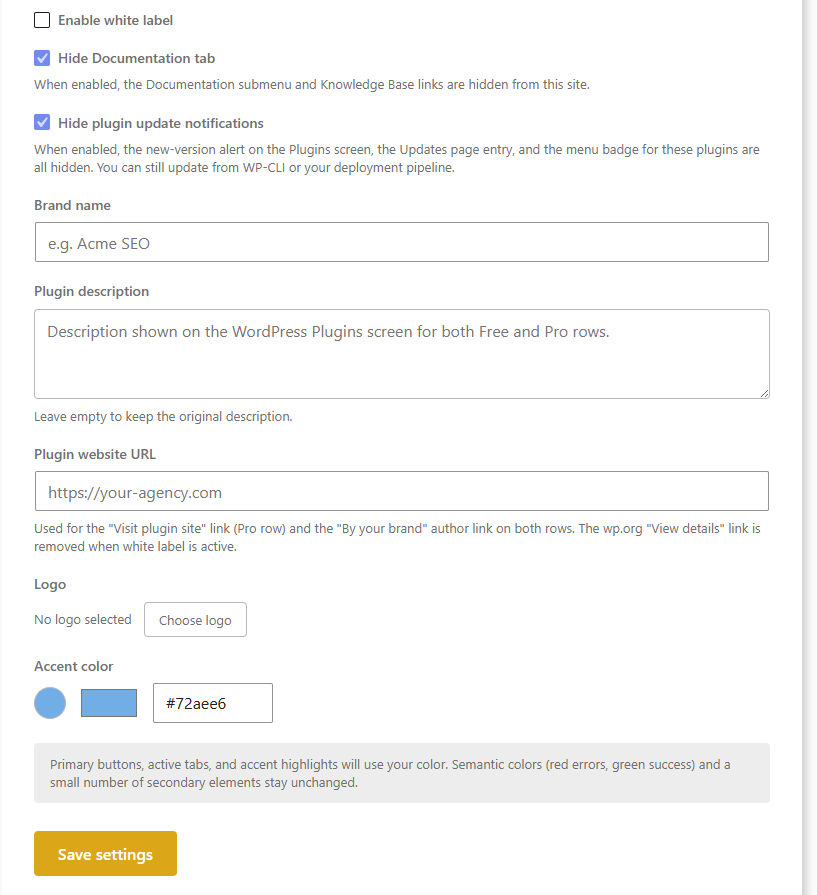
On the Agency plan, replace DefiniteSEO’s name, logo, colours and notification emails with your own across every screen. Lock white-label settings and even plugin deactivation so clients can’t undo your branding.
- Custom brand name, logo & accent colour
- Hide documentation and plugin update notices
- Rebrand the plugin name and description
- Client lockdown via wp-config constants
Switching from Yoast or Rank Math?
Bring your titles, meta and settings across with the built-in importer. No lost rankings, no starting over.
→
DefiniteSEO
←
Rank Math
DefiniteSEO vs Rank Math vs Yoast
Rank Math and Yoast tell you what is wrong. DefiniteSEO tells you what is wrong and fixes it for you.
| Feature | DefiniteSEO | Rank Math | Yoast SEO |
|---|---|---|---|
| One-click and bulk autofix that fixes issues, not just flags them | ✓ | ✕ | ✕ |
| Scheduled autopilot fixing (on a schedule and on publish) | ✓ | ✕ | ✕ |
| AI content writer for full-length articles | Full article writer | Content AI (subscription) | Titles & meta only |
| On-page SEO checks graded per page | 100+ checks | 40+ factors | Checklist |
| Automatic internal linking | Auto-insert | Suggestions | Suggestions (Premium) |
| AI image alt text | Vision AI + library sweep | Pattern + Content AI | ✕ |
| Spelling & grammar check | ✓ | ✕ | ✕ |
| Block AI crawlers (GPTBot, ClaudeBot) + llms.txt | ✓ | ✕ | ✕ |
| Optimise for multiple keywords per post | Unlimited | 5 free / Unlimited Pro | 1 free / 5 Premium |
| Schema / structured-data types | 45+ & custom builder | 20+ types | Core types |
| AI-generated schema markup | ✓ | ✕ | ✕ |
| Voice-search (Speakable) schema | ✓ | ✓ | ✕ |
| Local SEO / LocalBusiness schema | Included | Included | Paid add-on |
| News & Video sitemaps | Included | Pro | Paid add-ons |
| Redirect manager | Included | Included | Premium only |
| 404 monitor | ✓ | ✓ | ✕ |
| Broken-link & orphan-page checker | Both included | ✕ | Orphans (Premium) |
| Readability analysis | 8 readability tests | ✓ | ✓ |
| E-E-A-T author & reviewer signals | Author + reviewer | Author | Author |
| WooCommerce SEO | Built-in + GTIN / MPN / ISBN | Included | Paid add-on |
| Import from Yoast & Rank Math | ✓ | From other plugins | Limited |
| White label / agency rebranding | ✓ | ✕ | ✕ |
| Starting paid price (per year) | Free core + Pro plans | ~$104 (Pro) | $118.80 (Premium) |
DefiniteSEO is the only one of the three that fixes issues automatically, not just reports them.
Competitor features and prices as publicly listed by each vendor, July 2026. Yoast WooCommerce SEO is sold as a separate add-on. Rank Math states it does not offer a white-label option.
Frequently asked questions
Is DefiniteSEO free?
Yes. The core plugin is free on WordPress.org and covers SEO titles, meta, SERP previews, XML sitemaps, schema, Open Graph, breadcrumbs, Local SEO, redirects and the 404 monitor. The Pro plans add the AI automation, such as one-click autofix, the SEO Agent, AI internal linking and AI content.
Do the automatic fixes cost credits?
No. Mechanical fixes such as setting a canonical, enabling schema or creating a robots.txt rule are deterministic and free. Only AI-generated content (titles, descriptions, alt text, internal-link anchors) uses credits.
Can I undo a fix the plugin made?
Yes. Every change, whether manual, bulk or automatic, is reversible for 30 days from the activity log, so you can experiment with confidence.
Can I block AI crawlers like GPTBot?
Yes. The Crawler Optimisation module adds a one-click robots.txt blocklist for AI and general crawlers, and generates an llms.txt to control how large language models use your content.
Can I migrate from Yoast or Rank Math?
Yes. The built-in importer brings your existing titles, meta descriptions and settings across from Yoast SEO and Rank Math.
Can I rebrand the plugin for clients?
Yes, on the Agency plan. White label replaces the plugin name, logo, colours and emails, and can be locked so clients cannot change the branding or deactivate the plugin.
What is the difference between Solo, Business and Agency?
Solo includes core Pro tools and mechanical autofix. Business adds the three AI automation modules and advanced schema. Agency adds white-label rebranding on top. Each higher plan includes everything below it.
Does it work with WooCommerce, Elementor and my theme?
Yes. DefiniteSEO works with any standards-compliant theme and integrates with WooCommerce (including GTIN, MPN and ISBN identifiers) and the Elementor editor.
Do I need coding or SEO experience?
No. A guided setup wizard configures the essentials, the analysis lists issues in plain language, and most fixes are one click, so you never edit a template or touch code.
Will DefiniteSEO slow down my site?
No. DefiniteSEO is lightweight: the SEO tags it adds to your pages are static output, the analysis runs in the editor rather than for your visitors, and you can switch off any module you do not use.
Can I optimise a page for more than one keyword?
Yes. Add as many focus keywords as you like on any post, page or product, and DefiniteSEO scores each keyword separately across your headings, content, title, meta and images.
Does DefiniteSEO generate schema and meta tags automatically?
Yes. It writes a complete set of meta tags (title, description, canonical, robots, Open Graph and Twitter cards) and adds the right JSON-LD schema for each content type automatically, with a custom schema builder when you need more.
Does it work in the Gutenberg block editor?
Yes. DefiniteSEO adds a sidebar to the Gutenberg block editor, a panel to the Classic Editor and a dedicated tab inside Elementor, so your live score and tools sit beside your content wherever you write.
Try DefiniteSEO on your WordPress site
Download the free plugin, or go Pro and let AI keep your SEO fixed for you.
Social profiles
Link your social profiles for sameAs
Tell search engines which social accounts belong to your site, wired into sameAs and Organization schema for a stronger entity.