DefiniteSEO Pro plans and licensing explained
Understand what each plan unlocks and why a feature shows or hides on your site.
Plan: All Pro plans
On this page
- The three plans
- Feature matrix
- How feature gating works
- Dashboard cards: turn modules on and off
- FAQ
The three plans
DefiniteSEO Pro comes in three tiers, ordered from lowest to highest capability:
- Solo: core Pro SEO tools and editor helpers.
- Business: everything in Solo, plus the AI automation modules (AI SEO Agent, AI Image
SEO, AI Internal Linking) and advanced schema. - Agency: everything in Business, plus white-label rebranding for client sites.
A higher plan always includes the features of the plans below it.
Feature matrix
| Feature | Solo | Business | Agency |
|---|---|---|---|
| Manual SEO Autofix, mechanical fixes (0 credits) | Yes | Yes | Yes |
| AI-powered fixes (meta titles, descriptions, keywords) | No | Yes | Yes |
| AI SEO Agent (Autopilot) | No | Yes | Yes |
| AI Image SEO | No | Yes | Yes |
| AI Internal Linking | No | Yes | Yes |
| Schema import and custom schema | No | Yes | Yes |
| Editor spell-check and schema templates | Yes | Yes | Yes |
| White label and agency rebranding | No | No | Yes |
How feature gating works
Whether a feature appears on your site depends on two independent checks. Both must pass:
- Plan and license check. Your license must be valid and your plan must include the
feature. If your plan is too low or the license is invalid, the module is hidden entirely. - Dashboard card toggle. Even on the right plan, each AI module has an on/off card. If the
card is off, the module's menu item is hidden and its automation is paused.
This two-layer design lets you keep a paid module switched off until you are ready to use it,
without downgrading your plan.
Dashboard cards: turn modules on and off
Each AI module is represented by a card on the DefiniteSEO dashboard.
- Go to DefiniteSEO > Dashboard.
- Find the card for the module you want, for example AI SEO Agent, AI Image SEO, or
AI Internal Linking. - Switch the card on to reveal the module's menu item, or off to hide and pause it.
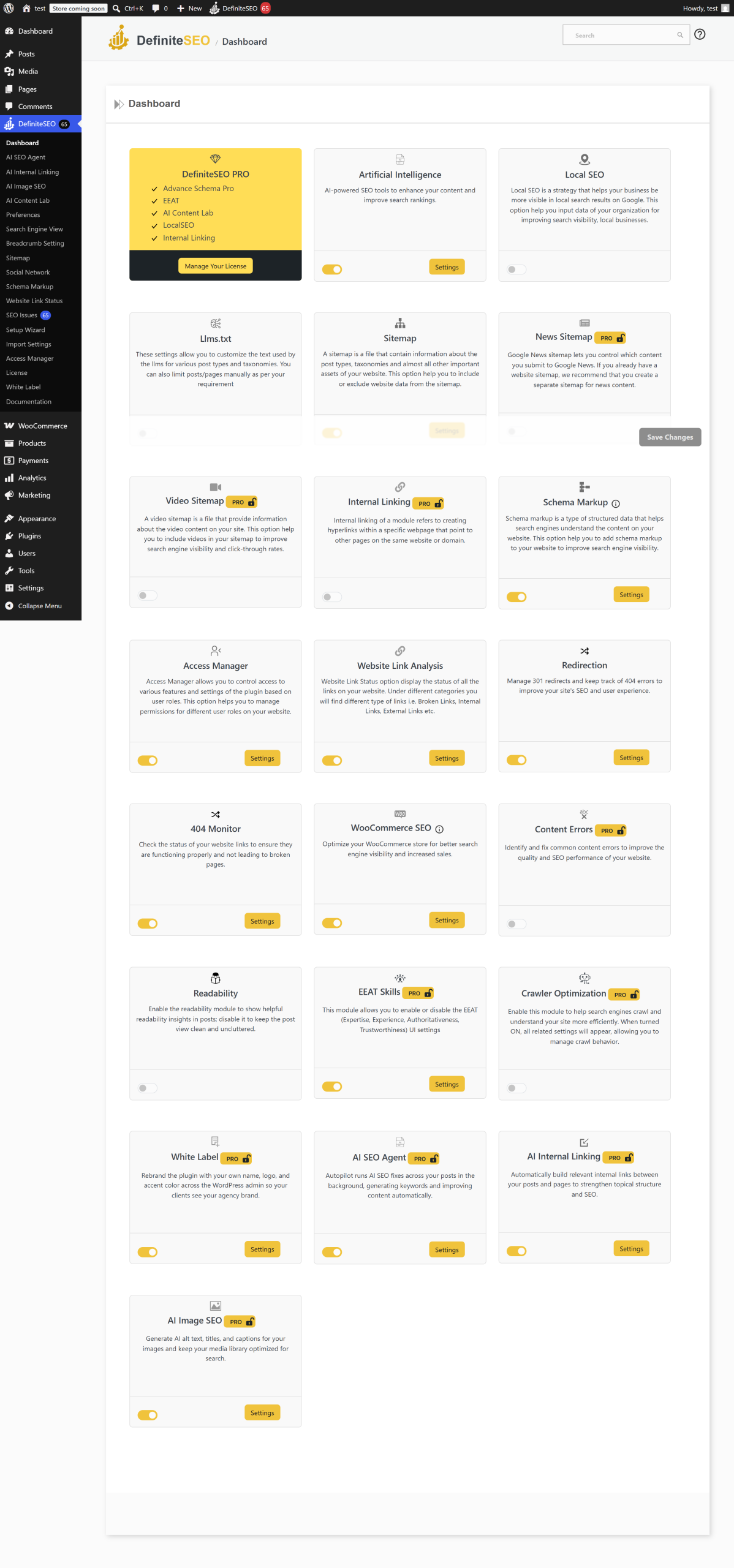
Warning: Turning a card off hides the module's menu and pauses its scheduled automation.
Your settings are kept, so turning the card back on restores them.
Limits and good to know
- License validity is checked continuously. An expired license hides the Pro modules until
it is renewed. - Credits power the AI features. Deterministic (mechanical) fixes never use credits; AI
fixes and AI generations do. Each feature guide states its credit cost. - White label is Agency-only and can additionally be locked by an agency so clients cannot
change branding. See White label and agency rebranding.
FAQ
What is the difference between the Business and Agency plans?
Business unlocks all three AI automation modules and advanced schema. Agency adds white-label
rebranding on top, letting you replace the plugin's name, logo, and colors. That is useful when
you manage SEO for client sites.
I upgraded my plan but a feature is still hidden. What now?
Re-check that your license shows as valid, then make sure the module's dashboard card is
switched on under DefiniteSEO > Dashboard. Both the plan check and the card toggle must pass
for a module to appear.
Do mechanical SEO fixes cost credits?
No. Mechanical fixes, such as setting a canonical URL, enabling schema, or creating a
robots.txt rule, are deterministic and free. Only AI-generated content (titles, descriptions,
alt text, internal-link anchors) uses credits.
Can I use the AI modules on the Solo plan?
The AI automation modules (AI SEO Agent, AI Image SEO, AI Internal Linking) require the
Business plan or higher. Solo includes the core Pro tools and editor helpers.
Related
- How to install DefiniteSEO Pro: activate the plugin and license.
- Quick start: your first SEO autofix: put your plan to work.
- White label and agency rebranding: the Agency-only feature.