How to install DefiniteSEO Pro on WordPress
Install the plugin, activate it, and enter your license key so the Pro features unlock.
Plan: All Pro plans
What you need first
DefiniteSEO Pro is a companion to the free DefiniteSEO plugin. Pro adds the AI features,
and Free provides the core SEO settings both share. You do not have to install the free plugin
yourself: when you activate Pro, it automatically installs and activates the free plugin for
you.
Before you start, make sure your site meets the minimum requirements:
- WordPress 5.0 or newer
- PHP 7.4 or newer
- A DefiniteSEO Pro license (Solo, Business, or Agency)
Install the plugin
Upload the plugin ZIP
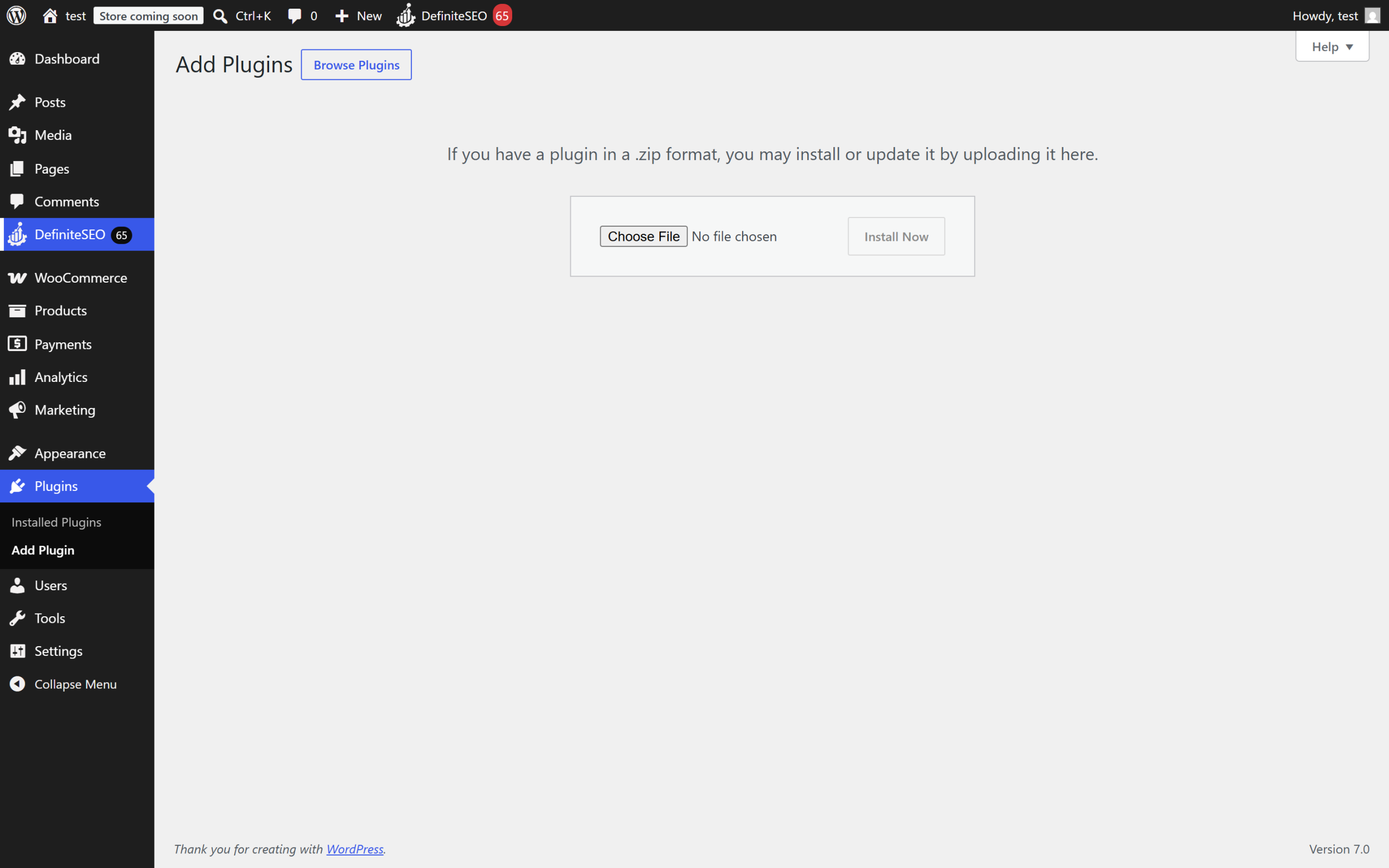
- In the WordPress admin, go to Plugins > Add New Plugin, then select Upload Plugin.
- Choose the
seo-with-definite-seo-pro.zipfile you received, then select Install Now. - When the upload finishes, select Activate Plugin.
Let Pro set up the free companion plugin
The first time you activate Pro, it installs and activates the free DefiniteSEO plugin in the
background, then sends you to the setup wizard. If your host blocks automatic installs, install
the free DefiniteSEO plugin from Plugins > Add New Plugin (search for "DefiniteSEO"),
activate it, and Pro will connect to it automatically.
Note: Both plugins must stay active. Deactivating the free plugin also deactivates Pro,
because Pro extends the free plugin's screens and settings.
Activate your license
Your license is what unlocks the Pro features for your plan. After activation:
- Go to the DefiniteSEO menu in the WordPress admin.
- Open the licensing screen and paste your license key.
- Select Activate and wait for the "valid" confirmation.
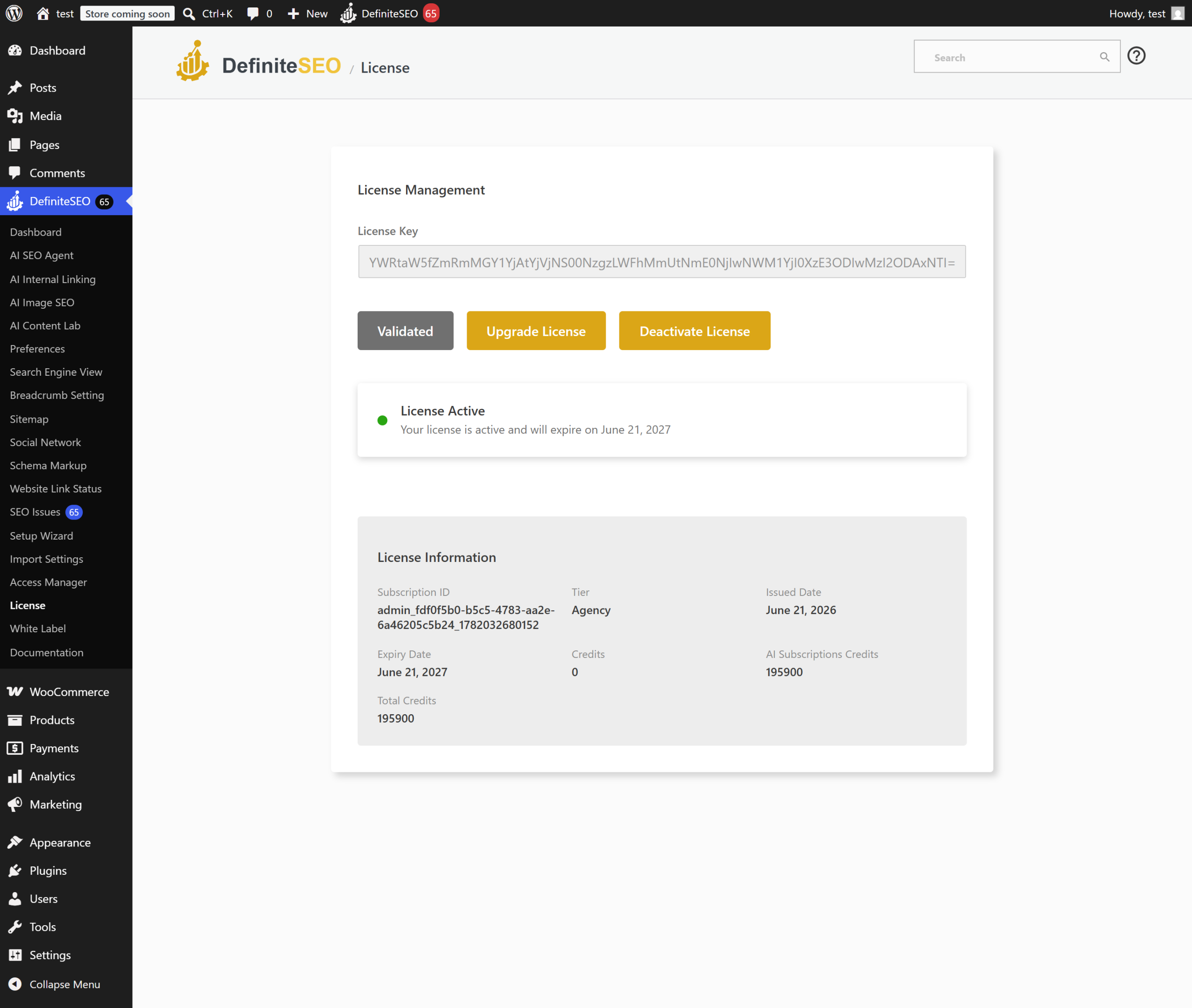
Once the license shows as valid, the AI modules become available (subject to your plan). If a
module's menu item is missing, check that its dashboard card is switched on. See
Plans and licensing.
Limits and good to know
- Plan: Installation works on any Pro plan; which features appear depends on your plan.
- Companion plugin: The free DefiniteSEO plugin is required and installed automatically.
- Multisite: Activate on each site where you want the SEO features.
- Uninstall: By default your settings are kept if you delete the plugin. Turn on
"delete plugin data on uninstall" first if you want everything removed.
FAQ
Do I need the free DefiniteSEO plugin as well as Pro?
Yes. Pro is an add-on to the free DefiniteSEO plugin and reuses its settings and menu. Pro
installs and activates the free plugin for you on activation, so you normally do not have to do
anything. Both must stay active.
Why did activating Pro redirect me to a setup wizard?
That is expected. After Pro activates the free plugin, it opens the DefiniteSEO setup wizard so
you can configure the core SEO basics before using the AI modules.
My license is valid but a feature is missing. Why?
Two things gate every AI module: your plan and a per-module dashboard card. Confirm your plan
includes the feature, then make sure the module's card is switched on under
DefiniteSEO > Dashboard. See Plans and licensing.
Related
- Plans and licensing (Solo, Business, Agency): see what your plan unlocks.
- Quick start: your first SEO autofix: run your first fix after installing.